
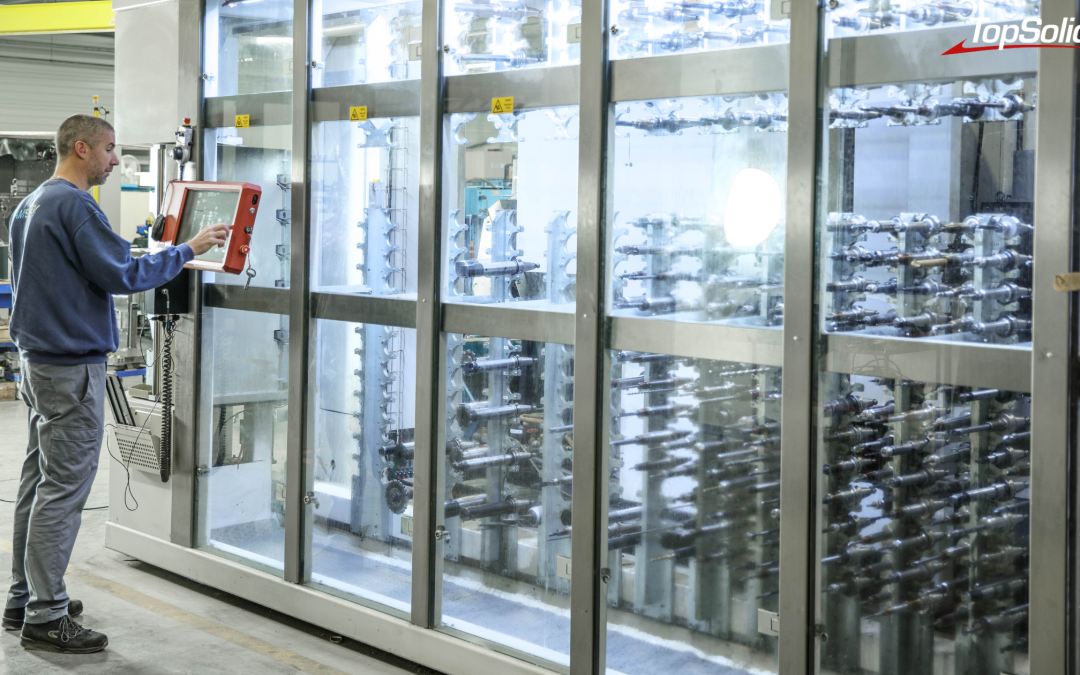
Photo credits: SADEV (69), a specialist in automotive precision engineering; Stéphane Couchet©
Most machine shops know exactly how to send a program to a machine. Far fewer, however, can say—three months later—which version actually machined the batch, where the tool used to make it is located, and how many times it was used. The downstream process is under control. The upstream process, on the other hand, almost always gets lost.
Why isn’t the workshop data being reported?
A well-organized downward flow, an upward flow that is dissipating
From the methods office to the shop floor, the production line is now well-equipped: CNC program, tool list, setup instructions, documentation. Information is sent, it arrives, and the part is manufactured.
On the other side, silence. What actually happened on the machine stays on the machine, in a notebook, or in the setter’s head. A correction made at the machine, a tool substituted in a pinch, an adjusted setup: all of this information never makes its way back into the system and will have to be rediscovered for the next production run.
Three questions without reliable answers
- Which version of the program actually generated this batch, and who last modified it?
- Where is this assembled tool physically located, and on which machine was it mounted?
- How many times has this tool component been used over the past twelve months?
As long as these answers depend on a person’s memory, the workshop works. But it operates without a safety net: on the day that person is absent, the information disappears along with them.
Data collection or machine monitoring: two distinct topics
The term is misleading. Many people immediately associate it with the machine monitoring: cycle time, downtime, overall equipment effectiveness. This is another topic, which falls under an MES ( Manufacturing Execution System).
The data retrieval discussed here pertains to manufacturing data: the status and history of CNC programs, the location and actual usage of tools, preset data, and storage space usage. This is the data that your production planning department uses every day—and that no one consolidates.
This distinction is not merely superficial. It determines which tool to implement—and the order in which to do so. Organizing your manufacturing data before implementing an MES prevents you from feeding a control system with inaccurate data.
This category of tools has a name: SDM, which stands for Shopfloor Data Management. While the MES controls real-time operations, the SDM organizes the database on which those operations rely: programs, tools, presets, and storage.
Four manufacturing data points to prioritize for consolidation
1. The Status and History of CN Programs
A program is not a static file. It is created, locked, released, delivered, and loaded onto a machine. Each of these states specifies what is permitted to be produced at a given moment.
TopSolid’ShopFloor manages the status of programs with a simple drag-and-drop, and keeps a history of changes and movements, and records lifecycle information: creator, most recent runs. A built-in NC program comparator, with up to four channels and synchronized views, lets you see exactly what differs between two versions.
In practical terms: the question of whether this is indeed the correct version is no longer a matter of trust but simply a matter of checking.
2. Tool Placement and Storage Capacity
A tool you can’t find is a tool you have to buy again. The Storage Manager module provides a 3D view of all storage areas—from racks and cabinets to automated warehouses—and locates components, assembled tools, tooling, and sensors. Management is handled via Datamatrix codes and barcodes, with interfaces to connected storage systems.
Version 2026 adds dynamic color coding the actual status of the drawers and compartments: empty, full, or partially full. The workshop’s available capacity can be seen at a glance, without the need for a manual inventory.
3. Actual use of tools and equipment
This is the new feature most directly related to data retrieval. The Statistics module, introduced in 2026, analyzes the actual use of ISO programs, tool components, complete tools, tooling, and measuring equipment.
It helps identify high-value-added resources, detect underutilization, pinpoint redundant or unused components, and anticipate inventory obsolescence. In other words, it helps to manage investments and maintenance based on actual lifecycles rather than estimates.
This is where data collection takes on a new dimension: it is no longer used merely to retrieve information, but to make decisions.
4. Preset data
The Tool Set module manages the presetting station and related data: 3D visualization of the tool setters to be measured, batch presetting, storage of the last cycle used for each tool, and automatic prioritization of requested tools in the event of a tool breakage on the machine, for example.
The measured values do not remain on the bench. They are used to populate the database, and are sent back to the machine without having to be re-entered.
Turning this data into decisions
Consolidated data that cannot be utilized is useless. Version 2026 includes the engine Stimulsoft Designer, which allows you to create and manage your own report templates, tool and component lists, and technical data sheets directly within the system, without relying on an external tool.
The new digital signage system follows the same principle: expand or collapse elements with a single click to keep only the relevant information on the screen. Data is only valuable if it is readable by the person who needs to use it.
TopSolid estimates that effective information management can boost productivity by 20% to 50%. L’ordre de grandeur varie évidemment selon l’organisation de départ, mais la direction, elle, ne prête pas à discussion.
>>> See also – Mecachrome Enhances the Reliability of Its CNC Machining Operations with TopSolid’ShopFloor
Two entry points to get started without having to start from scratch
A common mistake is trying to implement everything at once. TopSolid’ShopFloor is a modular system: each module provides its own services, and the system as a whole is rolled out gradually. In practice, there are two main starting points.
- The CN Program, when the risk involves version control and the traceability of transfers. This is often the starting point in environments with high-quality requirements.
- The tool—when the cost of keeping a stock of cutting tools and the time spent looking for them become apparent in the numbers.
The rest follows: presets, storage, usage statistics. And since the solution interfaces with the ERP, MES, PLM (Product Lifecycle Management), and other technical data management systems—it integrates with existing systems rather than replacing them.
Details about the modules are available on the TopSolid’ShopFloor shop floor management software page.
Test TopSolid’ShopFloor in real-world conditions
It’s hard to get a good sense of this kind of topic from a brochure. TOPSOLID has launched demonstration areas TopSolid’ShopFloor at its branch offices, where the modules are running under real-world conditions with the experts who deploy them. This is the quickest way to find out if this is relevant to you—and to what extent.
Are your programs, tools, and manufacturing data truly usable? Our experts invite you to visit our TopSolid’ShopFloor demonstration centers to see for yourself. Request a personalized demonstration today.
Frequently Asked Questions About Workshop Data Upload
What is shop floor data reporting?
This involves consolidating, into a single repository, the information generated by the shop floor during the manufacturing process: the status and history of CNC programs, the location and use of tools, preset data, and the occupancy of storage areas. It complements the traditional top-down workflow, which sends programs and tool lists to the machines.
What is SDM (Shopfloor Data Management)?
An SDM is a system for managing shop-floor manufacturing data: the status and history of CNC programs, tools and their locations, preset data, and storage areas. It serves as the manufacturing reference system, while an MES controls the execution of production. The two are complementary.
Is TopSolid’ShopFloor an MES?
No. It is a manufacturing data management system that interfaces with ERP, MES, PLM, and other technical data management systems. The two are complementary: the manufacturing repository on one hand, and execution management on the other.
Do you have to use TopSolid’Cam to take advantage of this?
No. The Program Manager module supports all program formats, regardless of the source, whether they come from TopSolid or another CAM software package.
What devices can be connected?
CNC machines with direct interfaces to Siemens, Heidenhain, Fanuc, and Fastems; WPD-compatible machines; Zoller, Kelch, or EZset-type presetting benches; connected storage systems; as well as barcode, Data Matrix, and RFID scanners
Can the solution be rolled out gradually?
Yes. The architecture is modular and designed for phased implementation, module by module, with user and role management.