
Shop Floor Data Upload: Leveraging Your Manufacturing Data

Shop Floor Data Upload: Leveraging Your Manufacturing Data

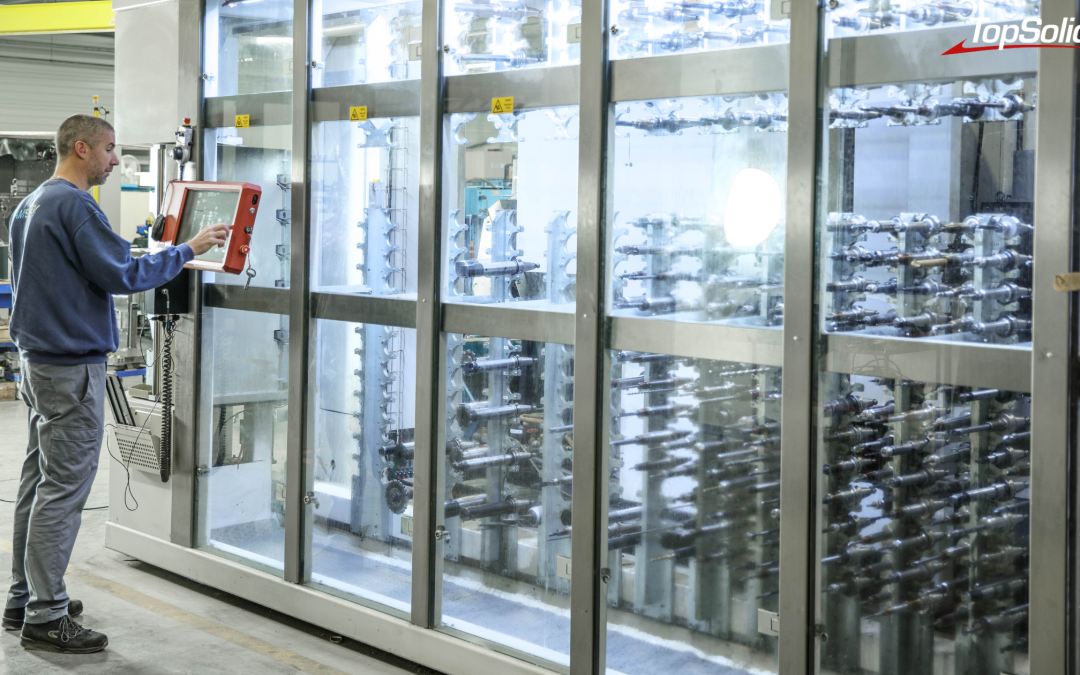
Photo credits: SADEV (69), a specialist in automotive precision engineering; Stéphane Couchet©

Most machine shops know exactly how to send a program to a machine. Far fewer, however, can say—three months later—which version actually machined the batch, where the tool used to make it is located, and how many times it was used. The downstream process is under control. The upstream process, on the other hand, almost always gets lost.

Why isn’t the workshop data being reported?

A well-organized downward flow, an upward flow that is dissipating

From the methods office to the shop floor, the production line is now well-equipped: CNC program, tool list, setup instructions, documentation. Information is sent, it arrives, and the part is manufactured.

On the other side, silence. What actually happened on the machine stays on the machine, in a notebook, or in the setter’s head. A correction made at the machine, a tool substituted in a pinch, an adjusted setup: all of this information never makes its way back into the system and will have to be rediscovered for the next production run.

Three questions without reliable answers

  • Which version of the program actually generated this batch, and who last modified it?
  • Where is this assembled tool physically located, and on which machine was it mounted?
  • How many times has this tool component been used over the past twelve months?

As long as these answers depend on a person’s memory, the workshop works. But it operates without a safety net: on the day that person is absent, the information disappears along with them.

Data collection or machine monitoring: two distinct topics

The term is misleading. Many people immediately associate it with the machine monitoring: cycle time, downtime, overall equipment effectiveness. This is another topic, which falls under an MES ( Manufacturing Execution System).

The data retrieval discussed here pertains to manufacturing data: the status and history of CNC programs, the location and actual usage of tools, preset data, and storage space usage. This is the data that your production planning department uses every day—and that no one consolidates.

This distinction is not merely superficial. It determines which tool to implement—and the order in which to do so. Organizing your manufacturing data before implementing an MES prevents you from feeding a control system with inaccurate data.

This category of tools has a name: SDM, which stands for Shopfloor Data Management. While the MES controls real-time operations, the SDM organizes the database on which those operations rely: programs, tools, presets, and storage.

Four manufacturing data points to prioritize for consolidation

1. The Status and History of CN Programs

A program is not a static file. It is created, locked, released, delivered, and loaded onto a machine. Each of these states specifies what is permitted to be produced at a given moment.

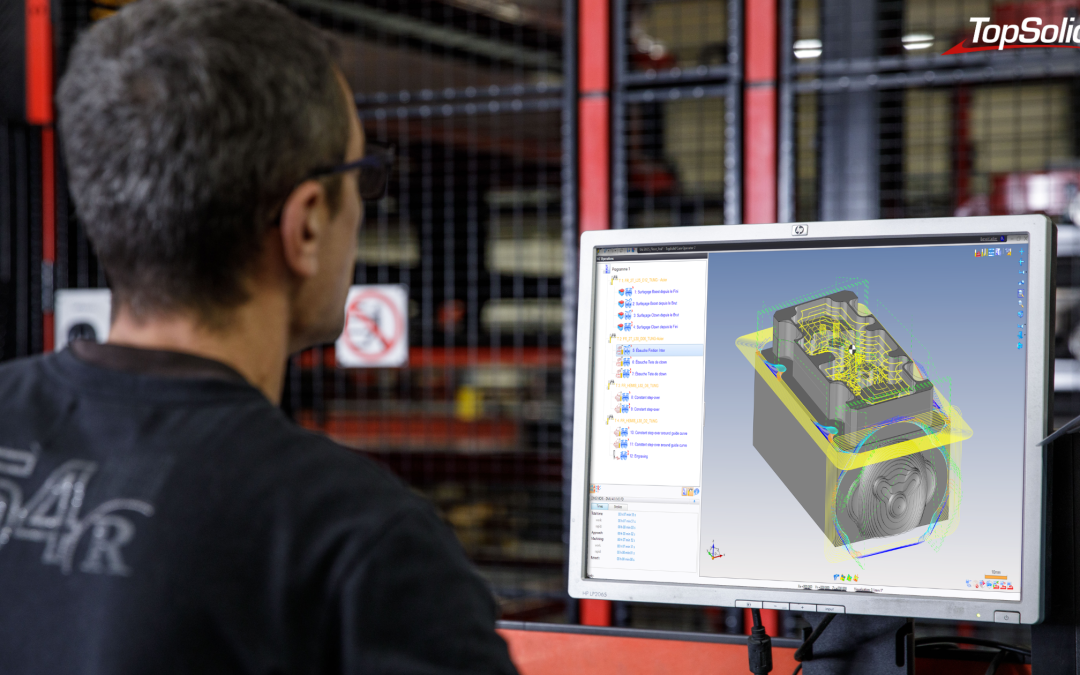
TopSolid’ShopFloor manages the status of programs with a simple drag-and-drop, and keeps a history of changes and movements, and records lifecycle information: creator, most recent runs. A built-in NC program comparator, with up to four channels and synchronized views, lets you see exactly what differs between two versions.

In practical terms: the question of whether this is indeed the correct version is no longer a matter of trust but simply a matter of checking.

2. Tool Placement and Storage Capacity

A tool you can’t find is a tool you have to buy again. The Storage Manager module provides a 3D view of all storage areas—from racks and cabinets to automated warehouses—and locates components, assembled tools, tooling, and sensors. Management is handled via Datamatrix codes and barcodes, with interfaces to connected storage systems.

Version 2026 adds dynamic color coding the actual status of the drawers and compartments: empty, full, or partially full. The workshop’s available capacity can be seen at a glance, without the need for a manual inventory.

3. Actual use of tools and equipment

This is the new feature most directly related to data retrieval. The Statistics module, introduced in 2026, analyzes the actual use of ISO programs, tool components, complete tools, tooling, and measuring equipment.

It helps identify high-value-added resources, detect underutilization, pinpoint redundant or unused components, and anticipate inventory obsolescence. In other words, it helps to manage investments and maintenance based on actual lifecycles rather than estimates.

This is where data collection takes on a new dimension: it is no longer used merely to retrieve information, but to make decisions.

4. Preset data

The Tool Set module manages the presetting station and related data: 3D visualization of the tool setters to be measured, batch presetting, storage of the last cycle used for each tool, and automatic prioritization of requested tools in the event of a tool breakage on the machine, for example.

The measured values do not remain on the bench. They are used to populate the database, and are sent back to the machine without having to be re-entered.

Turning this data into decisions

Consolidated data that cannot be utilized is useless. Version 2026 includes the engine Stimulsoft Designer, which allows you to create and manage your own report templates, tool and component lists, and technical data sheets directly within the system, without relying on an external tool.

The new digital signage system follows the same principle: expand or collapse elements with a single click to keep only the relevant information on the screen. Data is only valuable if it is readable by the person who needs to use it.

TopSolid estimates that effective information management can boost productivity by 20% to 50%. L’ordre de grandeur varie évidemment selon l’organisation de départ, mais la direction, elle, ne prête pas à discussion.

>>> See also – Mecachrome Enhances the Reliability of Its CNC Machining Operations with TopSolid’ShopFloor

Two entry points to get started without having to start from scratch

A common mistake is trying to implement everything at once. TopSolid’ShopFloor is a modular system: each module provides its own services, and the system as a whole is rolled out gradually. In practice, there are two main starting points.

  • The CN Program, when the risk involves version control and the traceability of transfers. This is often the starting point in environments with high-quality requirements.
  • The tool—when the cost of keeping a stock of cutting tools and the time spent looking for them become apparent in the numbers.

The rest follows: presets, storage, usage statistics. And since the solution interfaces with the ERP, MES, PLM (Product Lifecycle Management), and other technical data management systems—it integrates with existing systems rather than replacing them.

Details about the modules are available on the TopSolid’ShopFloor shop floor management software page.

Test TopSolid’ShopFloor in real-world conditions

It’s hard to get a good sense of this kind of topic from a brochure. TOPSOLID has launched demonstration areas TopSolid’ShopFloor at its branch offices, where the modules are running under real-world conditions with the experts who deploy them. This is the quickest way to find out if this is relevant to you—and to what extent.

Are your programs, tools, and manufacturing data truly usable? Our experts invite you to visit our TopSolid’ShopFloor demonstration centers to see for yourself. Request a personalized demonstration today.

Frequently Asked Questions About Workshop Data Upload

What is shop floor data reporting?

This involves consolidating, into a single repository, the information generated by the shop floor during the manufacturing process: the status and history of CNC programs, the location and use of tools, preset data, and the occupancy of storage areas. It complements the traditional top-down workflow, which sends programs and tool lists to the machines.

What is SDM (Shopfloor Data Management)?

An SDM is a system for managing shop-floor manufacturing data: the status and history of CNC programs, tools and their locations, preset data, and storage areas. It serves as the manufacturing reference system, while an MES controls the execution of production. The two are complementary.

Is TopSolid’ShopFloor an MES?

No. It is a manufacturing data management system that interfaces with ERP, MES, PLM, and other technical data management systems. The two are complementary: the manufacturing repository on one hand, and execution management on the other.

Do you have to use TopSolid’Cam to take advantage of this?

No. The Program Manager module supports all program formats, regardless of the source, whether they come from TopSolid or another CAM software package.

What devices can be connected?

CNC machines with direct interfaces to Siemens, Heidenhain, Fanuc, and Fastems; WPD-compatible machines; Zoller, Kelch, or EZset-type presetting benches; connected storage systems; as well as barcode, Data Matrix, and RFID scanners

Can the solution be rolled out gradually?

Yes. The architecture is modular and designed for phased implementation, module by module, with user and role management.

TOPSOLID Makes Its Debut in Italian High School Graduation Exam Rooms

TOPSOLID Makes Its Debut in Italian High School Graduation Exam Rooms

From CAD/CAM design to CNC tooling: how the second year of the new “Mechanical Manufacturing for Made in Italy” program turns a high school diploma into a true springboard to local businesses.

Imagine an exam in which you are not only asked to recite a formula by heart, but also to act like a production engineer at a mechanical engineering company.

Calculate the stresses in a C43 steel shaft, select bearings from the manual, design a gearbox housing using CAD, define the CAM strategy, and, finally, go to the workshop to set up the part and adjust a CNC machine.

This is not a description of a workplace integration program, but rather the actual topic of the second section of the state exam for the IP13 track—Industry and Crafts for “Made in Italy” (mechanical manufacturing).

A perfect bridge between the classroom and the Industry 4.0 workshop, which the students crossed by using a comprehensive software suite such as TopSolid.

We interviewed Professor Gabriele Gerini, a lab instructor at the I.I.S. Leonardo da Vinci in Florence, Italy, who guided the students through an experimental project that proved to be successful.


Professor, this year the students took an exam that focused specifically on “Made in Italy” and the local region. What was the exam committee’s objective?

“For our school, this academic year marks the second and final year of the new program, “Mechanical Manufacturing for Made in Italy.” Compared to last year, we have sought to give the exam a more specialized and technical focus; as stipulated by the ministerial decree, the exam is developed by the examination board within a general framework in order to highlight the school’s unique characteristics and the actual training experiences undertaken by the students.”


What skills are actually assessed in an exam of this type?

“An exam structured in this way combines various skills. Students must demonstrate that they have acquired skills in the areas of design, three-dimensional technical drawing, and CAM programming, as well as in the setup and commissioning of CNC machines. I believe that such a well-rounded profile—capable of managing all phases of the product lifecycle—is highly sought after by companies, which today are specifically looking for versatility and competence.”


In your opinion, in the field of mechanical engineering, how important is it to combine CAD/CAM design with mechanical sizing, as opposed to relying solely on theory?

“Successfully giving form to what students study, conceive, and design is fundamental to fostering a more critical and truly enlightened education. In fact, I find that Confucius’s words are more relevant than ever: “If I listen, I forget; if I watch, I remember; if I do, I learn.” Theory is fundamental, but it only acquires value when it becomes a tool for solving a real-world production problem.”


How did the students react when they discovered an exam question so closely related to a real-world industrial case?

“Rather than surprise, I would describe it as a positive realization on the part of the students. Since this was an exam designed by the jury based on ministerial guidelines, the students knew they would be faced with a real-world, challenging scenario, but they had absolutely no idea what the specific content would be. Their composure stemmed from their experience over the past two years—and particularly this past school year—during which we worked extensively on developing concrete projects. By getting them accustomed on a daily basis to transitioning from theoretical and technical study to practical application, they arrived on exam day equipped with the intellectual and operational tools needed to tackle the subject with great maturity.”


>>> See also – TopSolid Education and Industrial Training

What were the most common challenges students faced during their training?

“The students were exposed to a large number of practical cases and a wide variety of technologies. This exam focused specifically on milling, but throughout the year, students completed projects involving turning, laser cutting, and 3D printing, with the goal of integrating all the technologies available at our school into complex projects, while also performing geometric and dimensional measurements and inspections using a coordinate measuring machine (CMM). During their training, they experimented with different programming strategies, the selection of cutting parameters, and machining settings, emphasizing approaches specific to different materials, while keeping an eye on production deadlines and tool sharpening times. The machining operations performed were primarily 2.5-axis, in some cases 4- to 5-axis positioned, with a notable example of continuous 5-axis machining.”


On average, how long does it take for a student to become proficient in using TOPSOLID?

“With an appropriate learning method and consistent motivation to design and produce a variety of mechanical parts, I believe that one school year can be enough to bring students to a level of autonomy that is more than sufficient. In fact, this was confirmed during this first experimental year, when we chose to use TopSolid for the high school graduation exam. Of course, when it comes to more complex machining operations, shapes, or specialized materials, the time required increases; however, I believe the biggest obstacle lies in understanding the underlying logic of the software, which, based on my experience and student feedback, is actually very intuitive.”


What skills distinguish an average student from one who is particularly well-prepared?

“I’m pleased to see that all the students who were trained in the software demonstrated sufficient skill to program a relatively complex mechanical part from scratch, such as the one specified in the exam. For someone in my line of work, that’s the greatest satisfaction: being able to involve everyone without leaving anyone behind.”

“Of course, I am also proud of the exceptional performance our young people have demonstrated, which I am convinced will lead them to rewarding careers. The difference lies in the informed choice of the right machining steps and in the optimal determination of cutting parameters, taking into account machining lead times and the actual availability of tools in the shop. A young person who can integrate all this information and translate it into smooth, efficient programming is undoubtedly ready to take on the challenges of an industry constantly seeking skills at this level.”


When analyzing the topic, we move from calculating stresses (bending and shear) to the CAM machining strategy and tooling. At what stage did the students demonstrate the greatest technical maturity?

“Overall, the students proved themselves at every stage. CAM programming was certainly the biggest hurdle, but they all overcame it with flying colors, and some particularly brilliant students even accomplished this task remarkably well. The most complex part remains the calculation and sizing: let’s not forget that this is a vocational school, which enrolls students with a practical and hands-on focus; having them take such a comprehensive exam was a challenge we wanted to set for them, and they rose to it brilliantly. The stage that pleasantly surprised me the most was the machine setup. All students completed the practical portion entirely on their own, performing the fundamental operations of tool presetting, workpiece zeroing, and program management. Some even made judicious choices when adjusting the compensation radius to meet design tolerances. Completing such a task as part of an exam has a significant impact on anxiety management and performance: an aspect that, as examiners and faculty, we can only commend and value.”


Preparing a class for such a comprehensive exam requires significant teamwork among teachers and a well-structured curriculum. What advice would you give to your colleagues at other schools who would like to implement similarly integrated CAD/CAM programs?

“The planning for this school year was intense, thoughtful, and engaging. The complete integration of hands-on projects with the core subject (Design and Production) created a synergy that allowed each activity to be structured from start to finish, from design to completion. The effort required to set up materials and prepare lessons—all while meeting the deadlines imposed by increasingly tight schedules—is far from simple. But when approached with enthusiasm, it enables us to achieve any goal with the students, rediscovering in them that passion which still makes us believe that school is the place where a person’s character is forged and where dreams and ambitions are built.”

All of this was made possible thanks to the entire TOPSOLID team—from administrative and sales managers to technicians—who never failed to support us. The path ahead is exciting, and as an institution and a mechanical engineering department, we look forward to following it and implementing it more and more alongside future generations of students.


Before concluding, we would like to thank the I.I.S. Leonardo da Vinci in Florence and Professor Gabriele Gerini for sharing this innovative educational experience, which offers a concrete glimpse into how schools can meet the needs of modern industry and prepare young people for the challenges of the future.

Special thanks also go to Benso Tuscany Srl, a TopSolid reseller, and specifically to Gianpiero Sigismondi, whose personal commitment and great dedication made it possible to design, support, and bring this important training project to life. This valuable collaboration has paved the way for a positive future for the school and the local community.

The school’s experience shows that CAD/CAM is no longer just a tool used in the workplace, but can become a central component of education—even at the high school level. Introducing TopSolid into the classroom meant asking students to think like technicians, designers, and production operators, applying real-world skills that are immediately applicable in the workplace.

It has been confirmed that when schools, technology, and pedagogy work in harmony, the line between education and the professional world blurs to the point of nearly disappearing. Thanks to the program they’ve completed with TopSolid, these young people don’t enter the industrial world as beginners: they’ve already acquired the methodology, basic independence, and technical vocabulary needed to quickly integrate into a company and begin their true professional development journey.

And, in an industry constantly seeking skilled workers, this may be the most important outcome of all.

Training tomorrow’s technicians to use today’s tools

Training tomorrow’s technicians to use today’s tools

At TOPSOLID, our commitment to the education sector goes beyond simply providing software licenses. It is a deeply held belief: A French industrial software company has a responsibility to support those who are training the technicians and engineers of tomorrow.

To better understand this philosophy and learn how it plays out in practice, we spoke with Vincent Vogel, TOPSOLID’s Sales Manager for Education, who has been working for several years to build lasting relationships between the software company and educational institutions.

An educational commitment rooted in the company’s history

For a long time, the relationship between TOPSOLID and the education sector was based more on individual initiative than on a structured strategy. It was in the 2000s that a position dedicated to education was created within the company—a strong signal from a software publisher that viewed training as a strategic priority in its own right.

The reasons are both pragmatic and philosophical. Pragmatic, because learners who have been trained to use a particular tool naturally tend to stick with it when they enter the workforce. Philosophical, because TOPSOLID is one of the few software companies CAD/CAM to develop all of its solutions in France.

“We are a French publisher, developed in France, with a very French approach,” explains Vincent Vogel. “We have a real responsibility to be present in schools and to support both teachers and students.”

Today, more than 500 institutions in France are part of the TOPSOLID network, covering a wide range of educational needs—from vocational high schools to university technology institutes (IUTs), including HND programs and engineering schools.

See also – Recruitment in Industry: Attracting Young Talent Through Innovative Production Tools

The Driving Simulator: When an Educational Project Becomes a Collective Adventure

Every year, TOPSOLID strives to produce a feature highlighting a project created by students using its software. Following a prosthetic hand and a wooden guitar exhibited at Eurobois, this year’s project is a dynamic driving simulator that was selected for this new edition… and the project far exceeded initial expectations.

The Beginning: A Meeting, a Vision

It all began with a visit to Monge High School in Chambéry, a comprehensive high school that offers a sheet metal and boilermaking program. Vincent Vogel, a TOPSOLID field representative, met with the teaching staff there and established a connection with Édouard Vaillant High School in Limoges, which had already built its first driving simulator.

The idea then became clear: Why not bring the two schools together for a much more ambitious inter-high-school project and design a new version of the simulator featuring TOPSOLID’s branding?

TOPSOLID from A to Z: From Design to Manufacturing

What makes this project particularly remarkable is that the entire TOPSOLID digital chain was brought into play:

  • Using 3D CAD design, we were able to model every part of the simulator, make corrections to its base, and optimize the assemblies before any physical manufacturing took place.
  • The FAO then took over responsibility for controlling the machine tools and manufacturing the parts.
  • The entire project was centralized and managed through PDM (Product Data Management), ensuring data consistency between the two facilities.

In other words, the students worked exactly like industrial design engineers, with the same constraints, the same tools, and the same level of precision.

A Project That Brings People Together

After months of working in parallel at each high school, a gathering was held on March 18 to assemble the entire simulator for the first time. It was a memorable moment, later capped off by a group painting session that gave the simulator its final look.

The centerpiece was then displayed at the Global Industrie trade show, where it generated remarkable enthusiasm. “We received a lot of feedback from people all over France, not just from the high schools involved,” notes the Education Manager. “Visitors were blown away by the quality of the work.” A designer had offered some aesthetic advice beforehand. The result? The simulator stole the show.

See also – TopSolid’Wood in Education

What the project Really Taught Them

Beyond technical skills, this project gave the students something that traditional education cannot always provide: the pride of working on a real project intended to be showcased to the general public. “The students were excited about the opportunity to work on a real-world project with TOPSOLID that would be showcased at a trade show,” says the Head of Education.

The teachers, too, gave it their all. Motivated by the Global Industrie deadline, they worked twice as hard to stay on schedule—without anyone imposing any deadlines on them. One of them even organized a week-long ski trip… strategically timed just before the visit to Lycée Monge. This friendly balance says a lot about the overall atmosphere of the project.

TopSolid’Academy: A Community for Educators

In addition to its field projects, TOPSOLID launched TopSolid’Academy last September, a platform dedicated exclusively to teachers. The goal: to provide them with a space for educational resources and peer-to-peer exchange.

Specifically, the platform offers:

  • TOPSOLID resources and content available for free (tutorials, course materials, software news),
  • a community for educational exchange where members can share assignments, lesson plans, and feedback.

The numbers speak for themselves: in just a few months, more than 300 teachers have signed up, and the platform has already been downloaded more than 4,000 times. This launch confirms the genuine need for such a space within the teaching community.

A National Competition for IUTs: The Finals in Bordeaux

Another flagship initiative: an internal competition for IUT students in the Mechanical Engineering and Manufacturing Technology (GMP) program, with a focus on CNC machining. More than 70 candidates from across France took part in the selection process for this inaugural edition, and the final will be held on May 21 at the IUT in Bordeaux. A great opportunity for students to test their proficiency with TOPSOLID in a competitive and rewarding setting.

A simple philosophy: the tool should take a back seat to the craft

Ultimately, what guides TOPSOLID’s entire educational approach can be summed up in a statement by its Head of Education: “When we train students for a profession, we aren’t training them to use software.”

Ideally, the tool should be the one that will actually be used in the workplace, and it must be intuitive enough to allow the teacher to remain a professional trainer—not a software trainer. This is precisely the stated intention of TopSolid V7: user-friendly, affordable, widely used in industry, and well-suited for educational purposes.

To address the budgetary constraints faced by educational institutions, TOPSOLID has also established a clear principle: no educational project should be held up by cost considerations.

TOPSOLID Education offers competitive pricing and adapts to the specific needs of each institution to provide tailored solutions while maintaining the necessary support and follow-up, just as it does for industrial clients.

Conclusion: Investing in training means investing in French industry

TOPSOLID’s commitment to education is not just a public relations ploy. It reflects a corporate and social conviction: French software that trains today’s technicians directly contributes to tomorrow’s industrial sovereignty.

The driving simulator developed by Lycée Monge and Édouard Vaillant is the most concrete example of this. When high school students spend months designing, building, and assembling an ambitious project using the same tools as professionals—and capture the imagination of visitors at a major industrial trade show—it makes the entire field more appealing.

“When I talk to young people who tell me they love TOPSOLID, it really makes me happy,” the Education Manager says simply. That one sentence speaks volumes about what truly drives this long-term commitment.

Are you a teacher or an educational administrator looking to equip your school or join TopSolid’Academy? Contact our education team! No project should be held up by budget issues.

The Benefits of APIs for the Integration and Automation of Industrial Systems

The Benefits of APIs for the Integration and Automation of Industrial Systems

Photo credits: Simon (39), a specialist in the manufacture of plastic injection molds and high-precision machining; Stéphane Couchet©


Standard CAD/CAM software covers 80% of business needs. The remaining 20% consists of specific processes: specialized calculations, interfaces with existing systems, recurring automation tasks, and so on. These are all tasks that are costly in terms of both time and effort—and risky, to boot.

This limitation of standard solutions hinders productivity and competitiveness. Today, modern workshops need a CAD/CAM workflow that is seamlessly integrated into their ecosystem. And it is precisely at this level that digital continuity becomes a strategic issue.

TopSolid’Api addresses this challenge by transforming your CAD/CAM software into a customized business solution while automating data flows between your various systems. Here’s how it works.

Develop business applications integrated with your CAD environment using TopSolid’Ads


A comprehensive software development kit (SDK)

TopSolid’Ads is an SDK (Software Development Kit) that provides access to the core of the TopSolid engine. Unlike generic APIs that allow only limited actions, TopSolid’Ads offers full access to the software’s native features: modeling, calculations, data management, toolpath generation, and more…

The platform is built on modern technologies, which make development accessible to technical teams who are thoroughly familiar with these environments. This technical advantage facilitates the creating applications that are fully integrated with TopSolid, or developing standalone tools that harness the power of CAD/CAM platforms.

See also – API: How can TopSolid be tailored to your needs?>>


Who is TopSolid’Ads really for?

TopSolid’Ads targets three types of users.

First, companies with very specific needs and whose business processes are not covered by standard solutions. Specifically, the tool allows you to develop your own calculation modules and directly integrate your sizing algorithms or management rules into the design process. The result: the engineering department can automatically apply best practices, eliminating the risk of error.

Second, system integrators and partner software vendors whose vertical solutions are designed for specific industries (carpentry, metalwork, interior design, etc.). In these contexts, TopSolid’Ads allows you to create interfaces fully tailored to their end customers (custom data entry forms, configuration wizards for standard products, business dashboards, etc.).

Finally, R&D departments and advanced engineering firms that want to innovate in their methods and build bridges with their existing ecosystem. For these stakeholders, TopSolid’Ads provides access to the CAD engine to develop custom connectors with their ERP, PLM, or any other production management tool. This ensures controlled flow of technical data and thereby enhances competitiveness.


The Partnership Model with the TopSolid Team

The difference between TopSolid’Ads and other APIs on the market lies in the support provided by TOPSOLID, thanks to a team dedicated exclusively to making the documentation easier to understand.

This partnership model ensures:

  • state-of-the-art technical support,
  • targeted training programs to promote skill development,
  • priority access to platform updates.

The result: a development project that is less exposed to risks and truly effective, enabling faster deployment of your business applications.

TopSolid’Automation to streamline data flows and automate repetitive tasks


While TopSolid’Ads lets you create custom features, TopSolid’Automation lets you deploy them at scale. How? By automating repetitive processes and connecting TopSolid to your digital production chain.

The tool is based on three pillars: data exchange, process automation, and automation of program import and generation.

In practical terms, TopSolid’Automation streamlines the flow of information between TopSolid and your other systems, as data is transferred automatically without the need for manual re-entry.. This applies to bill of materials (from the ERP system), retrieving technical parameters from a configurator, and exchanging data with a management system.

Finally, TopSolid’Automation supports the automation of data imports and the generation of technical documents (drawings, machining, ISO code, etc.). These processes can run autonomously, ensuring that your CAD/CAM workflow operates continuously—and always with maximum efficiency.

>>> See also –TopSolid’Automation: Automation at Your Fingertips

What are the benefits of Industry 4.0?


TopSolid’Api is fully aligned with the Industry 4.0 approach by creating a continuous digital workflow, from the design office to the shop floor. And for good reason: this new era depends on the ability to share information seamlessly, in real time, across all links in the value chain.

This approach ensures interoperability with your existing ecosystem. TopSolid thus plays a central role in ensuring complete traceability of technical data, as well as responsiveness and reliability.

Some technical and practical information


While many API solutions leave their users more or less to fend for themselves, TOPSOLID takes a partnership-based approach that places modernity and clarity at the heart of the process. The goal is to provide you with a True, in-depth access to the CAD engine, without complexity, and with highly advanced customization options.

The Synergy of TopSolid’Api: From Customization to Mass Production


The true strength of TopSolid’Api lies not in its individual components, but in how they complement one another. On the one hand, TopSolid’Ads allows you to tailor TopSolid to the specific requirements of your business. On the other hand, TopSolid’Automation enables these developments to operate at scale by automating their execution and orchestrating daily data flows.

This integration transforms standard CAD/CAM software into a truly integrated industrial platform. All of this, tailored to your specific needs and your own digital ecosystem.

As for the benefits, they are clearly evident in the day-to-day operations of your teams: time saved by automating repetitive tasks, elimination of data entry errors, improved quality, reduced scrap… Full traceability of technical data also facilitates audits and ensures compliance. Finally, agility is enhanced, as adjustments no longer depend on software vendors but on your own priorities.

This technical autonomy, combined with support from the TOPSOLID team, puts you in a unique position to address the challenges of digital transformation. It’s no longer a matter of simply enduring technological changes, but rather of customize them to suit your pace and goals.

Optimizing methods, developing industry-specific solutions, creating tailored tools… More than just a technological investment, TopSolid’Api serves as a catalyst for transformation, helping you build the digital production chain you truly need—both today and tomorrow.

Find all the information about TopSolid’Api in our dedicated brochure.

Want to learn more? Contact our team to schedule a demo.

Woodworking: How Can We Modernize Production Without Losing Traditional Craftsmanship?

Woodworking: How Can We Modernize Production Without Losing Traditional Craftsmanship?

Photo credits: Design Bois (69), a specialist in high-end interior design, as well as the design and fabrication of custom woodworking solutions, Stéphane Couchet©

In woodworking shops, the digital transition brings hope… as well as raising concerns. Caught between the need to remain competitive and the desire to preserve a craft that has sometimes been passed down through generations, artisans and small businesses in the sector are trying to find their way. Yet technology and tradition are not incompatible. When used thoughtfully, digital tools can even enhance professional expertise without compromising it. Here’s why.

Understanding Digital Resistance to Better Support It

The reluctance of woodworking professionals toward digitization is not simply a matter of being resistant to change. It stems from fundamental concerns about the very essence of the trade. And for good reason: woodworking is a sensory activity that engages:

  • touching it to assess its surface condition,
  • the sense of smell that recognizes each scent,
  • the trained eye that reads the grain and anticipates how the material will behave.

How could a screen ever replace such skill and such sensations?

This fear of dehumanization goes hand in hand with a fear of standardization. Yet every artisan cultivates methods that are unique to them and that have made their reputation. The introduction of general-purpose CAD/CAM tools, designed for the metal or plastics industries, has often reinforced this sense of mismatch, since wood has retained all its nobility and unique characteristics, which vary from one species and one plank to another.

The economic argument also carries significant weight for small businesses. Between the initial investment, staff training, and the time it takes to adapt, the return on investment seems uncertain. Not to mention the challenge of passing on the craft: how can you train an apprentice in artisanal excellence if they spend more time in front of a computer than at the workbench?

These concerns deserve to be heard, as they highlight real risks. But they also obscure the opportunities offered by digitalization designed specifically for the woodworking industry.

>>> See also – How the Digital Transition Is Transforming the World of Industry

When Digital Technology Fuels Artisans’ Creativity

Far from replacing human expertise, the right digital tools act as amplifiers of skills. They handle repetitive tasks—such as flow rate calculations, generating technical drawings, and optimizing cut lists—to free up time for what truly adds value: creative design, hand-finishing, and personalized customer advice.

The precision offered by CAD/CAM even opens up new creative horizons. For example, assemblies of a complexity that would be nearly impossible to achieve manually are now within reach. 3D simulation allows designers to explore bold shapes and test different variations without wasting raw materials. A carpenter can present a client with a realistic visualization of the project, integrated into its future environment, which facilitates approval and reduces misunderstandings.

Intelligent raw material management also yields significant benefits. Algorithms for optimizing cutting plans take into account the grain direction, defects to avoid, and offcuts to be reused. Furthermore, this streamlining does not result in uniform production. On the contrary, it allows the finest boards to be reserved for premium pieces and optimizes the use of each log!

The example of Entrawood, a specialist in high-end office furniture, illustrates this successful synergy. The company modernized its production process with TopSolid’Wood while retaining its traditional woodworking methods for finishing. The result: design times cut in half and an increased ability to customize each order according to architects’ specific requests.

>>> See also – TopSolid and Entrawood: A Technological Revolution in Office Furniture

TopSolid’Wood: A business-oriented approach that honors the artisanal tradition

TopSolid’Wood’s strength lies in its design, which is specifically tailored to the woodworking industry. Unlike general-purpose CAD/CAM solutions, the software natively incorporates the industry’s specific requirements and terminology, from preliminary design through to manufacturing.

In practice, this business-focused approach translates into dedicated features that appeal to professionals:

  • managing traditional wood joints,
  • taking into account the specific properties of materials (panels, solid materials),
  • integration of standard hardware components available on the market.

The system allows users to design in 3D while automatically generating manufacturing drawings, bills of materials, and machine programs tailored to the workshop’s equipment.

One of the solution’s major strengths is the digital continuity it offers. Data flows seamlessly between design, processes, and manufacturing. This fluidity eliminates the need for re-entry—which is both error-prone and time-consuming—while still allowing for human intervention where artisanal expertise adds value.

The tool was also designed to allow for a gradual learning curve, enabling each company to move forward at its own pace. A very small business can therefore start by digitizing only its quotes and cutting plans, then move on to 3D design and the generation of machine programs at a later stage. This step-by-step skill development respects the culture of each workshop without imposing a sudden disruption to established—and proven—work methods.

The Keys to a Successful Digital Transition

Before getting started, it is essential to emphasize the importance of involving teams from the planning phase onward. Their participation is indeed relevant and indispensable, since operators are the ones most directly affected by changes to their processes. Furthermore, this concept of co-creation offers a significant advantage: it transforms resistance into ownership.

As for the solution’s rollout, it begins with identifying everyday pain points: time-consuming quotes, measurement errors, and rough material optimization. Digitizing these non-value-added tasks first yields immediate benefits that make it easier to gain buy-in.

Training, for its part, must be grounded in practical experience. Rather than theoretical exercises, working directly on ongoing projects allows people to learn by doing. Early successes and initial insights are worth more than any amount of talk!

Digital modernization does not spell the end of woodworking craftsmanship. On the contrary, by freeing professionals from repetitive technical tasks, it allows them to refocus on what truly sets them apart: creativity, expert advice, and exceptional finishes.

Furthermore, companies that successfully navigate this transition do not abandon their culture; rather, they enrich it with tools that greatly enhance its potential. At a time when customers are seeking both personalization and responsiveness, this combination of traditional expertise and digital efficiency is becoming a decisive competitive advantage.

Convinced? Contact us for a demo.

TopSolid’Mold: control mould-based tool design from A to Z

TopSolid’Mold: control mould-based tool design from A to Z

The plastic moulding industry is becoming more complex every year. Manufacturers of moulded parts now have a whole series of constraints to contend with: highly sophisticated geometries, multiple functions and very tight deadlines, to name a few. That increasing complexity has exposed the limits of conventional all-purpose CAD software, which struggles to meet the industry’s specific requirements.

To tackle those challenges, TopSolid’Mold offers an integrated business solution, purpose-built for professional toolmakers. How does this special platform allow toolmakers to optimise the entire production process from modelling to manufacturing? Read on to find out.

Why does mould design require its own business solution?

Using all-purpose solutions to develop tools has some critical shortcomings which have a direct impact on the profitability of your projects. For instance, teams have to spend a lot of time going back and forth between stakeholders (designers, injection engineers, manufacturers) in order to validate the various stages.

That leads to a highly fragmented process which multiplies the risk of errors and makes delivery times so much longer. On the one hand, technical data is lost as you juggle different software programmes, forcing teams to input the same information twice. On the other hand, few repetitive tasks are automated, so experts have to spend far too much time on tedious, low added-value activities.

On top of that, certain technical issues are particularly sensitive:

  • anticipating split parting lines,
  • managing draft angles and undercuts,
  • proper application of shrinkage factors according to the plastic materials used.

Without special tools, those critical parameters are often dealt with manually, creating vulnerabilities in the design process.

Lastly, without an integrated Product Data Manager (PDM), it is difficult to manage your documents and track versions. All of that becomes harder still when you have to tackle complex projects involving several players.

Related topic – TopSolid, the driving force behind the Austrian high-tech company Hirschmann Automotive

TopSolid’Mold: a comprehensive environment for designing, simulating and documenting your moulds

An open, robust CAD platform

By linking up to TopSolid’Design, TopSolid’Mold takes advantage of a solid modeller and a rich modelling library. The solution natively integrates most CAD formats on the market as well as neutral formats (Catia v4 and v5-6, Creo, NX, Solidworks, PArasolid, STEP, IGES, etc.).

To keep pace with their increasing complexity, the tool also provides advanced checking and cleaning features for imported geometries. That guarantees top-quality input data and optimises processing times for mould design.

Specific tools for the plastic toolmaking business

TopSolid’Mold is a special environment that speeds up the tool creation process. The solution leverages a number of key features:

  • Automatic analysis of draft angles, undercuts and wall thicknesses.
  • Incorporation of shrinkage factors according to the material data entered.
  • Identification of split parting lines using a wizard guided by mould-release rules.
  • Creation of split parting surfaces to generate inserts and cavity blocks.
  • Integration of standardised or customised mould bases which are automatically applied and defined.
  • Creation of highly effective regulation circuits, with automatic insertion of components and collision detection.
  • Precise definition and calculation of movements: angle pins, slide components, lifters.
  • Runners, gates and automatic limitation of ejectors.

Flawless anticipation thanks to kinematics simulation and injection simulation

TopSolid’Mold also gives you a comprehensive view of how moulds operate, to simulate the way they are used (opening, closure, angle pins, management of opening delay, lifters, gears and racks for undercut release, ejection batteries, etc.). That approach means you detect potential collisions well before production begins.

And for injection simulation, the solution lets you choose one of two levels:

  1. TopSolid’PlasticFlow, fully integrated for first-level analysis;
  2. The SimconⓇ suite, a special interface for more in-depth analyses.

Both tools enable you to anticipate defects linked to plastic injection, and as a result, optimise production cycles.

Related topic – Harness simulation to reduce your mould design times

Smart components and automated processes

TopSolid’Mold includes the standard component libraries of nearly all the major suppliers: Hasco, Meusburger, Rabourdin, DME Europe, FCPK, Pedrotti, Polimold, MDL, Fibro, PCS, Progessive, DME Inch, Futaba and Misumi.

And to make life even easier, the solution’s smart components automatically carry out the machining operations required to install them. The aim is to create processes that can be used directly for machining by TopSolid’Cam.

A comprehensive, automated production folder

When it comes to production, TopSolid’Mold automatically generates all the documents you need to kick-off the production phase:

  • comprehensive, detailed drafting (specific tool view, detailed drawing with dimensions and tolerances, etc.),
  • detailed bills of materials (parts to machine, components to procure, cuts for ejectors).

TopSolid’Electrode completes the package by helping users to create the electrodes they need to produce the moulding parts of the tool. This tool has everything covered, from the isolation of eroding areas to automated drafting, and it also adds inspection points for the metrology department.

An integrated PDM to make your projects secure and reliable

Lastly, the native integration of TopSolid’Mold with TopSolid’Pdm results in a single user interface. That compatibility means different sites and teams work together more effectively, and it slashes the number of design and industrialisation errors.

And if you were wondering about synchronisation, we’ve got that covered too. The system manages revisions of all documents, secures access to your data and keeps a record of changes. You will really appreciate our practical search filter that lets you search for information based on metadata, references and use cases.

What are the benefits for your moulding projects?

TopSolid’Mold significantly reduces design and modification times by automating repetitive tasks, allowing seamless, reliable transitions between project phases.

Reliable because they result in far fewer missing elements and non-conformities at the manufacturing stage. All of that was achieved by adopting an integrated business approach.

At the same time, the single interface and data sharing make it far easier for users and stakeholders to work together effectively. That frees up your experts to focus on their core business, because so-called low added-value tasks are now automated.

Finally, full traceability of all your projects, from modelling to paper drawings, guarantees first-rate document management and makes it easier to implement changes later on, meaning you can also capitalise on your achievements for future projects.

TopSolid’Mold is not just a moulding version of an all-purpose CAD tool, it is a unique business solution developed in order to provide a comprehensive answer to your specific performance requirements. It lets you handle complex projects to the high standards of rigour, performance and security imposed by today’s market.

By turning technical constraints into a competitive advantage, this tool is a valuable strategic lever for boosting quality and profitability, for both design offices and manufacturers.

Wondering how TopSolid’Mold can speed up your mould designs and take the quality of your projects to the next level? Contact our teams for a demo.