Automation, Integration, Simulation: A Guide to Game-Changing CAD/CAM Trends

Automation, Integration, Simulation: A Guide to Game-Changing CAD/CAM Trends

Photo credits: Laser cutting at our client Ferrier (39), a specialist in fine sheet metal work, Stéphane Couchet ©

Shorter lead times, smaller production runs, more complex geometries, and a shortage of technical talent: mechanical workshops are facing an unprecedented accumulation of pressures. In this context, CAD and CAM software are no longer merely design or programming tools. They have become central to the operational performance of industrial companies.

But the sheer number of digital innovations makes it difficult to prioritize. AI, digital twins, additive manufacturing, integrated ERP—where to start… and why? To help clarify things, we spoke with the experts at TOPSOLID. Benoît Lallier, a specialist in CAD/CAM environments, and Alexis Jacquillard, an ERP integration expert, share their take on the major trends for 2026—all without beating around the bush, using concrete examples.

Automation: Say Goodbye to Manual Programming

The first major trend is the automation of repetitive tasks, both in design and machining. AI in the strict sense isn’t yet being used for CAM (with the timeline for the most advanced machining functions being around 2027–2028), but structured and pragmatic automation, available today.

On the CAD front: building on what we’ve already achieved

How much time do we waste redesigning components that we’ve modeled dozens of times? Benoît Lallier identifies this as one of the first levers to activate: the libraries of parameterized components. “If I have a catalog of cylinders from a supplier like Festo and, as a design firm, I need to use them regularly, rather than redesigning the cylinder each time, I add it to my library. Or I import the 3D file directly from the supplier’s website.”

>>>> See also – From the Design Office to the Workshop: How Can We Break Down Silos to Improve Production?

TopSolid also includes smart components that automate the CAD operations related to their placement. “When you place a screw to assemble two parts, it automatically creates the drill hole in the first part and the tapped hole in the second. On a full project, this saves dozens of minutes.”

To take things a step further, you can save generic workflows and operational scripts that can be reapplied to new geometry with just a few clicks, or develop custom automations using TopSolid’s APIs—for companies willing to invest a little time in development.

CAM: From the Tool Library to Boost Milling

The same principle of capitalization applies to machining. The cutting tool libraries centralize the parameters for each tool, whether you build your own database or import them directly from suppliers (Kennametal, Sandvik, Fraisa, etc.) via the ISO 13399 standard. “Some customers assign a dedicated person to create these libraries. The effort is made up front, and then the entire shop benefits from it.”

Once these foundations are in place, the benefits accelerate. A CNC program can be automatically reapplied to new geometry: If the part changes, the machining path is recalculated without starting from scratch, using associative mode. You can also duplicate an entire machining sequence from one part to another that is very similar. “It’s really just copy and paste. All you have to do is copy the relevant faces.”

Among the still underutilized strategies, Benoît Lallier cites Boost Milling (trochoidal machining). “It’s like going from a BMW to a Formula 1 car. You can save up to 70% of roughing time compared to a standard strategy. The main obstacle is often a lack of knowledge: customers who aren’t familiar with the technology don’t buy the right cutting tools. Those who give it a try never go back.”

Automated Manufacturing Files round out the picture. Instead of relying on verbal communication between the programmer and the operator, TopSolid automatically generates a structured document that includes processing times per operation, tool references, tolerances, and 2D drawings. “The operator arrives with a detailed list. Every time he turns a page, he knows exactly what to do. It’s very instructive.”

An Often-Overlooked Issue: The Transfer of Know-How

When an FAO expert retires, their years of experience go with them—unless they have been documented in libraries and recorded procedures.

That’s exactly what TopSolid makes possible. “New employees can reuse what their colleagues have developed, without having to become super-experts themselves.”

>>>>See also – Training Tomorrow’s Technicians Using Today’s Tools

From Silo to Digital Thread: CAD/CAM/ERP Integration as a Competitive Advantage

This is the most transformative trend of 2026—and one of the most underrated. In many workshops, CAD, CAM, and ERP still operate as three parallel systems that don’t really communicate with one another. The consequences are well known, but are often accepted as inevitable.

The Pain of Compartmentalization

Alexis Jacquillard sums it up clearly: “The ERP is the nerve center of a company. That’s where everything flows through. When you have independent databases that don’t use the same reference framework, you don’t know if a reference in one system corresponds to the same reference in the other. We may all be talking, but we’re not speaking the same language.”

Visible costs (re-entry, file conversions, duplicates) are just the tip of the iceberg. Silent errors are often more serious: a discrepancy between the design department’s model and what is actually manufactured, material requirements calculated based on an obsolete bill of materials, or information lost when transferring data from one system to another.

In large organizations, the role of “data manager” is emerging to ensure the consistency of databases. This is a real problem, and it comes at a cost.

What Integration Actually Changes

When the supply chain is based on a single data model, the benefits are measurable within the first few weeks. “Take the case of a manufacturer of specialized machinery. The sales representative takes an order, and the draftsman designs the machine. The production planning department doesn’t have to re-enter everything—it benefits directly from the draftsman’s work. From the design department to the production planning department, we easily save 50% of the time. And there are no data entry errors.”

The connection between FAO and ERP opens up a particularly powerful angle of analysis: the comparison between theoretical time and actual time. The machining time calculated by the CAM system serves as the baseline. Once production begins, the ERP system records the actual time logged by the operator. “If the CAM system consistently estimates three minutes but we’re systematically taking four, we need to figure out why. That shows us where there’s waste in the production process that we could address.”

The integration now covers the entire TOPSOLID ecosystem: CAD, TopSolid’Cam (machining), TopSolid’Cut (sheet metal fabrication), ShopFloor (shop floor management), PartCosting, and Inspection. These modules are natively connected to the ERP system: ShopFloor transmits purchase requirements to the ERP system, which then issues purchase orders and reports the quantities received.

Next step: a stronger integration with Inspection, allowing users to open TopSolid’Inspection directly from the ERP system and scan their drawings; the dimensions to be measured will then be automatically imported into the ERP system.

The “best-of-breed” argument: a direct response

Some industry leaders argue that putting together the best specialized components on the market is superior to an integrated suite. Alexis Jacquillard responds bluntly: “Sure, they can choose the best tools on the market. But they won’t be as well integrated as what we’re doing today. The integration is robust because it’s an internal standard, not a custom development. When customers request updates, we incorporate them, and everyone benefits. With a best-of-breed approach, it’s often a costly custom solution that will need to be refinanced with every new request.”

Added to this is a fundamental argument that current hiring challenges make more relevant than ever: “In the past, executives would say to themselves, ‘It’s no big deal—I’ll just hire someone to re-enter the data.’ Today, hiring at every level is difficult. These interconnections are simply tools that make the process easier. We’ve reached the point where it’s hard to understand why a system isn’t automated.”

Change management: the real obstacle

The main barrier to adopting an integrated system is not technical. It is human. “Changing ERP systems is like changing the way a company is managed. It’s natural to be afraid of that. But an ERP system has a lifespan of between 7 and 10 years. The real question is what we stand to lose by sticking with an outdated system.”

TOPSOLID supports this transition with training, workshops, and skills transfer, with timeframes ranging from three months for a direct production launch to six months for full migrations. These periods also often provide an opportunity to revamping data and processes: “We’re taking advantage of this change to get everything in order. Clients are realizing that their database needed a major cleanup.”

>>>See also See also – Producing Quickly and Well: Industrial SMEs Face the Challenge of Customer Deadlines

Digital Twins and Simulation: From Buzzword to On-the-Shop-Floor Reality

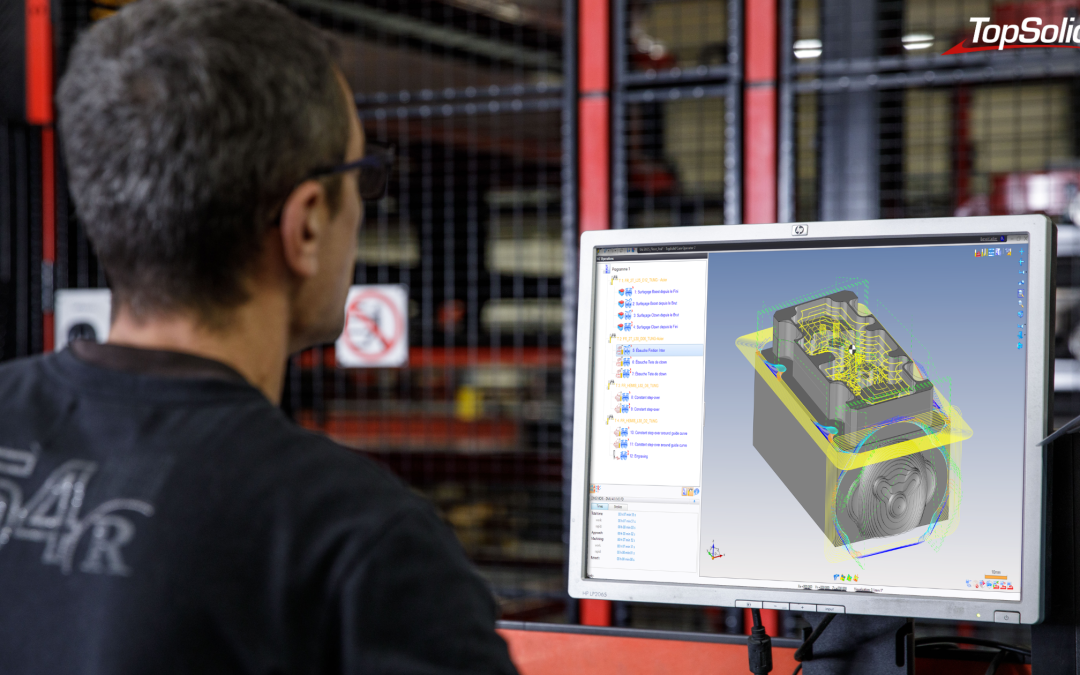
The term “digital twin” has become so overused that it deserves to be grounded in reality. In a machine shop, a digital twin is, above all, a faithful 3D representation of the machine tool, its immediate surroundings, and the parts being machined on it, with sufficient accuracy to ensure that the remote simulation is reliable.

Benoît Lallier explains: “The goal is to have a virtual 3D model of your machine tool so you can perform the most realistic simulation possible. That way, when I’m programming from my desk—without being at the machine—I can already know what the machine is going to do.”

Integrated simulation makes it possible to verify in advance that there are no collisions, to determine the precise cycle times used for costing and sales, to analyze material flows for a given production run, and to balance workloads across machines before the parts go into production. “At some point, the customer thinks to himself: ‘Hey, instead of running this part through the small machine, it would be better to use the one next to it.’ It seems obvious, but in a just-in-time system, it’s not always that simple.”

There are two concrete benefits. In the workshop, the focus time plummets: The operator arrives with a manufacturing specification that lists exactly which tools are to be assembled, along with their dimensions and settings. Outside the workshop, the machine can continue to produce while the programmer prepares the next program—background programming.

Simulation also protects equipment. We’re talking about machines worth hundreds of thousands of euros, cutting tools whose breakage results in immediate costs, and parts made of expensive materials that would end up as scrap in the event of an error. “The goal is to avoid breaking anything. We can quickly detect whether a path will cause a collision before the actual machine is even touched.”

The Post-Processor as the Cornerstone

It is this feature that converts the simulated paths into machine code recognized by the CNC system, without the need for manual corrections. “This is a capability TOPSOLID has honed over more than 40 years. The idea is to deliver a turnkey solution: the customer clicks ‘Send Code’ and doesn’t have to do anything else.”

Additive Manufacturing, 5-Axis Machining, and Hybrid Processes

5-axis machining is becoming more widespread, and with it, the complexity of production runs and strategies. Hybrid machines, capable of alternating between additive and subtractive manufacturing, open up possibilities for geometries that were previously unattainable, while reducing the number of workpiece setups.

These developments do not call into question the previous principles: having a CAD/CAM solution capable of managing these advanced processes without any breaks in the digital chain remain essential for effective implementation. A 5-axis route generated in a tool that is not integrated with the ERP system does not allow you to leverage actual data or fine-tune the associated costs.

TOPSOLID has also integrated robotics in its environment, treating the robot like a conventional machine tool. “We didn’t want to make a distinction,” explains Benoît Lallier. “A customer who programs parts on their machining centers should be able to switch to the robot without having to relearn anything. Aside from the specific configuration settings related to the rotational axes, the logic is the same.”

Collaboration and Skill Development: People Remain at the Center

All of the trends mentioned above have one thing in common: they only achieve their full potential if the teams using them are trained, supported, and able to collectively build on their practices.

So the issue isn’t just about choosing the right tools, but about choosing a software provider capable of providing long-term support: during initial deployment, when upgrading to new versions, and whenever a new business need arises. Furthermore, the new generations of technicians trained on TopSolid represent a tangible asset for companies looking to hire. “The same logic applies everywhere. When they join a company, there’s no learning curve.”

How can we turn these trends into a competitive advantage?

The point isn’t to chase after every innovation at once. It’s to clarify its own challenges (timelines, quality, flexibility, cost control) and map out its current digital chain. Where are the gaps? Where are we losing time, information, and profit margins?

The levers often become apparent on their own: CAD/CAM integration if programming is a bottleneck; connection to the ERP system if re-entering data and variances between theoretical and actual costs are costly; and simulation if fine-tuning on the shop floor takes a long time and scrap is frequent. In each of these cases, The effectiveness of these tools depends directly on the consistency of the digital chain that connects them.

That is precisely where the strength of an integrated suite like TOPSOLID lies: not in being the best component in each segment, but in having all the components work together seamlessly within a common reference framework.

Would you like to assess which automation or integration solutions are best suited for your workshop? Contact our teams for a detailed discussion about your specific situation.
The Benefits of APIs for the Integration and Automation of Industrial Systems

The Benefits of APIs for the Integration and Automation of Industrial Systems

Photo credits: Simon (39), a specialist in the manufacture of plastic injection molds and high-precision machining; Stéphane Couchet©


Standard CAD/CAM software covers 80% of business needs. The remaining 20% consists of specific processes: specialized calculations, interfaces with existing systems, recurring automation tasks, and so on. These are all tasks that are costly in terms of both time and effort—and risky, to boot.

This limitation of standard solutions hinders productivity and competitiveness. Today, modern workshops need a CAD/CAM workflow that is seamlessly integrated into their ecosystem. And it is precisely at this level that digital continuity becomes a strategic issue.

TopSolid’Api addresses this challenge by transforming your CAD/CAM software into a customized business solution while automating data flows between your various systems. Here’s how it works.

Develop business applications integrated with your CAD environment using TopSolid’Ads


A comprehensive software development kit (SDK)

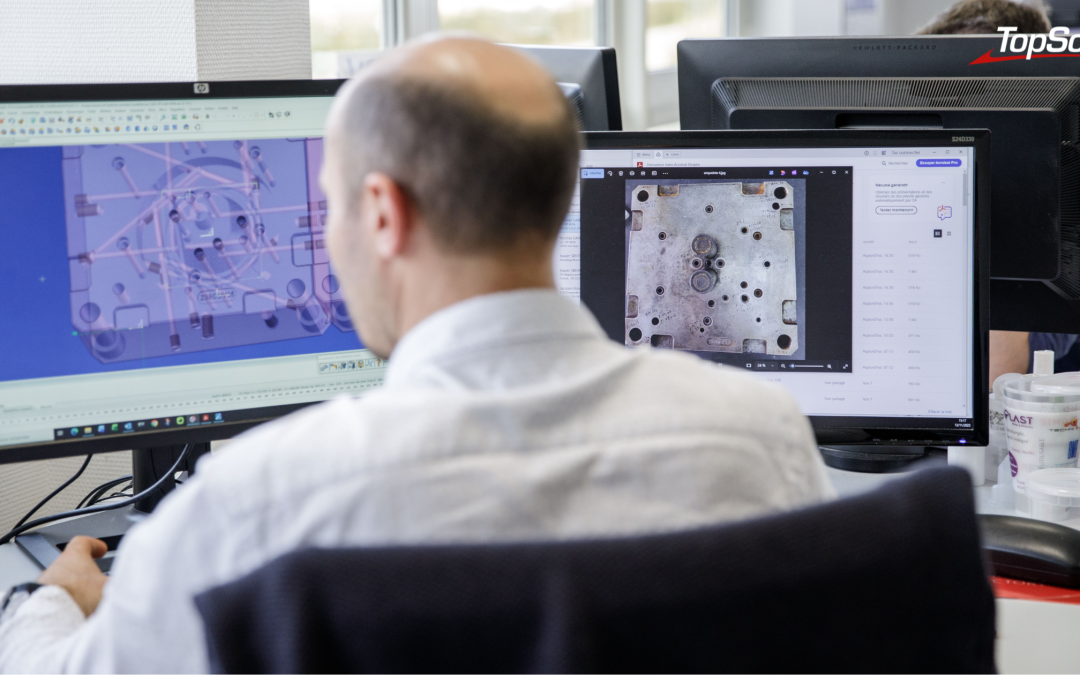
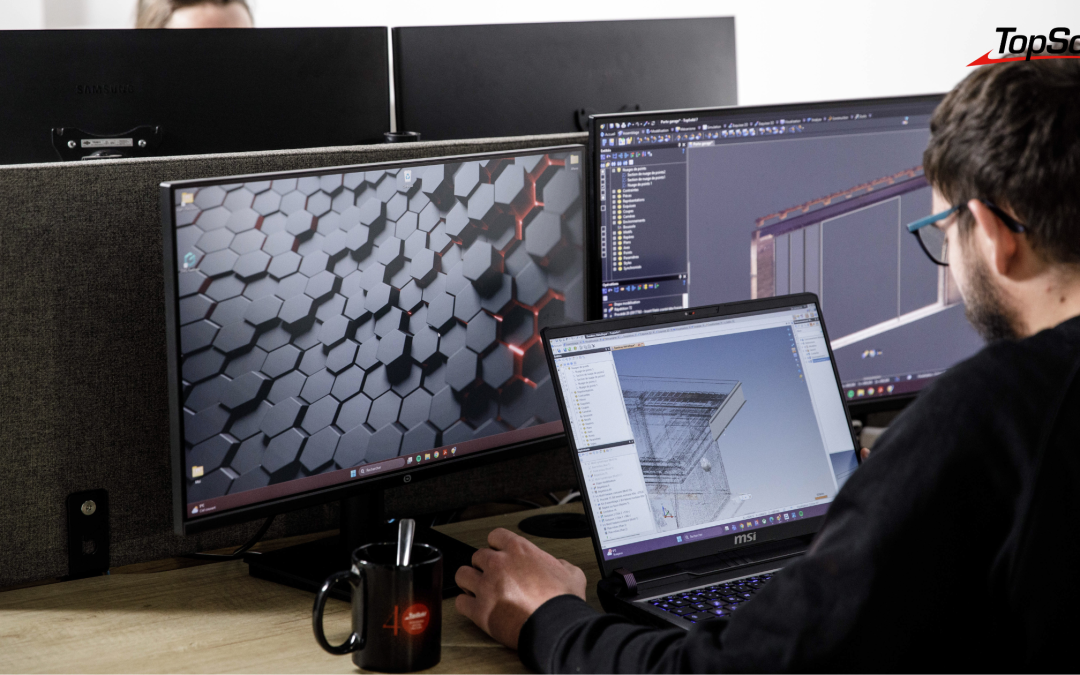
TopSolid’Ads is an SDK (Software Development Kit) that provides access to the core of the TopSolid engine. Unlike generic APIs that allow only limited actions, TopSolid’Ads offers full access to the software’s native features: modeling, calculations, data management, toolpath generation, and more…

The platform is built on modern technologies, which make development accessible to technical teams who are thoroughly familiar with these environments. This technical advantage facilitates the creating applications that are fully integrated with TopSolid, or developing standalone tools that harness the power of CAD/CAM platforms.

See also – API: How can TopSolid be tailored to your needs?>>


Who is TopSolid’Ads really for?

TopSolid’Ads targets three types of users.

First, companies with very specific needs and whose business processes are not covered by standard solutions. Specifically, the tool allows you to develop your own calculation modules and directly integrate your sizing algorithms or management rules into the design process. The result: the engineering department can automatically apply best practices, eliminating the risk of error.

Second, system integrators and partner software vendors whose vertical solutions are designed for specific industries (carpentry, metalwork, interior design, etc.). In these contexts, TopSolid’Ads allows you to create interfaces fully tailored to their end customers (custom data entry forms, configuration wizards for standard products, business dashboards, etc.).

Finally, R&D departments and advanced engineering firms that want to innovate in their methods and build bridges with their existing ecosystem. For these stakeholders, TopSolid’Ads provides access to the CAD engine to develop custom connectors with their ERP, PLM, or any other production management tool. This ensures controlled flow of technical data and thereby enhances competitiveness.


The Partnership Model with the TopSolid Team

The difference between TopSolid’Ads and other APIs on the market lies in the support provided by TOPSOLID, thanks to a team dedicated exclusively to making the documentation easier to understand.

This partnership model ensures:

  • state-of-the-art technical support,
  • targeted training programs to promote skill development,
  • priority access to platform updates.

The result: a development project that is less exposed to risks and truly effective, enabling faster deployment of your business applications.

TopSolid’Automation to streamline data flows and automate repetitive tasks


While TopSolid’Ads lets you create custom features, TopSolid’Automation lets you deploy them at scale. How? By automating repetitive processes and connecting TopSolid to your digital production chain.

The tool is based on three pillars: data exchange, process automation, and automation of program import and generation.

In practical terms, TopSolid’Automation streamlines the flow of information between TopSolid and your other systems, as data is transferred automatically without the need for manual re-entry.. This applies to bill of materials (from the ERP system), retrieving technical parameters from a configurator, and exchanging data with a management system.

Finally, TopSolid’Automation supports the automation of data imports and the generation of technical documents (drawings, machining, ISO code, etc.). These processes can run autonomously, ensuring that your CAD/CAM workflow operates continuously—and always with maximum efficiency.

>>> See also –TopSolid’Automation: Automation at Your Fingertips

What are the benefits of Industry 4.0?


TopSolid’Api is fully aligned with the Industry 4.0 approach by creating a continuous digital workflow, from the design office to the shop floor. And for good reason: this new era depends on the ability to share information seamlessly, in real time, across all links in the value chain.

This approach ensures interoperability with your existing ecosystem. TopSolid thus plays a central role in ensuring complete traceability of technical data, as well as responsiveness and reliability.

Some technical and practical information


While many API solutions leave their users more or less to fend for themselves, TOPSOLID takes a partnership-based approach that places modernity and clarity at the heart of the process. The goal is to provide you with a True, in-depth access to the CAD engine, without complexity, and with highly advanced customization options.

The Synergy of TopSolid’Api: From Customization to Mass Production


The true strength of TopSolid’Api lies not in its individual components, but in how they complement one another. On the one hand, TopSolid’Ads allows you to tailor TopSolid to the specific requirements of your business. On the other hand, TopSolid’Automation enables these developments to operate at scale by automating their execution and orchestrating daily data flows.

This integration transforms standard CAD/CAM software into a truly integrated industrial platform. All of this, tailored to your specific needs and your own digital ecosystem.

As for the benefits, they are clearly evident in the day-to-day operations of your teams: time saved by automating repetitive tasks, elimination of data entry errors, improved quality, reduced scrap… Full traceability of technical data also facilitates audits and ensures compliance. Finally, agility is enhanced, as adjustments no longer depend on software vendors but on your own priorities.

This technical autonomy, combined with support from the TOPSOLID team, puts you in a unique position to address the challenges of digital transformation. It’s no longer a matter of simply enduring technological changes, but rather of customize them to suit your pace and goals.

Optimizing methods, developing industry-specific solutions, creating tailored tools… More than just a technological investment, TopSolid’Api serves as a catalyst for transformation, helping you build the digital production chain you truly need—both today and tomorrow.

Find all the information about TopSolid’Api in our dedicated brochure.

Want to learn more? Contact our team to schedule a demo.

Production Data: Why Industrial SMEs Need to Break Their Reliance on Excel

Production Data: Why Industrial SMEs Need to Break Their Reliance on Excel

Photo credit: MSK (51), a metalwork specialist that designs and manufactures custom staircases, gates, and glass canopies, Stéphane Couchet ©

Excel remains the preferred management tool in many industrial SMEs. Versatile and familiar to everyone, it seems to meet all needs. However, behind this apparent simplicity lie major risks to competitiveness and compliance. Between data entry errors, multiple versions, and a lack of real-time traceability, spreadsheets are showing their limitations when it comes to meeting today’s market demands. It’s time to explore alternatives tailored to the realities of SMEs.

Excel: The Indispensable Swiss Army Knife for Industrial SMEs

Used in most industrial small and medium-sized enterprises, Excel is mastered by all generations of shop floor supervisors and operators. It is recognized for its remarkable versatility, as it allows users to manage quotes, calculate costs, plan machine utilization, track production orders (POs), analyze overall equipment effectiveness (OEE), and even create dashboards. All of this can be done without any additional investment, since the tool is included in the Office suite, which is often purchased for all administrative and sales tasks.

When Flexibility Becomes a Trap

However, despite its widespread use at all levels of the workshop (from operators to managers), Excel also has its limitations. Among the challenges frequently encountered are broken formulas, broken links between files, and data accidentally overwritten—and this list is by no means exhaustive. Add to this the proliferation of versions, which can cause conflicts in document management and, by extension, in the production chain.

The consequences are numerous and costly:

  • time spent on manual consolidation and cross-checks,
  • decisions based on outdated data,
  • the growing complexity of the process for welcoming newcomers, who struggle to navigate the multitude of files and data recorded in an increasingly fragile system.

Audits and Traceability: When Excel Puts Your Certifications at Risk

While Excel has been widely adopted and has proven its worth on the shop floor, it also appears to have reached the end of its useful life and is no longer suited to the industry’s requirements. Traceability standards are indeed becoming increasingly stringent, yet it remains impossible to guarantee data integrity with Excel.

One thing leading to another, customer relations are also compromised due to longer response times when complaints are filed.

The result: companies risk losing their certifications, being excluded from bids, and facing contractual penalties. It’s a tricky combination with serious financial repercussions.

>>> See also – Industrial Traceability: How Can You Improve the Quality of Your Products and Processes?

Technical and Financial Risks of Excel

Aside from potential data entry errors, the data entered into Excel actually comes from design and manufacturing systems: CAD drawings, bills of materials, and production work orders. This manual re-entry breaks the digital continuity and creates a dangerous gap between design and production.

In this scenario, it is possible that the design department might make a change to dimensions or materials that is not reflected in the workshop’s Excel files. This discrepancy would result in production being launched based on outdated information and lead to nonconformities, whereas TopSolid automatically updates bills of materials and work instructions.

Similarly, specifying a new material requires a manual recalculation of machining times and costs. In Excel, simply omitting a single cell can cause the quote to be truncated. However, with TopSolid, the recalculation is automatic thanks to the material libraries.

Migrating Without Turning Everything Upside Down: A Gradual and Controlled Transition

Given these findings, the temptation to maintain the status quo remains strong. Transitioning to a new system is daunting: it requires a significant investment, faces resistance to change, and carries the risk of disrupting production during the transition… However, a methodical and gradual approach makes it possible to ensure a successful digital transformation without disrupting the workshop’s operations.

The first step is to identify the critical processes that need to be secured as a priority. Work orders, bills of materials, and production schedules are generally the top three priorities. Once these foundational data sets are reliably stored in a centralized system, they eliminate a large portion of the risks mentioned earlier. Rather than undertaking a radical digitization effort, it is therefore better to start with a limited scope (a pilot workshop, a production line) and then expand gradually.

When it comes to choosing a tool, small and medium-sized businesses often assume they need a complex and expensive ERP system to take the plunge. However, digital continuity solutions such as CAD, CAM, PDM, and ERP—like TopSolid—offer a logical alternative: they secure and automate data updates throughout the entire data lifecycle. This eliminates the need to re-enter information from CAD models into Excel.

The benefits become apparent quickly: a drastic reduction in data entry errors, the time spent searching for information cut by two or three, and renewed confidence in shared data.

However, change management remains crucial. Teams need to be trained, involved in setting up the new tools, and see their initial successes recognized in order to better embrace this change.

Finally, such a change is not intended to eliminate Excel from the landscape. Rather, it is about restoring Excel to its proper role: that of a tool for ad hoc analysis and simulation, rather than a mission-critical management system.

>>> See also – CFAO: 3 Reasons Not to Neglect Customer Service and Training When Choosing a Solution

From Theory to Practice: A Successful Transformation in 6 Months

Several success stories illustrate how such a transition can be successfully managed. Generally speaking, the starting point is the same: dozens of Excel files deemed critical, several hours spent each day manually consolidating data, and recurring errors despite procedures that are considered well-designed.

The turning point came during a major client audit, when it proved impossible to quickly retrieve the complete history of a defective batch because the data was scattered across several spreadsheets… whose versions were unclear.

Management then initiates a structured process, which involves mapping information flows, identifying truly sensitive data, and analyzing available solutions. This is where TopSolid stands out, with its ability to natively integrate CAD, CAM, and document management into a unified environment. The strength of this approach lies in restoring digital continuity from design to production.

What about the migration? It’s a gradual process: first the engineering department, then the teams in charge of the processes, and finally the shop floor operators.

Results are visible as early as 6 months after the solution is deployed.

  • No more version errors in the drawings, as every change is tracked and approved in the system.
  • The traceability of work orders is now comprehensive, from launch to delivery.
  • Response times to customer requests are significantly reduced thanks to the centralization and accessibility of information.
  • The next audit is streamlined thanks to optimal document management.

Beyond the numerical metrics and the commercial and financial impacts, it is the cultural transformation that stands out. Teams are more open to collaboration thanks to a single, reliable database. In addition, skill development is accelerated and valued through operators’ direct access to 3D models and up-to-date product lines. The challenge is no longer to search for the right information but to leverage the full wealth of available data with just a few clicks to get the most out of it.

As data becomes increasingly strategic in the industry, securing it is no longer an option but a necessity for remaining competitive. The question is no longer whether to move beyond Excel, but when and how to do so intelligently. Industrial SMEs that take the plunge with a tailored solution like TopSolid quickly discover that they do not lose flexibility. On the contrary, they gain in reliability, peace of mind, and competitiveness.

Producing Quickly and Effectively: Industrial SMEs Facing the Challenge of Customer Deadlines

Producing Quickly and Effectively: Industrial SMEs Facing the Challenge of Customer Deadlines

Behind the impressive figures for small and medium-sized enterprises in French industry lies a grueling daily reality. With customers who are increasingly in a hurry and have ever-growing demands for quality and customization, production lead times have become the key to success.

This pressure affects all industrial SMEs, whether they manufacture under their own brand or as subcontractors. How can we turn this constant challenge into an opportunity and maintain excellence without compromising?

Time pressure: a daily reality for industrial SMEs

For industrial SMEs, lead times are no longer merely an operational constraint—they are critical to their survival. Customers are imposing increasingly tight schedules, while expectations are shifting toward greater responsiveness and flexibility.

This pressure is particularly intense in the subcontracting sector, where companies—and jobs—depend directly on the prime contractors. In this context, SMEs in a weak position cannot always negotiate favorable terms and must absorb these constraints… while maintaining their competitiveness.

But small and medium-sized businesses that produce their own product lines are not spared. E-commerce has accustomed consumers to express delivery, large retailers demand rapid inventory turnover, and international competition imposes ever-higher standards for responsiveness.

In this tense environment, meeting commitments has become a daily balancing act. Production and planning teams are playing it by ear, juggling urgent orders, technical setbacks, and limited resources.

When the race against time becomes toxic

This constant pressure to meet deadlines creates a snowball effect, leading to a rise in production errors, increased delays, and a decline in quality. And this is happening even though the cost of poor quality can account for up to 5 percent of manufacturers’ annual revenue, according to a study by AFNOR.

The consequences are not merely economic. The constant stress faced by production managers leads to high turnover, complicates recruitment, and demotivates teams that are essential to performance. As a result, the organization loses its ability to operate smoothly: without reliable workforce planning, it is impossible to anticipate raw material needs, optimize production resources, or make commitments to customers with confidence.

Finally, the most concerning issue remains the impact on cash flow. Production delays result in penalties, scrap is costly, and the inability to invoice on time creates financial strain. With margins already under pressure, these losses quickly become unsustainable.

>>> See also – Industrial Production Monitoring: At the Heart of Process Automation

Anticipating and Planning: The New Drivers of Competitiveness

In the face of these challenges, the solution is not to constantly produce faster, but to plan ahead in order to produce better. The industrial SMEs that stand out today are those that have replaced a reactive approach with a proactive one—by gaining visibility into their workload and creating reliable schedules. This approach radically transforms their relationship with their customers: they can commit to realistic deadlines… and meet them.

The benefits are measurable and tangible.

  • Better planning reduces downtime on production lines, optimizes the use of human and material resources, and lowers the hidden costs associated with emergencies.
  • Customer service efficiency is improving.
  • Teams feel more at ease.
  • The company gains greater financial predictability.

Reliability is becoming an undeniable competitive advantage given the pressure all players are under. This is especially true since customers naturally favor manufacturers who can meet their commitments, even if their prices aren’t the lowest.

How can we improve responsiveness without compromising quality?

Moving from reactive management to a proactive organization requires structuring production processes. The first step is to accurately map out manufacturing flows to identify bottlenecks and sources of wasted time. This analysis then makes it possible to standardize best practices and eliminate steps that do not add value.

Digitalization plays a key role here. Modern ERP-MPS solutions centralize information and provide a real-time overview, from machine load calculations to procurement management. Workload schedules become dynamic, automatically adjusting based on actual orders and on-site constraints. This allows production managers to simulate different scenarios, anticipate overloads, and intelligently allocate work.

However, tools alone are not enough without team buy-in. Training operators, managers, and planners on these new systems ensures that they embrace them. Once everyone understands how their involvement impacts overall performance, a true culture of continuous improvement takes root, empowering employees to play an active role in optimizing processes and production.

>>> See also – How does a CAD/CAM/ERP/PDM solution help increase your company’s productivity?

Manage your business with confidence using the right tools

The real challenge for industrial SMEs often remains the integration of their tools. Many still work with disconnected systems: CAD on one side, sales management on the other, and Excel spreadsheets for planning. This fragmentation leads to multiple data entries, which are sources of errors and wasted time. Worse still, decisions are made based on outdated or incomplete data, compromising the reliability of commitments.

Conversely, companies that have an integrated management tool take their operations to a whole new level. And for good reason: digital continuity between design, processes, ERP, and the shop floor eliminates information gaps. A change in a quote is automatically reflected in the schedule, production routes are adjusted based on machine availability, and full project traceability facilitates quality monitoring. This synchronization makes it possible to accurately calculate workload before committing to a deadline, receive proactive alerts in case of deviations, and respond quickly to unforeseen events.

TopSolid perfectly illustrates this integrated approach. By combining computer-aided design, the definition of manufacturing methods, and production management within a unified environment, the solution provides industrial SMEs with this essential cross-functional perspective.

This integration isn’t just a technical convenience—it’s a strategic tool that helps you stay on schedule and confidently meet your commitments to your customers. In an industry where every day counts, where even the smallest mistake comes at a cost, and where reputation is built on reliability, having the right tools makes all the difference. Contact our teams to discuss implementing an ERP solution in your workshop.

Why Choose an ERP System Designed for the Mechanical Engineering Industry? The Unique Benefits of TopSolid’Erp

Why Choose an ERP System Designed for the Mechanical Engineering Industry? The Unique Benefits of TopSolid’Erp

In the mechanical engineering industry, the demands are particularly high: traceability, quality, material consumption, responsiveness… And yet, too many companies still rely on general-purpose ERP systems that are ill-suited to their day-to-day realities.

TopSolid’Erp, a game-changing solution designed by and for manufacturers in the mechanical engineering industry.

In this article, the 4 (real) strengths that make all the difference—and that make it so much more than just an ERP system.

1. An ERP system designed to be 100% mechanical, ready to use, and requiring no custom development

At TOPSOLID, we don’t start with a general-purpose ERP system that we then adapt. From the very beginning, we’ve built an ERP system designed specifically for industrial sectors: machining, bar turning, mechanical welding, sheet metal fabrication, and more.

The benefits:

  • Appropriate terminology (scrap, product lines, subcontracting, etc.)
  • Methodology Designed for Production Workshops
  • No custom development required: the solution is ready to use right away, with no hidden costs

The result: you benefit from rapid deployment and seamless adoption by your teams, with no unpleasant surprises during implementation.

2. Inventory management that takes both the big picture and the details into account

This is an issue that is rarely addressed by traditional ERP systems. At TOPSOLID, we have incorporated two levels of material inventory tracking:

  • Overview: Total available quantity (e.g., 20 meters of bars in stock)
  • Micro view: breakdown by cutting unit (e.g., 1 bar of 10 m + 2 bars of 5 m)

This dual-reading process provides greater accuracy when dealing with high-quality, expensive materials and helps prevent losses or booking errors.

Add to that:

  • Comprehensive management of material and product traceability
  • Compliance with material standards (AFNOR, etc.)
  • Smart Management of Cuts, Pieces, Bars, and Scraps
  • Optimizing consumption, reducing losses

And you get realistic inventory management that’s connected to operations on the ground.

3. A natively integrated trio of Scheduling, Production, and Quality

That’s what sets us apart: we’re the only ones to offer seamless, native integration between the scheduling, production, and quality modules.

This direct link eliminates the need for duplicate data entry, complicated interfaces, or synchronization errors:

  • Scheduling: real-time planning, capacity management (finite, infinite, forced)
  • Production: Taking into account resources, downtime, subcontractors, and supplies
  • Quality: Integration of measures and controls directly into production orders

All quality and real-time data from the shop floor is fed back into the schedule. You have a clear, up-to-date, and actionable overview.

4. An ERP system connected to the TOPSOLID ecosystem

TopSolid’Erp is part of a cohesive system. It integrates natively with:

The result: a seamless digital workflow, from design to delivery.


The TopSolid Suite of CAD, CAM, and ERP Solutions

In summary

TopSolid’Erp is not just an adaptation—it is an industry-specific ERP system, designed to speak the language of the mechanical engineering industry, to integrate seamlessly into their environment, and to meet their actual needs.

  • Specialized
  • Ready to use
  • Logged In
  • Concrete

Want to see what TopSolid’Erp can do for your shop? Contact us for a personalized demo.

Production Management Software: Optimize Your Production Management

Production Management Software: Optimize Your Production Management

Optimizing production management means, above all, rethinking industrial organization to improve efficiency day after day. To achieve this, companies are well advised to rely on an ERP system or software solution capable of precisely managing material flows, data, and human resources.

The goal? To automate as many tasks as possible to prevent errors, reduce machine downtime, and control production costs.

To increase agility, manufacturers are turning to digital solutions such as CAPM software, which is often integrated into ERP environments. By providing real-time visibility into the shop floor, these tools help teams identify bottlenecks, adjust priorities, and automate repetitive tasks as soon as possible.

As a result, the workload is better distributed because peaks in activity are better anticipated, and resources are managed more intelligently. Here’s why.

What is CAPM software?

Computer-Aided Production Management (CAPM) software is a strategic software package for managing industrial operations. It is used to plan and control production flows and to coordinate all activities related to the production floor (machines, raw materials, human resources, and deadlines).

It is designed for both manufacturers and subcontractors, and is often integrated into a comprehensive ERP system to create a seamless digital supply chain. It can also use forecasting data (MRP, PIC) to adjust production based on demand and inventory levels.

What are the benefits of an ERP/MPS system?

An ERP/MPS system offers numerous benefits: improved organization, centralized data, reduced costs, and faster decision-making. By consolidating all business processes (sales, purchasing, logistics, quality, and production) into a single interface, this integrated software solution provides you with comprehensive control over industrial operations. Among the most frequently cited benefits are:

  • Real-time visibility into production load, which makes it easier to make adjustments on the fly;
  • Identifying bottlenecks;
  • Quality control throughout the manufacturing process;
  • More reliable execution thanks to the direct link between sales, production, and planning data.


How does project management software work?

The operation of a CAPM software system is based on the management of production activities, in close conjunction with the management of inventory, orders, and production orders. It acts as the central hub of the information system, integrating data flows from various modules: purchasing, sales, planning, production, and maintenance.

Using an MRP (Material Requirements Planning) system, teams can anticipate material and capacity needs; this enables them to organize workloads on the shop floor and simulate production scenarios, for example. The operator or production manager can thus monitor every step of the manufacturing process.

What features should CAPM software have?

Good production planning and control software includes several key features:

  • workload planning,
  • scheduling,
  • workshop follow-up,
  • material requirements planning (MRP),
  • inventory management,
  • management of manufacturing operations.

It can also handle the creation of items, the management of bills of materials and work orders, as well as sales-related invoicing.

The software must enable precise control over technical and sales data. In project mode, it can incorporate MRP or make-to-order logic. Some solutions, such as TopSolid’Erp, go even further by integrating production planning and control with CAD/CAM for comprehensive manufacturing management.


The TopSolid Suite of CAD, CAM, and ERP Solutions

How to Choose CAPM Software?

Choosing the best production management software for your company requires an assessment of your needs in terms of functionality, industry, type of production, and desired level of integration. Criteria such as compatibility with your existing IT system, MRP capabilities, workload management, and configuration flexibility must also be taken into account.

A comparison of the solutions available on the market allows you to evaluate the offerings based on their modules, associated services, and overall cost (license, support, maintenance). Good software should integrate seamlessly with your existing systems.

How do you implement CAPM software?

Implementing a production management system is a strategic step for any manufacturing company. It’s not enough to simply install the software: you must structure the project, define business requirements, train teams, and ensure seamless system integration with other tools (ERP, CAD, SAGE, Microsoft, etc.).

The implementation of the production management system involves production planning that takes into account operational constraints and business objectives. Flow analysis, configuration setup, testing phases, and process adjustments are essential to ensuring a seamless transition. Targeted user training will enable optimal use of the system from the very first weeks.

What results can you expect after implementing a CAPM system?

Once the software is up and running, the benefits quickly become apparent at every level of the company. Production flows more smoothly, orders are tracked more closely, and resources are allocated more intelligently. At the management level, data is reported in real time, enabling quick decision-making and allowing for much clearer steering of the industrial strategy.

Effective planning and cost control help ensure that deadlines are met, optimize customer relationships, and reduce losses. Integrating CAPM into a solution like TopSolid’Erp provides a comprehensive view of all workflows, from sales to shipping, and strengthens long-term competitiveness.

Production management software helps structure and optimize the entire production process, but it truly reaches its full potential when integrated into a broader environment such as an ERP system. This is precisely the strength of TopSolid’Erp, which combines production management with all of the company’s essential functions: purchasing, sales, inventory, quality, finance, and more.

With TopSolid’Erp, production naturally aligns with business and logistics requirements. You can plan, manage, and adjust while keeping costs and deadlines on track. Want to learn more about TopSolid’Erp? Contact us!