BoostMilling: how to save time on machining cycles?

BoostMilling: how to save time on machining cycles?

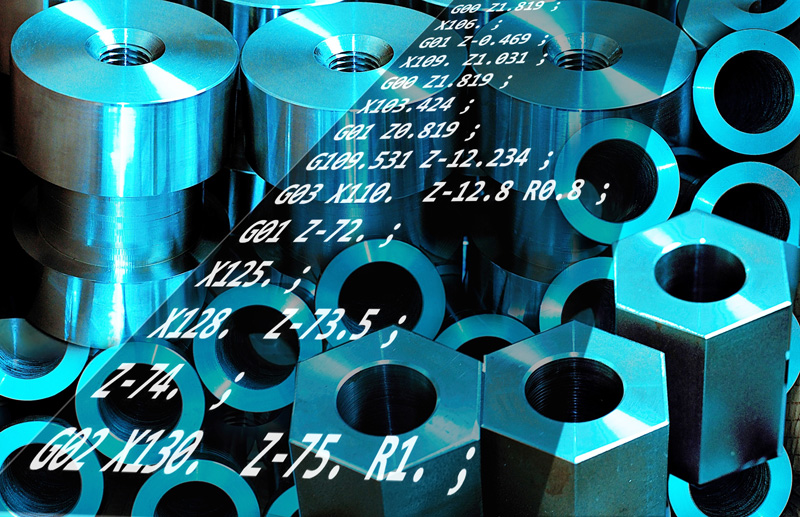
Extremely hard materials, exotic shapes: machining tools are often put to the test and their lifespan is sometimes limited. BoostMilling is a roughing strategy that removes material faster while increasing tool life. Let’s find out more about what BoostMilling  is and how it can save you money.

Switch from traditional machining to BoostMilling

In traditional machining, the path of a tool on a part to be machined leads to inconsistent material removal, because of the complex geometries. This “pass taking” variable results in overloading the tool. With BoostMilling, machining is “smoother”, for both the tool and the machine.
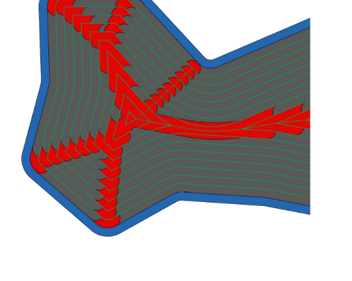
Example of a machining path without BoostMilling: the areas in red are those that are in overload

Step over in traditional machining

Decreasing the step over theoretically reduces the load. Therefore, going from 50 to 10 % of step over reduces the load by 40 %. Nevertheless, even in this configuration, the red areas in the previous diagram remain overloaded.
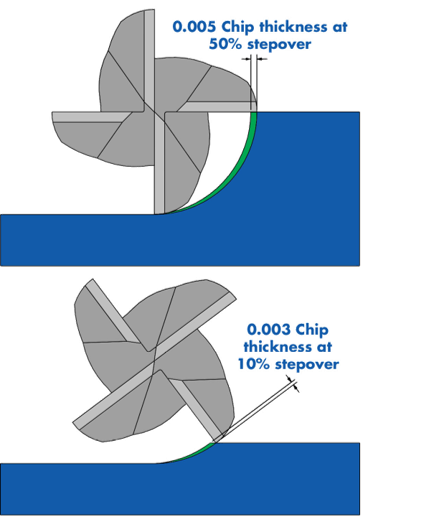
Going from 50 to 10 % of step over reduces the load by 40 %

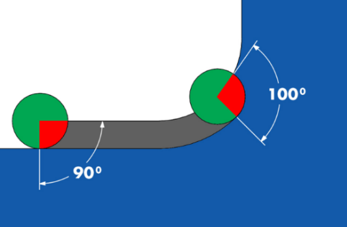
The problem of the inconsistent angle between tool and material

Traditional tool paths also have two other disadvantages:

  • The tool/material angle is too large, greater than 90°;
  • This angle varies too much;

Therefore, if going from 50 to 10% of the step-over reduces the value of this angle, it still remains variable in some areas. The solution is therefore to find a tool path that keeps this angle.


The principle of BoostMilling

BoostMilling allows you to keep a constant pass taking on the entire tool path. How is this possible? By using complex tool paths, you can remove a homogeneous volume of material.

Use the full length of the tool with BoostMilling

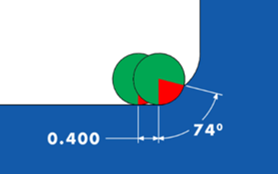
In traditional machining, the radial width of each pass is large, greater than 50% of the tool diameter and a shallow depth. The principle of BoostMilling is to reduce this width while increasing the pass depth. This method also has the advantage of using the cutting tool over its entire length, which results in more even wear.

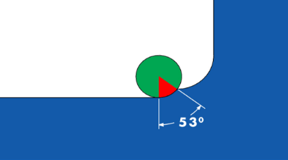
Keep a constant angle with BoostMilling

The power of BoostMilling lies in modifying the tool paths so as to maintain a constant angle. This makes it possible to considerably increase the speed per tooth.
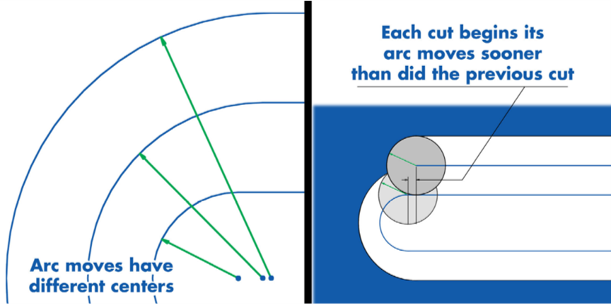
Heat removal and constant pressure

By exerting constant pressure on the tool, not only is the radial pitch reduced, but the pass depth is also increased. The feed rate can be increased to 10 times greater than in traditional machining.

In addition, heat removal is easier with BoostMilling.

TopSolid CAD/CAM Product Range

What are the advantages of BoostMilling?

By choosing to switch to BoostMilling, you will benefit from several advantages that can impact your productivity in the long run.

Reduction of machining time

Although the tool paths are longer in BoostMilling, a high machining depth combined with a high feed rate greatly reduces “chip time”. Therefore, saving 30 to 70% more time is expected with BoostMilling.

For example, 3.5 hours spent in traditional machining operations correspond to 1.5 hours of machining time for a roughing cycle in BoostMilling.


Increased tool life

With BoostMilling, the load is distributed evenly over the entire tool. This means that there is less risk of tool breakage, which increases the lifespan of the tool. In addition, machining operations can be accelerated.

A tool lasts 5 to 10 times longer with BoostMilling.


Machine preservation

Overloading is one of the stresses to which machining machines are regularly subjected, along with vibrations. Overexertion of the tools is usually the cause. By reducing overloads, BoostMilling significantly reduces the stress on the machines.

BoostMilling increases machine life expectancy and reduces maintenance costs


Constant chip volumes

With BoostMilling, the forces on the tool are homogeneous, because the machined volume remains constant. Therefore, the amount of chips produced is also the same throughout the entire machining cycle.


Why is BoostMilling interesting?

The BoostMilling roughing strategy is extremely interesting for machining hard materials, parts with thin walls and during large material removal.

Machining hard materials

BoostMilling is particularly useful for machining hard or exotic materials. Indeed, these materials are difficult to machine and the tool life is greatly reduced with these materials. In addition, tool overloads and the associated heat generation are forcing machinists to reduce machining speeds.

Thin parts

BoostMilling is particularly suitable for machining parts with small wall thicknesses. Indeed, with this soft roughing technique, it is possible to machine as close as possible to the thin walls without the risk of breaking or deforming them.

BoostMilling is an additional TopSolid’Cam module that is aimed at machinists who wish to increase the life of their tools and save machining time. Are you a company concerned with the machining of large titanium parts with complex shapes? In this case, BoostMilling is for you!


Advantages and criteria for choosing the PDM for your CAD/CAM solution

Advantages and criteria for choosing the PDM for your CAD/CAM solution


In the age of digitization, design can no longer work without the management component. CAD/CAM companies are well aware of this: managing and storing product data using an automated centralization tool is a major challenge. Yet the use of a PDM in machining is still not the norm. Why should you have a PDM for CAM machining? What are the benefits? What features of the tool should you check when making a decision? Answers.

What is PDM?

PDM is the acronym for Product Data Management. It is also known as a Technical Data Management System. This acronym refers to the digital tool used to retrieve, manage and store electronic information relating to a product.

The role of the PDM in CAD/CAM is to collect and centralize all the CAD documents. In view: a smooth and controlled availability to the users concerned – engineers, and also production or purchasing departments.

CAD/CAM initially made it possible to design, test and produce parts. However, the digitization chain must not stop there. Once the product cycle has been completed, certain problems arise.

  • Traceability: this issue originally appeared in the most sensitive and exposed sectors – the medical and aeronautics sectors. Companies need to know who did what, when and how.
  • Capitalization: the company capitalizes on its know-how, which represents an intangible asset with high added value. In this context, it is in its best interest to carefully keep all its product data in a safe place.
  • The rise in performance: in an ultra-competitive context, and at a time when technological progress allows – demands – a permanent change in techniques, the parts produced in CAD/CAM are bound to evolve. And quickly. To improve performance, the company has no choice but to constantly adapt its products.

The PDM takes over to address these different issues.


TopSolid CAD/CAM Product Range

Advantages of PDM for your CAD/CAM solution

How is the product designed, manufactured and operated? All of this technical information represents a considerable and valuable amount of data. To ensure centralized and secure storage, to allow automated updates and to ensure smooth and controlled sharing in real time, the company must have a high-performance management tool.

As a database for machine-oriented people, the PDM has the following advantages:

  • Secure storage: the PDM collects and stores product data. This management tool, in this context, has the advantage of integrity and security. The risk of human error and data loss are reduced to zero.
  • Digitized centralization: CAD/CAM eliminates manual tasks and paper format. Templates and documents are now fully digitized, and their management must also comply with this requirement. With the PDM, the company saves itself a considerable amount of time when it comes to finding information.
  • Update and collaborative work in real-time: product data is updated to optimize the parts that are modified. Faster, ultra-secure. The PDM also allows several people to work on the same project without compromising data integrity.
  • Optimal visibility and smooth sharing: the dissemination of information, due to its digitization, is ensured under the best conditions regarding deadline and reliability. Product data is easily accessible to all or only authorized users.

The PDM, in CAD/CAM, is an essential tool for flexible and smooth management. This is why the most efficient CAD/CAM software today includes a product data management system, for a global tool at the service of company performance.


Discover TopSolid’s integrated PDM

Aware of the performance challenges of CAD/CAM companies, TOPSOLID SAS offers an all-in-one tool, which integrates an adapted PDM system into the CAD/CAM software. You can provide yourself with, in a single software package, a programming tool as well as a document management tool.

  • TopSolid’s PDM allows you to manage all of your TopSolid documents as well as the supporting documents: material certificates, orders for specific tools, administrative processes and validation of loads, etc. The database of your digital tool integrates all types of information, without volume limit.
  • With TopSolid, you have the opportunity to automate the entire digital chain. By centralizing the company’s know-how via an ultra-secure, collaborative and intuitive system, the company preserves its intangible assets and makes information available in a smooth and controlled manner.

The major advantages of TopSolid’s integrated PDM:

  • A user-friendly tool: the user takes control of the tool intuitively, saving precious time. It easily exploits all of the features of the software, for the benefit of the company.
  • A machining simulation with ISO code management according to the simulation.
  • A machining situation in conditions of optimal reliability.
  • The management of machined stocks.

Concentrate on your core business, save yourself management issues, save time and exploit the latest technological innovations with TopSolid’s integrated PDM! Data security, smooth and controlled exchanges, maintaining know-how, etc., treat yourself to the best advantages of the PDM for CAD/CAM!

Everything you need to know about programming complex parts

Everything you need to know about programming complex parts

In CAD/CAM, and particularly in machining, the manufacturing of parts with complex shapes must comply with the functional specifications expressed by the designer or the creator. The geometric model built in CAD is a digital reference model that must be reproduced as accurately as possible during the manufacturing phase. Complex shapes can sometimes be difficult to reproduce: adequate programming is therefore the key to success in CAD/CAM.

What is a complex part?

We speak of a complex part when there are topologies that must go through many machining paths, often with risk of collision, as well as areas that are difficult to access. The notion of the complexity of a part does not only depend on its shape or its size. In fact, the nature of the material used, the presence of residual stresses, the risk of overheating or the precision that is required are all factors that contribute to complicating the task for the machine tool operators.


Examples of complex parts

  • Aluminum moulds for plastic injection;
  • Automobile cylinder heads;
  • Inconel turbine blades for aeronautics;
  • Titanium bearings for the aerospace industry.


TopSolid CAD/CAM Product Range

Steps for successful programming

Before proceeding to the manufacturing stage, it is essential to be well prepared. The CAD file of the part to be designed must first be checked and the tolerances adjusted. It is obviously necessary to choose the machine and tools adapted to the expected result and, if possible, to go through a simulation stage. 


Preliminary analysis

Before starting the manufacturing stage, all parts must be checked. First, make sure that it is the correct part and the correct version of the file. 


Tolerance management

For a complex CAD model to be machinable, it often requires modification. In fact, in most situations, CAD models are drawn from nominal dimensions. However, manufacturing and machining operations impose tolerances that will need to be adjusted in the CAD files. If you are using a CAD/CAM software, think about its ability to modify the dimensions afterward.  


Choosing machines and cutting tools

Not all machines are created equal. Choosing the right machine depends on many parameters such as the shape of the part, the size, the material, etc. Likewise, there is a multitude of cutting tools dedicated to machining complex parts. Their shape depends on the geometries to be drilled, turned or milled, and the material they are made of is selected according to the material to be machined as well as the kinematic parameters. The choice of machines and tools will therefore strongly determine the success of the machining process.  


Go through a simulation step before starting the manufacturing

Machining complex parts is expensive, so it is best to avoid messing up the first parts and having to perform machining operations again. Therefore, simulating the tool paths in parallel with the programming allows the operator to compare the simulated model with the machining in progress, which prevents the risk of collision and enables real-time reaction.


Advantages of TopSolid

One of the challenges of CAD/CAM is producing complex parts using the minimum number of steps, the ideal is to be able to independently machine a part, without disassembly. TopSolid’Cam is therefore able to manage the programming of lathes/milling machines, whether turning combined with 2D or 3D milling operations as well as 4-axis or 5-axis continuous.  


Managing the latest tools

TopSolid’Cam is able to manage the new barrel milling cutters. These milling cutters are best able to adapt to the shapes with low curvature, which makes it possible to significantly reduce the number of passes in the 5-axis tool path.  


Dynamic machining in turning and milling

TopSolid’Cam integrates a high-performance machining function, which makes it possible to keep a constant volume of material removed during the machining process and therefore to wear out the cutting tools less quickly.  

Easy to modify afterward

The TopSolid software, and in particular the version dedicated to TopSolid’Cam machining, is extremely flexible as it offers powerful features that allow you to modify the parts afterward. This is an asset for the manufacturing of complex parts, which require many adjustments.  


Automatic shape detection

TopSolid can automatically detect basic shapes such as grooves, drillings and pockets on models designed with TopSolid, but also on imported models. This makes the software a valuable ally that helps to guide the operator to the right machining strategies through intelligent topological analysis.  


Powerful algorithms

The programming of complex 4-axis and 5-axis parts requires high-performance simulation tools and powerful automation. TopSolid’Cam incorporates valuable automatic features such as collision detection, which helps to reduce machining defects. Thanks to all the machining algorithms offered by TopSolid, it is possible to process all the parts of a mould, for example.  

How do you manage a large interior design project using a CAD/CAM software?

How do you manage a large interior design project using a CAD/CAM software?

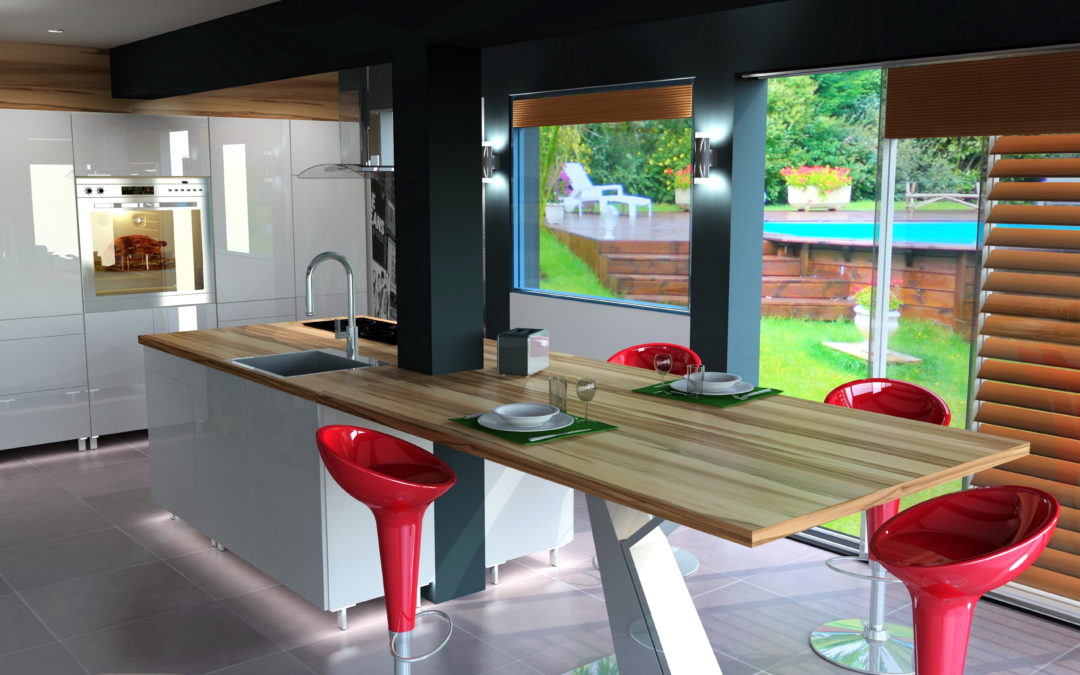
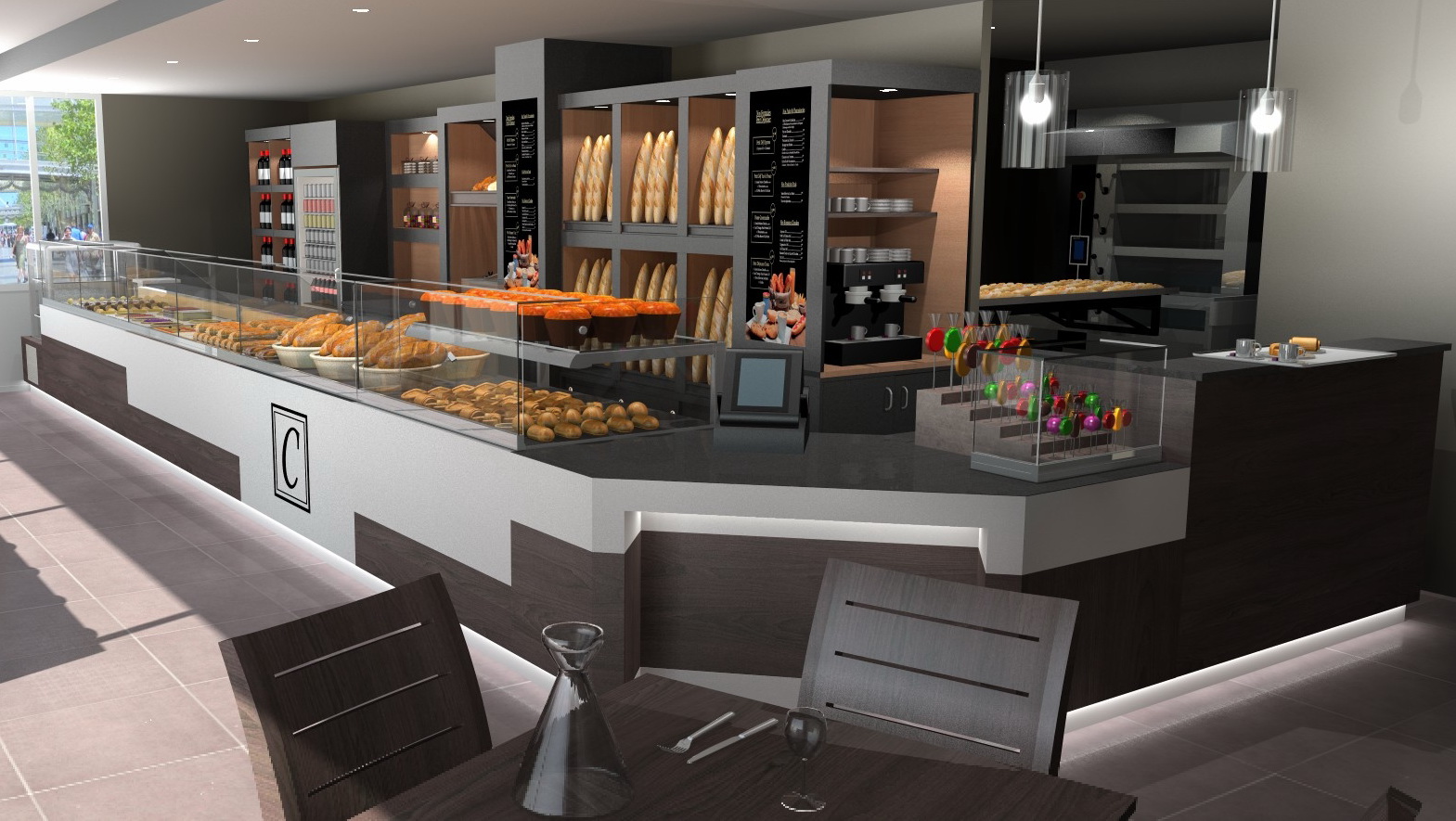
Carrying out all the work involved in site layout is a part of the daily life of interior designers. As a decoration and finishing specialist, he is called upon to manage projects of all sizes and to work from interior design concepts and execution drawings. CAD/CAM software is a valuable ally for large and complex projects. Let’s find out why together.

What do we mean by a large-scale project?


An interior design project is said to be “large-scale” when it is complex, when the surfaces involved are large and when several sectors of activity are involved. In general, designing surfaces larger than 50 m² is considered to be a large-scale job.

Examples of large-scale interior design projects

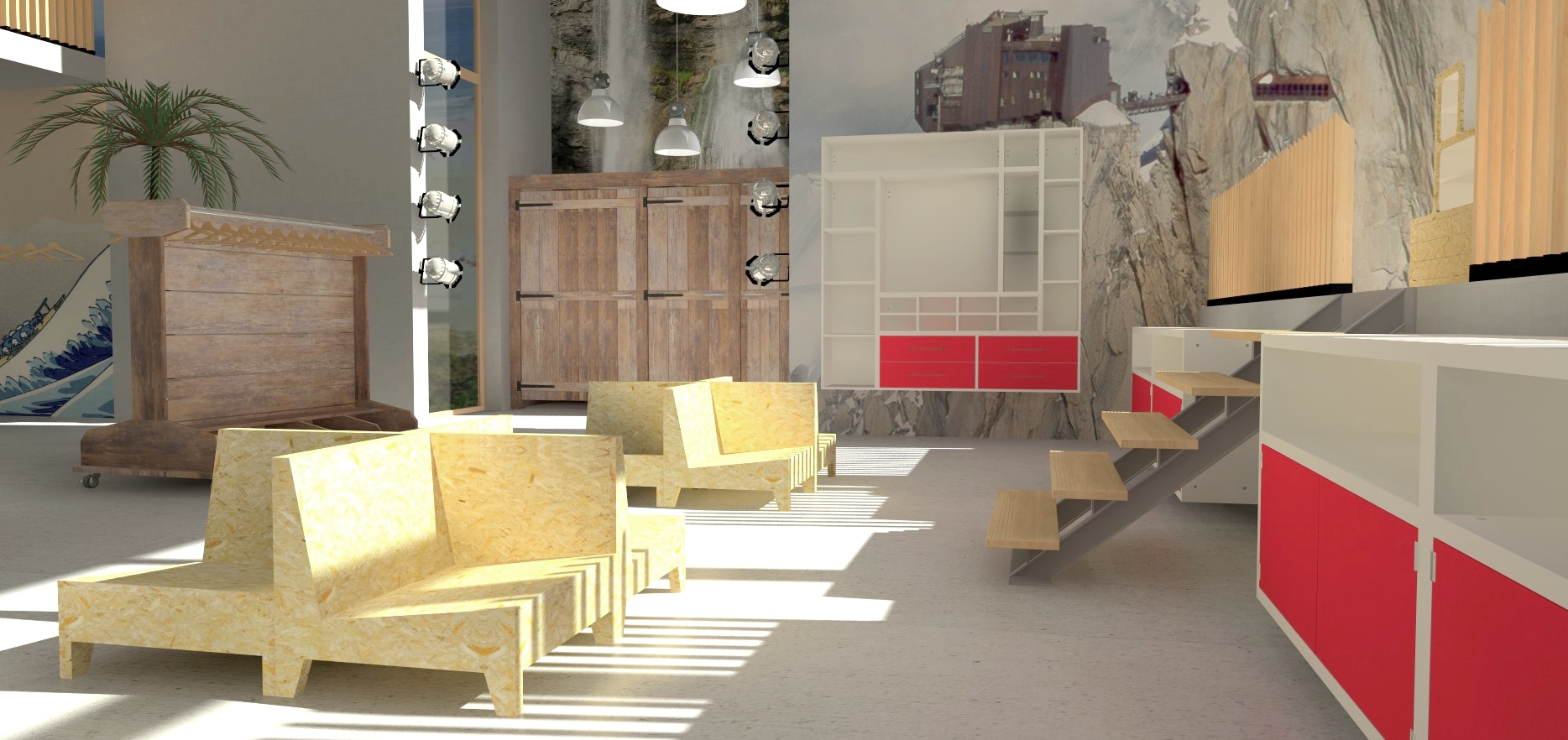
Designing a complete Hotel is considered to be a large-scale project. A hotel is not only made up of rooms, but also of a lobby, a restaurant, a bar and corridors, which must be harmoniously arranged to form an aesthetic whole. The nautical industry is also strongly affected by large-scale interior design and mainly the luxury yacht market. There are even super-yachts over 150 meters long with several thousand square meters of living space including spas, swimming pools, libraries and a large amount of nesting furniture. The arrangement of such a complicated project is usually entrusted to companies specializing in luxury naval carpentry.

The need for collaborative work

Large-scale interior design projects, such as those mentioned above, require the use of different but complementary professions. Specialized people with valuable expertise will thus be brought together to work in a coordinated manner. But when it comes to collaborative work, you need the right tools. Like BIM (Building Information Modeling), which consists of having employees working on a digital model, a large-scale interior design project can rely on modern work tools such as CAD/CAM software.


TopSolid CAD/CAM Product Range

How can CAD/CAM be involved in a large-scale interior design project?


A CAD/CAM software allows you to design parts in 3D model (CAD), but also includes the manufacturing part (CAM). It is therefore essential for companies that manufacture furniture using numerical control machines based on drawings. However, some software, such as TopSolid, offers other features which are particularly suitable for interior design projects.


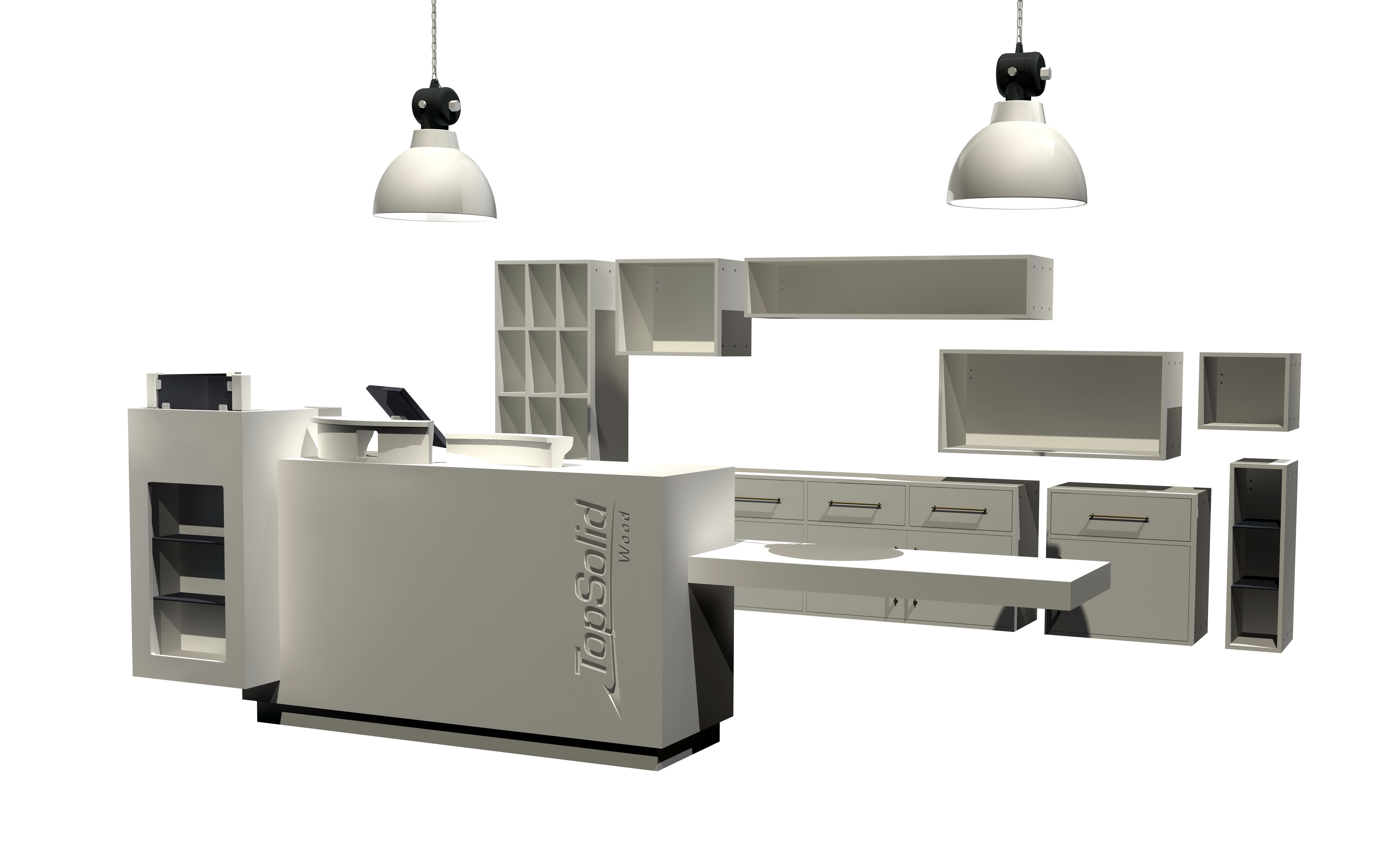
TopSolid’Wood software and work by areas


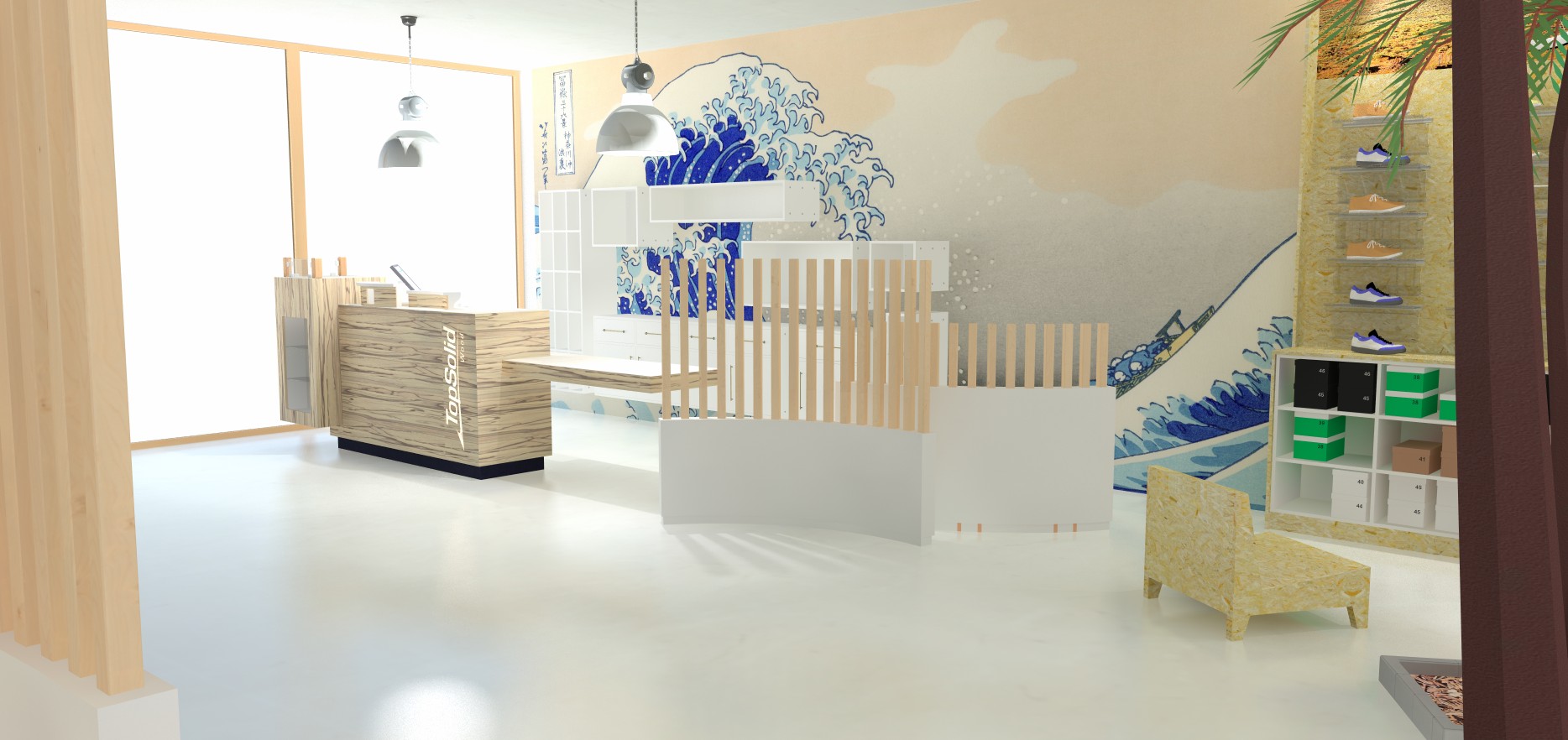
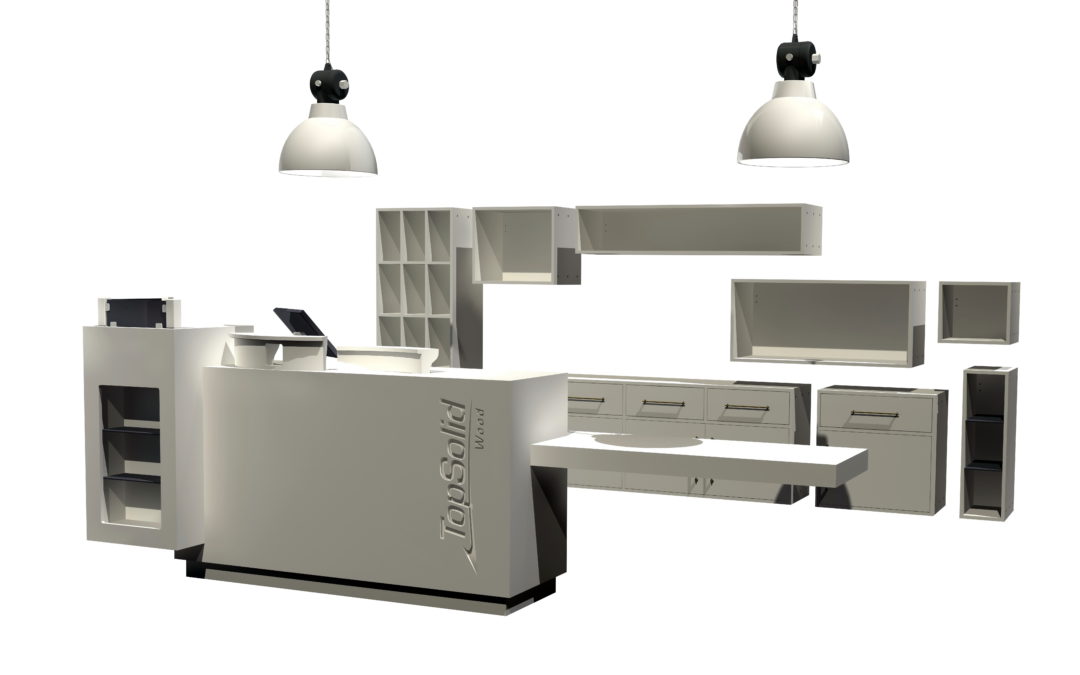
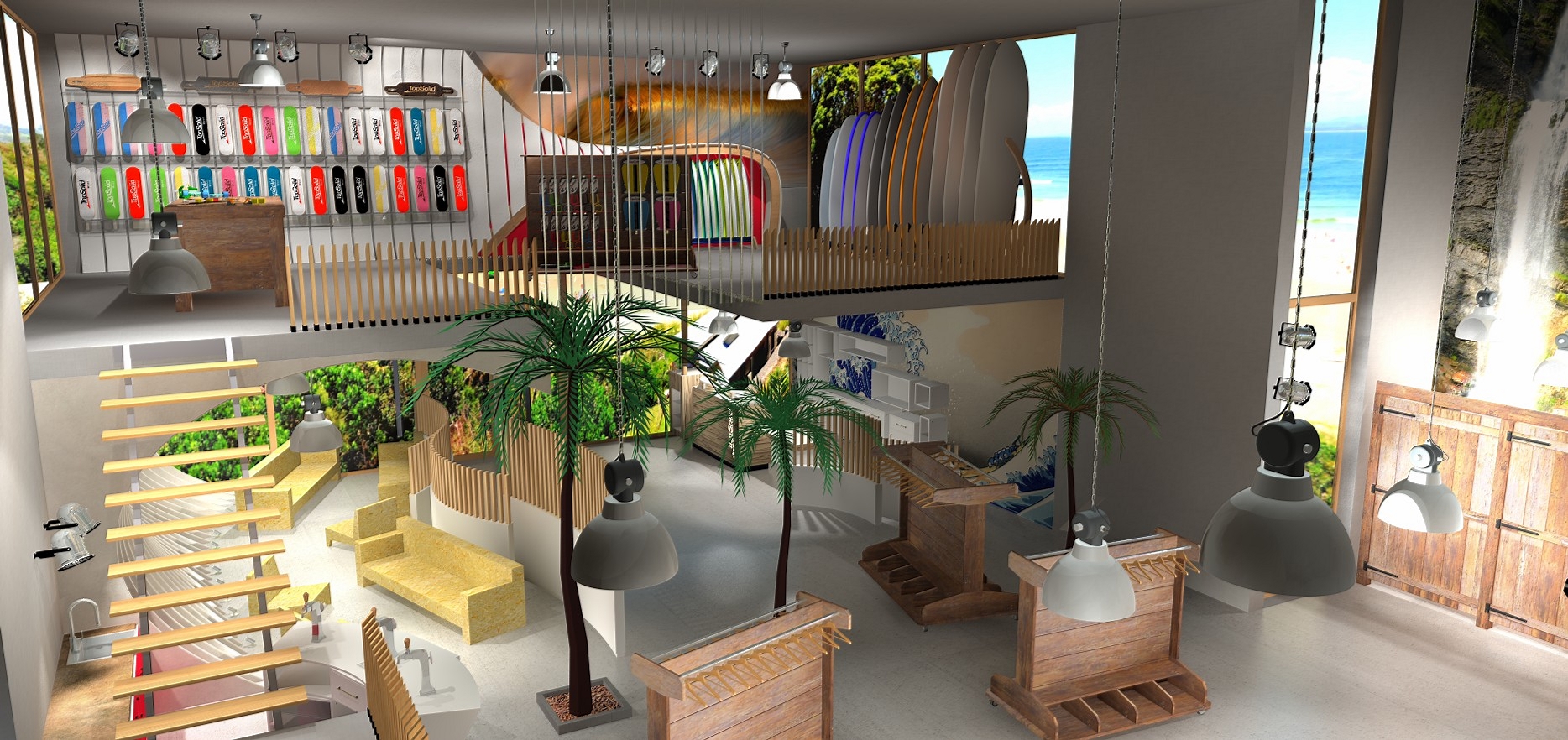
One of the significant features of TopSolid’Wood is that it allows the user to work in several workspaces or areas. The concept is as follows: from a master file, the user will be able to create several workspaces in which the interior design of each area will be created. Once the design of each area is completed, the user can then generate a final assembly from the files.


Advantages of the “master” file


Working with a master file is convenient. But its main advantage is probably the flexibility it provides by facilitating file update processes. In addition, the TopSolid’Wood master file provides an overview using a construction tree that provides access to all workspaces. This allows you to make changes in order to define spaces even more quickly. In addition, TopSolid’Wood allows you to create a master file from the CAD files from other software.


(more…)

What are the advantages of an open and customizable CAD/CAM solution?

What are the advantages of an open and customizable CAD/CAM solution?

As the performance and productivity requirements of professionals increase, design and manufacturing software evolves. An open and customizable CAD/CAM solution is what TOPSOLID offers to support companies for the purposes of unlimited and increasing development. What are the possibilities specifically offered by this type of software? What are the benefits of implementing them in your company? Discover the benefits of an open and customizable CAD/CAM solution through the features of TopSolid’Wood for the woodworking industry.

What is an open and customizable CAD/CAM solution?


An open CAD/CAM solution is a software designed to communicate easily with other software.

Thanks to its standard interfaces, the open CAD/CAM solution facilitates and accelerates both import and export. It allows you to communicate smoothly with your customers and suppliers, save time and reduce the margin of error to zero.

Examples of how you can use the TopSolid’Wood software in the wood industry:

  • Possibility of importing architectural plans in DXF or DWG formats into your CAD/CAM software: the designer works directly from these files.
  • Possibility of import 3D models in STEP, Parasolid or IGES formats: the furniture professional works without difficulty with the hardware supplier.
  • Exporting a cutting list in various formats: at the end of the layout project, the open software is able to export the cutting list in a format readable by a software specialized in panel cutting.
  • Exporting images to give the customer a realistic preview of the final rendering.


A customizable CAD/CAM solution is a software that allows the user to integrate specific issues and know-how.

Each profession has its know-how and each company has its own processes: from one company to another, professional expertise is concretely reflected in the implementation of specific procedures. It is in the company’s interest to preserve this in order to distinguish itself and protect its competitive advantage. To this end, the CAD/CAM software allows you to customize all stages of the design process. Moreover, it is this customizable nature of the software that offers professionals a better productivity potential.

Illustrations with TopSolid’Wood software:

Many different manufacturing processes coexist in the wood industry. The designer does not work in the same way with a professional and a private individual. In addition, he adapts his procedures according to the nature of the work in progress – bathroom, hotel, kitchen, store, etc. A tailor-made part is also necessarily integrated within each project. The furniture manufacturer’s issues, for its part, are radically different – standardization of parts, optimization of production, manufacturing for kit assembly or already assembled furniture, adaptation of processes based on the materials (solid wood, panels, resin, etc.). In this context, a standard CAD/CAM solution is not enough.

By choosing a customizable CAD/CAM solution, such as TopSolid’Wood, the company is importing its own know-how and procedures into the software to optimize its work without altering it. There are a thousand and one ways to design and manufacture using wood, and many benefits to be derived from this diversity. It is up to each professional to preserve his methods with regard to his brand image and production issues, with the support of a customizable software.

The advantages of an open and customizable CAD/CAM solution


1. Capitalize on your know-how

You are unique, and that is your strength. Through experience, the company acquires its own know-how on which to capitalize in order to win on the competition’s ground. By customizing its CAD/CAM solution according to its own know-how, the company gains in performance and productivity.

Example: TopSolid’Wood software allows you to create your own component libraries. In addition, customers can import their creations. These component libraries, which can be customized ad infinitum, add to the company’s assets over time.


2. Use an intuitive and evolutionary CAD/CAM solution

No computer skills are required to use TopSolid’Wood software. TOPSOLID, to make life easier for the company and its employees, includes in its CAD/CAM software offer comprehensive training for its users, and offers unlimited customer support free of charge for 6 months. The software solution’s intuitive interface allows you to get started quickly, regardless of your initial skill level. After using the software over time, the user makes the most of it by customizing it according to his specific needs: the CAD/CAM solution evolves with the professional.


3. A customizable software tool to increase productivity

As the CAD/CAM solution evolves with the professional, productivity increases accordingly. By choosing a solution that can be customized at an early stage, the company is able to integrate all the new data into the manufacturing process over time.


4. An open solution to improve performance

Saving time while ensuring a pristine work quality is the major advantage of open software. With TopSolid, the company automatically imports and exports all types of files from its suppliers and customers. This process saves time – no need to redo the work several times, to enter data to be exported, etc. – and at the same time reduces the risk of human error. The company’s performance increases considerably.    

A good design and manufacturing software must adapt over time, without limit, to the evolution of the company. It is in this context that TOPSOLID thinks about its TopSolid CAD/CAM solutions. Thanks to TopSolid’Wood software, an open and customizable solution, professionals in the wood industry are able to develop their products without being limited by software issues. With the same objective of productivity, the TopSolid’Wood CAD/CAM solution also offers the opportunity to preserve valuable know-how and specific business expertise.


TopSolid CAD/CAM Product Range


TOPSOLID is to date the only publisher to offer this innovative integrated solution. Indispensable for saving time, reducing the margin of error, securing and improving processes, TopSolid’s products offer a significant competitive advantage. Discover the software adapted to your needs.

TopSolid’Design at the service of Métallerie Letourneau

TopSolid’Design at the service of Métallerie Letourneau

Métallerie Letourneau company manufactures metalworking for individuals and industries. Equipped with TopSolid’Design since 2015, the company designs all of its productions using the CAD software from the French editor. A software that is perfectly adapted to the needs of the company since it allows it to meet the specific expectations and requirements of each of its customers.

Do you specialize in the construction of metal structures? Are you looking for a software that is both simple and efficient, allowing you to manage numerous projects?

Find out why Métallerie Letourneau chose TopSolid and how it perfectly meets the company’s quality requirements.


Métallerie Letourneau, an expert in the manufacture of metal structures


Specialized in the production of metal structures, from computer-aided design to installation, Métallerie Letourneau offers customized solutions to manufacturers, architects as well as individuals and communities. The company designs various and varied equipment for the interior design of traditional homes, architects’ houses, industrial premises and local authority buildings.

Founded in 2010 by Simon Letourneau, its current manager, and now made up of a dozen people, the company located in the Burgundy region, manages all types of metalwork manufacturing projects, from the simplest to the most complex.


Variety of services offered by Métallerie Letourneau


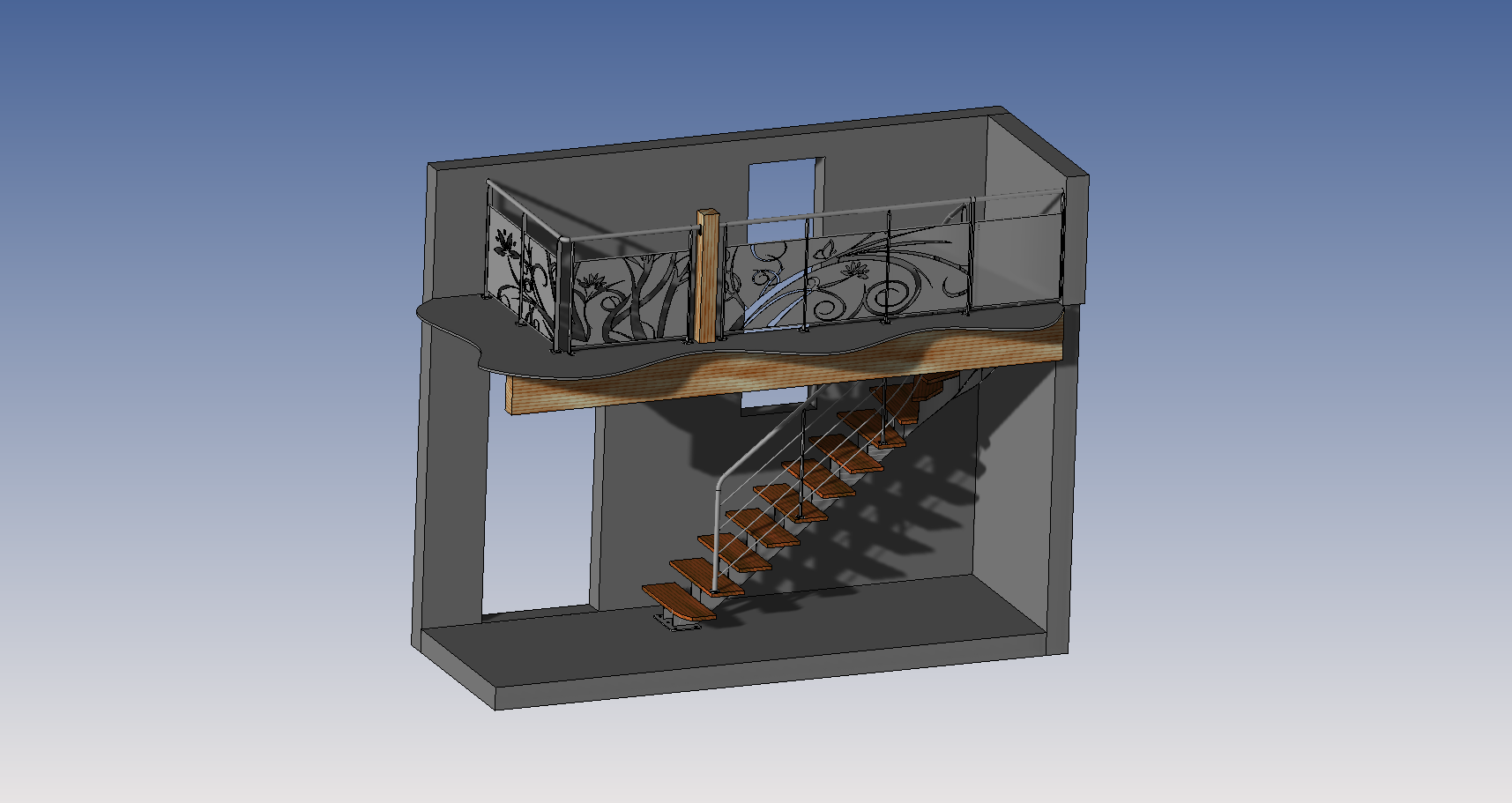
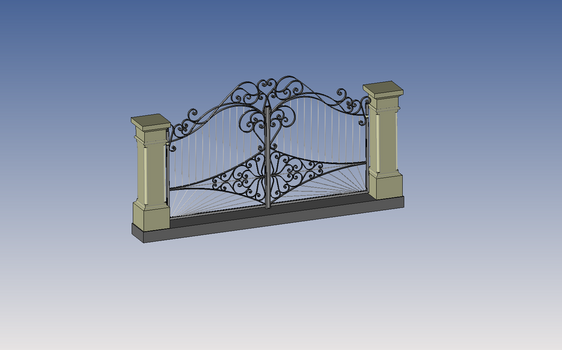
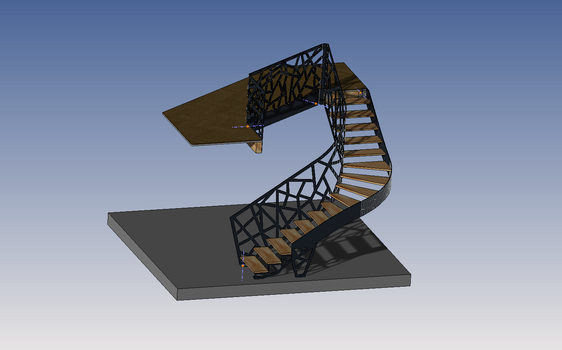
The SME offers a wide range of services, constantly adapted to each of its customers; it builds and installs metal structures intended for the development of their interior and exterior spaces: staircases, gates, doors, railings, pergolas, awnings, glass partitions, etc.

Surrounded by a team of seasoned experts, the young manager in his thirties, creates unique, tailor-made and personalized equipment, integrating various materials (steel, aluminum, stainless steel, etc.). And to provide a turnkey solution and impeccable quality to its customers, the company frequently collaborates with all areas of the building industry. The manager models the different parts in the design department and creates the assemblies, all using the latest version of TopSolid’Design.

Even if the “functional” aspect of their equipment is essential, it undoubtedly has a decorative purpose; as a result, Métallerie Letourneau makes it a point of designing resolutely aesthetic works that will blend in perfectly with their customers’ interior designs and the architecture of the building.

Providing a wide range of services is an asset for the company, but it also represents a real challenge: the engineers must be able to bring to life all the equipment previously imagined for their customers.


TopSolid’Design: the ideal software to design large-scale metal structures 

To date, the company uses TopSolid’Design CAD software to design all their parts and assemblies; this software solution allows them to manage all types of projects, from the most classic to the most ambitious; thanks in particular to the large assembly management feature, the company can manage the modeling of very large assemblies.

Before making his choice, the head of the metalworking company analyzed the CAD software market at length. What he was looking for above all, was a simple to use, intuitive software that would allow him to manage all his customers’ projects. He also needed a robust solution with extensive and powerful design along with simulation capabilities.

TopSolid’Design is both simple and very powerful. Its intuitive interface guarantees its users a quick start and easy and optimal use, without unnecessary waste of time. This tool includes an infinite number of features that allow it to manage complex projects.

This solution has the advantage of being very ergonomic: thanks to its dashboard listing the latest documents and current projects, you have an overview of your current projects at a glance. Moreover, to design your sheet metal parts and assemblies, you will appreciate its sparse, very functional and customizable interface which is adapted to your needs; you can easily add or remove some features, as you wish, to lighten the interface.

Securing your designs was an asset that seduced the Burgundy company. The design of your parts is fully secured thanks to the integrated PDM (Product Data Management) which will ensure the complete management of all your data. You do not lose any information, all data is saved, no matter how it is manipulated or modified.

This application manages all files, links between parts and assemblies as well as all the changes made to the project: if you move a file, rename the documents, everything is saved automatically.

TopSolid’s integrated PDM allows you to manage large-scale projects with complete peace of mind. Let’s say you want to go back to the original project for some reason. With TopSolid’s integrated PDM solution, you are protected against data loss: you can restore an earlier version or recover the original version. You can easily reuse elements from other designs to re-inject them into other projects, which guarantees exceptional productivity benefits.

For Métallerie Letourneau, this integrated solution was a decisive factor in the final choice: convinced of the importance of data security, the company was immediately reassured.


Conclusion 

It is a great satisfaction for TOPSOLID to see that the software allows Métallerie Letourneau to access various and varied markets, and to be able to respond to the demands and quality requirements of major customers such as SNCF.

Do you want to acquire a simple, intuitive and efficient CAD software?

Do not hesitate to ask for a demonstration of the software: you will see for yourself that this software is ideal for designing and producing any type of work.


TopSolid CAD/CAM Product Range

TOPSOLID is to date the only publisher to offer this innovative integrated solution. TopSolid products are essential for saving time, reducing the margin of error, securing and improving processes. They provide a significant competitive advantage. Discover now the software adapted to your business.