
How 3D design and digital engineering can optimize progress reports

How 3D design and digital engineering can optimize progress reports

Are tunnel projects, without any contacts with the customer, except at the beginning and the end, something of the past? Unfortunately not. It is the dread of many customers and often a last resort for certain service providers that are faced with tight constraints in terms of time and money. When a project starts to go wrong, organization and documentation in particular, such as progress reports, are often the first things that go missing. Nevertheless, they are critically important for all the stakeholders.

In industry, the regular production of these documents can take a long time and often produces fruitless or unusable results. But, thanks to 3D design and digital engineering, it is possible to quickly produce comprehensible documents and efficient views that provide customers with a clear vision of the state of progress of the project.

What is a progress report?

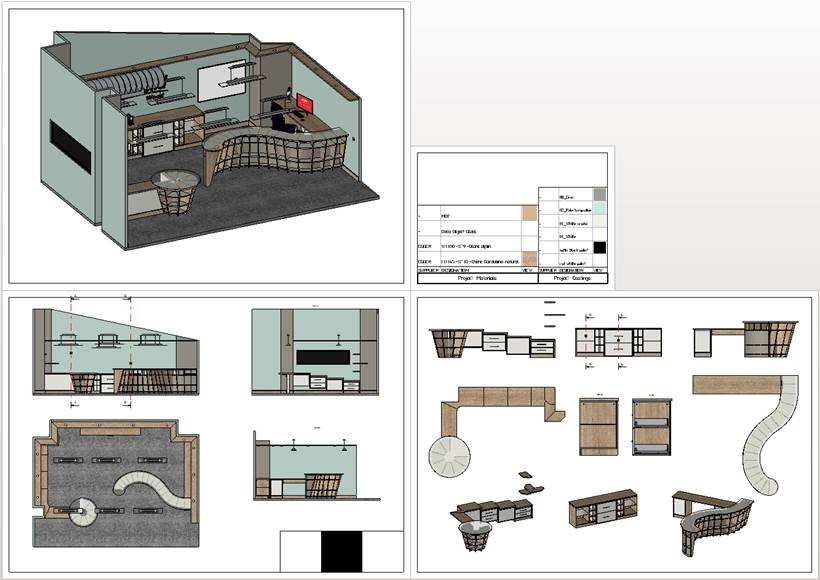
You probably already know what progress reports are. On the other hand, you may not understand all their subtleties or, even worse, you may think that they are pointless. So, let’s get things straight… Progress reports are used to keep track of and communicate the status of a project, at a given point in time, to different stakeholders. It provides an overview of the completed activities and tasks, the results achieved and any problems. Progress reports can be used to assess the state of progress of a project and take decisions on the basis of up-to-date information. A 3D CAD project to design a machine, for example, could contain the following information:

  • A description of the project: The report can begin with a detailed description of the project that contains the goal of the project, the required specifications, the technical constraints, the functional requirements and the planned deadlines.
  • Design steps: An overview of the various design steps that are followed to design the machine using 3D CAD. It may include the initial 3D modeling, the creation of the assemblies, the addition of specific functionality, the optimization of performances, etc.
  • 3D models: Present the 3D models that are produced for the machine using 3D CAD software. These models may show the structure of the machine, the individual components, the connections and the mechanisms, etc. They are used to view and validate the design.
  • Results of the simulations: If any simulations are made to assess the performances of the machine, their results can be included in the progress report. They may include analyses of the strength of the materials, movement simulations, collision tests, etc.
  • Problems encountered: Mention the problems encountered throughout the design process. At this point, technical difficulties, the limitations of the CAD software, manufacturing constraints, delays, etc., are raised. The measures taken to solve these problems may also be mentioned.
  • Progress relative to the initial plan: The report may provide a comparison between the actual state of progress of the project and the initial plan. This comparison can be used to see whether the project is ahead of schedule, running late or on schedule. Any deviations can be explained and adjustments can be suggested.
  • Collaboration and communication: Keep a trace of the interactions with the other members of the design team, suppliers, partners or customers. They include meetings, exchanges of information, requests for clarification, etc.

The next steps: The status report may be closed by highlighting the next steps of the project. This may include the remaining tasks, upcoming deadlines, planned deliverables, tests to be carried out, etc.

It is always possible to simplify the level of detail of the reports and to keep only the information that is really useful.


How does a progress report affect the execution of a project?

Progress reports are a part of the global project management process, and they play an essential role. They are scheduled in the planning phases and completed during the execution phases. They are used to identify any deviations and to take corrective measures in the monitoring and control phases, they facilitate communication between the stakeholders, and the information collected can be used to reassess and adjust the project. It is quite easy to get lost, if you want to draw up a good progress report. So, how can you make this task more fluid?

The range of CAD, CAM and PDM TopSolid solutions

How collaborative 3D design helps to produce progress reports

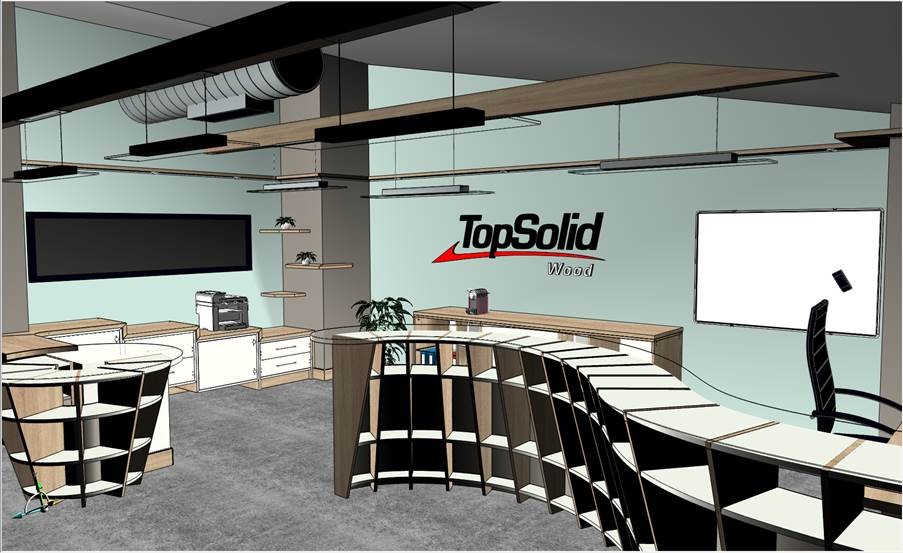
In the design phase of a project, you do not necessarily need a rendering in real time. You have not reached the end of the project, and many elements can still vary. Nevertheless, you may want the communicate the project as is to an external party. The customer, for example, who can ask for a progress report at any time.  You must be capable of proposing a 3D model, which you can do to in two ways: just the visual, or the visual with the tree structure of the parts. How?

You have three possibilities:

  • Produce a view outside the project in its current state in the form of a 3D view that is not necessarily realistic. We call this TopSolid Viewer: we supply the data, then the partner loads it and can see the same thing as on our workstation.
  • Authorizing a user to log into a Product Data Manager (PDM). They can then see their machine in a simple web interface, on a mobile phone or on a mobile tablet. In concrete terms, we send them a link that grants access.
  • The last method consists of sending a simple link by email. The user then logs into a web site, where we have shared the 3D data with them.


When should the progress report of a 3D CAD project be sent?

The process described above can take place several times in the product design cycle. The idea is to iterate with the customer, who can make amendments, adjustments, corrections, etc.

The history must keep track of all these interactions, which is where the PDM comes into play. Thanks to the PDM, we know everything that has happened. We know if and the date when we sent a prototype to the customer, their response and any action that was taken as a consequence, etc. Everything is tracked in the management environment.

When you reach the end of your project, after numerous exchanges and discussions, you can start the review in virtual reality. This is still an iterative process, and you may want to backtrack on certain design choices.

If you backtrack through the design steps “by hand”, then the process can become so complex that it is unmanageable. It is better to have a system that is smart enough to rebuild everything on its own, otherwise it could take a very long time.


The Product Data Manager: the cornerstone of a good progress report

As you may have already observed in your projects, every person and every company may have its own definition of what a progress report should be. There are infinite variations, from no formalism at all (the customer knows nothing or, on the contrary, has full access in real time, but no explanations), to a complex and sometimes totally unusable document.

See also “The benefits and selection criteria of the PDM for CAD-CAM”.


They key consists of the combination of collaborative 3D CAD techniques and an efficient PDM (Product Data Manager). They save time and allow for simplicity. They also standardize exchanges, reduce the risk of errors, build on knowledge and secure data. Want to find out more? Then get in touch!

Mechanical engineering: making a successful digital transition today to better meet tomorrow’s productivity objectives [WHITE PAPER]

Mechanical engineering: making a successful digital transition today to better meet tomorrow’s productivity objectives [WHITE PAPER]

Industry 4.0, through the digital transition and the adoption of new technologies, is the main challenge for mechanical industries. Robotization, implementation of management systems, simulation, digital twins, production management, workshop management, Cloud computing… In the coming decade, all companies in the sector will have to implement one or more of these technologies. However, for these technologies to be truly effective, they must communicate.

Computer-aided design and manufacturing (CAD/CAM) software, enterprise resource planning (ERP) software, manufacturing execution system (MES), product lifecycle management (PLM) software, workshop management systems, etc. Once equipped, the challenge for companies will be to make all these systems interoperable to ensure digital continuity, from design to production.

How is the digital transition changing the world of industry? What are the requirements for a communicating CAD/CAM and management software? What are the advantages of an integrated digital solution for the mechanical industry?

This white paper aims to help you adopt the right strategy for integrating CAD/CAM, ERP, MES, PLM tools, etc., to make your company’s digital transition successful. 

Follow the guide!

Making tool management simple – Is it possible?

Making tool management simple – Is it possible?

If producing machined parts for your manufacturing tools is a complex process, should the system that is supposed to make it more efficient be a “necessary evil”? Considering the cost of stopping production because a part is missing from the tool magazine, the necessity of a good tool management system seems obvious, but it does not have to be complicated as it should be designed to make your processes more efficient and safer. Here is how.

1) “Tool Management”: what do we mean by that?

Tool management encompasses physical tool management in a workshop as well as all the technical data attached to each tool and component used in your manufacturing process. This is usually handled by a dedicated software designed to assist machine parts manufacturing by automatically loading technical data into the CAD/CAM system as well as managing tools’ and components’ physical inventory.

Tool management becomes even more important when considering next-generation CAD/CAM software. Based on 3D modeling, machine kinematics, advanced simulation and many other tools needed to create high-precision machined parts, a lot of data is generated to ensure that the products coming off your assembly lines are of the highest quality.

This data needs to be accurate, up-to-date, available, and ready to be retrieved. This way, you avoid inaccuracies and save time and money in the overall process, which also means improving profits.

2) Challenges that come with tool management

Since tools and components for manufacturing processes are a very large and complex topic, one of the biggest challenges is the interface to get the 3D data into the CAD/CAM application. Indeed, in addition to the 3D graphic, a tool also contains many parameters and functions in space that form the basis of the toolpath algorithm in CAM. If there is a single faulty parameter, the operation in CAM is invalid and cannot be generated.

Another challenge is that most of the available solutions on the market only work by pure database application, which means that you only get a graphic view (and not a 3D visualization) of the part to be produced. This makes it confusing and complicated to use, especially for occasional users. Most of these solutions do not facilitate 3D data management or even offer a functional interface for CAM applications.

3) The benefits of a good tool management solution

If all the data for each tool and component are centrally managed, any information can be retrieved at any time and from anywhere in the company. In addition, good tool management ensures that all references and back references are stored, not only for transmission to the CAM system, but also for all existing NC programs. This allows you to better plan for new programs as well as improve change management.

A good tool management solution also provides you with a real time picture of your tool magazine on the shop floor, allowing you to directly synchronize your machine magazine with your CAM environment. Therefore, by centralizing production data, you can optimize your workshop organization and increase overall productivity by:

·       Reducing machine set-up lead time

·       Improving traceability of program modifications

·       Providing precise tool location

·       Monitoring the use and wear of tools

4) Advice for beginners

If you are thinking about implementing a tool management system, you should look for a solution that will help you to efficiently manage your tool components, your assembled tools, their life cycle, and is running on a single data source that is always easily and readily accessible. But above all, it should be adapted to your activity!

The tool management solution you consider should be able to adapt to your existing processes, workflows, and growth strategy by being completely modular and scalable. Think big in order to be able to implement additional modules in the future!

You should also be able to build on your existing NC data. As you are not starting from scratch, your tool management solution should automatically take into account your existing data in an intelligent way. Indeed, you cannot afford to stop production while you fill in and set up the database. The system must be able to connect existing data, learn and expand while using it, and integrate it step by step.

5) Why TopSolid’ShopFloor can answer your needs in terms of tool management

What makes TopSolid really unique on the market is that there is no interface between the tool management system and the CAM application. TopSolid’ShopFloor is a product that is completely based on TopSolid’PDM as are all TopSolid solutions. Thus, components and tools are controlled by revision, oriented towards properties and BOMs like a “standard” part or assembly and are fully associable with all modules available in TopSolid (CAM, Design, Draft, …).

To easily create components and assemblies, TopSolid provides libraries to create your own components from fully parameterized ISO 13399 models. Of course, you can also import and use supplier data. TopSolid’ShopFloor supports all data, even data from other tool management systems.

Searching for components and creating assemblies are simple and can be managed via TopSolid’ShopFloor Tool Manager. The fully graphical drag and drop assembly process is very user friendly and is a great help in daily activities.

In other words, a system that:

  • has no interface
  • does not translate or transform any data to create the toolpath
  • builds the data source on the TopSolid core

We can 100% guarantee that a tool defined in the TopSolid environment is functional throughout the process, from CAM to presetting and machining.

TOPSOLID is a leading CAD/CAM software company in the world. With more than 35 years of experience, we are able to offer fully integrated CAD/CAM solutions adapted to your industry, whether it is in mechanics (machines, tools, etc.), sheet metal or wood industry. Wherever a machine interacts with the material to be machined, whether to shape or produce a part, we have an adapted, innovative, and unique solution. To learn more, contact us!

Why must CAD/CAM solutions become increasingly flexible?

Why must CAD/CAM solutions become increasingly flexible?

In recent years, the notion of flexibility has become an integral part with companies of all sizes. All resources are considered: flexibility in terms of staff working hours, adaptation of the organization’s personnel according to demand, the flexibility of the software used… In this context, many factors tend to become flexible to coincide with the evolution of industry. Computer-aided design and manufacturing are no exception to the rule! CAD/CAM software used by companies must also become more and more flexible. Here’s how….

Flexibility is a significant challenge for companies

Flexibility, what are we talking about?

Whatever their activity, flexibility is a concept many companies are trying to implement. The objective is to move away from a rigid organization and adapt the organization to the company’s needs at a given moment. In this way, resources are allocated according to the actual activity of the departments, which optimizes their efficiency. Therefore, professionals are required to master a variety of subjects and tools in all areas.

Flexibility is an exceptionally fundamental concept when it comes to CAD/CAM systems. Reducing programming and machining times, improving quality, reducing costs, being competitive with the competition… Many challenges must be met by the teams in charge of CAD/CAM. Flexibility must therefore be translated into concrete terms in the organization of the resources in place, especially personnel. The boundaries between design offices, manufacturing offices, and management must become increasingly narrow. Computer-aided design and manufacturing professionals must collaborate and demonstrate a versatile know how to meet the challenges of their department.


How does flexibility translate into CAD/CAM?

As you will see, lack of flexibility can be a significant issue for companies using CAD/CAM solutions. The concept of this notion of flexibility has many interesting points, two of which are fundamental:

  • As soon as the design office considers the way parts are going to be manufactured, the company gains in quality and productivity. Design offices must therefore be aware of manufacturing and production requirements (CAM).
  • Likewise, the manufacturing office must consider the way the engineering department designed the parts. This flexibility allows for modifications to be made if necessary to make projects more easily machined. The company then realizes essential productivity gains.

In sum, flexibility in CAD/CAM has four significant benefits:

  • Strengthen the links between the Design Offices and the Manufacturing Offices;
  • Gaining team cohesion;
  • To gain in quality and therefore in customer satisfaction;
  • To gain in productivity and therefore in profitability.


However, flexibility in CAD/CAM is not only a matter of teamwork. The CAD/CAM solution used by the company must also be flexible to favor the adaptability of the organization’s resources.

Flexibility is a significant challenge for companies

Flexibility, what are we talking about?

Whatever their activity, flexibility is a concept many companies are trying to implement. The objective is to move away from a rigid organization and adapt the organization to the company’s needs at a given moment. In this way, resources are allocated according to the actual activity of the departments, which optimizes their efficiency. Therefore, professionals are required to master a variety of subjects and tools in all areas.

Flexibility is an exceptionally fundamental concept when it comes to CAD/CAM systems. Reducing programming and machining times, improving quality, reducing costs, being competitive with the competition… Many challenges must be met by the teams in charge of CAD/CAM. Flexibility must therefore be translated into concrete terms in the organization of the resources in place, especially personnel. The boundaries between design offices, manufacturing offices, and management must become increasingly narrow. Computer-aided design and manufacturing professionals must collaborate and demonstrate a versatile know how to meet the challenges of their department.


How does flexibility translate into CAD/CAM?

As you will see, lack of flexibility can be a significant issue for companies using CAD/CAM solutions. The concept of this notion of flexibility has many interesting points, two of which are fundamental:

  • As soon as the design office considers the way parts are going to be manufactured, the company gains in quality and productivity. Design offices must therefore be aware of manufacturing and production requirements (CAM).
  • Likewise, the manufacturing office must consider the way the engineering department designed the parts. This flexibility allows for modifications to be made if necessary to make projects more easily machined. The company then realizes essential productivity gains.

In sum, flexibility in CAD/CAM has four significant benefits:

  • Strengthen the links between the Design Offices and the Manufacturing Offices;
  • Gaining team cohesion;
  • To gain in quality and therefore in customer satisfaction;
  • To gain in productivity and therefore in profitability.


However, flexibility in CAD/CAM is not only a matter of teamwork. The CAD/CAM solution used by the company must also be flexible to favor the adaptability of the organization’s resources.


TopSolid, a flexible solution?

TopSolid is a powerful CAD/CAM solution that offers a fully integrated digital chain. TopSolid contributes to the flexibility of organizations by meeting the challenges of development and adaptability of many companies.


TopSolid, an integrated CAD/CAM-PDM-ERP solution meets the flexibility needs of companies

The CAD and CAM solutions proposed by TOPSOLID are developed in the same environment. This means that they communicate perfectly with each other. The TopSolid CAD/CAM tool guarantees that:

  • Changes made in CAD are automatically transferred to CAM.
  • The part numbers are associative between CAD and CAM with integral PDM.
  • The handling of the CAD tool is fast and straightforward: the manufacturing office can make modifications on the projects of the design office.
  • The TopSolid’Erp solution also communicates with the CAD/CAM solution: the management data is entered as soon as the CAD design is completed.

The result: no more re-entering of data and loss of information. Process reliability is guaranteed, and CAD/CAM teams save considerable time.


The flexibility of the TopSolid solution is illustrated!


Legend: Succinct diagram of TopSolid’s workflow


  • TopSolid ERP sends manufacturing orders (OFs) directly to TopSolid’SheetMetal CAM in the Job Manager.
  • The drawing files (CAD) are automatically retrieved with the part files (parts with cutting or punching operations).
  • In the OF(s) sent by the ERP, the following information is provided:
  • Part references
  • Designations
  • The order
  • The customer
  • The quantity
  • The material
  • The thickness
  • The machine
  • …
  • TopSolid’SheetMetal CAM gathers this data and creates the nesting.
  • TopSolid’SheetMetal CAM refers back to the ERP:
  • References of manufactured parts
  • The quantities
  • The material used
  • The times achieved
  • …

Conscious of what’s at stake regarding company flexibility, specifically in regard to the CAD/CAM system function, TOPSOLID developed an adaptable and intuitive solution. The collaboration between the engineering offices, the manufacturing offices, and management is thus facilitated. Everyone has the information they need, and processes are optimized and secured. TopSolid Digital Integrated solution offers you the possibility to work with all your collaborators on the same platform and database, capitalizing on the know-how of each one! Would you like to know more? Contact us for more information!


5 necessary features of CAD/CAM software

5 necessary features of CAD/CAM software

The furnishing and design sector present an infinite creative range. In addition, the demand is characterized by needs as varied as they can be complex. An efficient design and manufacturing tool is therefore essential. The question is how to find the rare pearl, adaptable to both customer requirements and project constraints, but also capable of preserving efficiency, reliability, and – the most important – respect delivery deadlines.

With TopSolid’Wood, a solution specialized in furnishings, TopSolid SAS reveals the five features that are necessary for CAD/CAM software to meet the challenges of the sector.

1) Intuitive modeling features

Design and produce, this is the main answer to which a CAD/CAM software worthy of the name must respond. It is therefore important that it offers highly relevant features to cover all the user’s needs. For the woodworking industry, such features include material removal, configuration of assemblies between parts, parametric 3D modeling, as well as advanced software customization to allow for greater benefit and ease of use. And the list goes on.

Imagine a tool that is easy to use, providing you with a range of tools adapted to meet your needs.

The TopSolid’Wood solution includes all those features and more: the application works in real-time and provides results that are as realistic as possible, whether the designs are simple or specific and complex, and all this while saving considerable time!

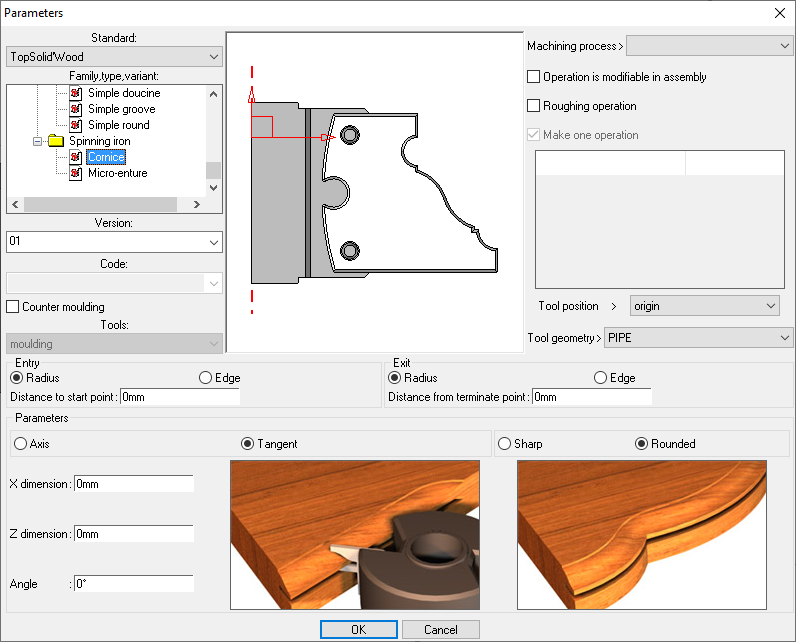
Intuitive modeling features - Slot function

Slot function

Intuitive modeling features - Profiling function

Profiling function

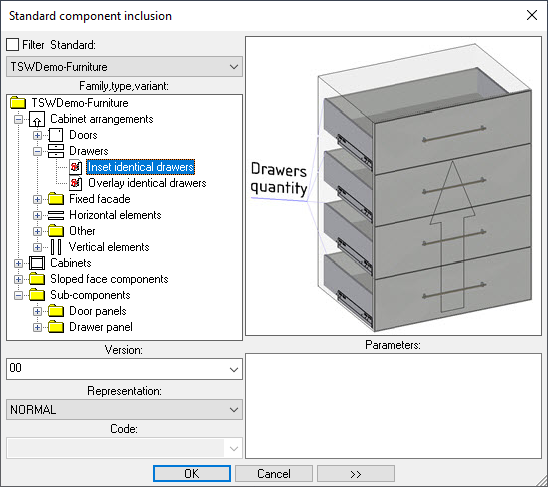
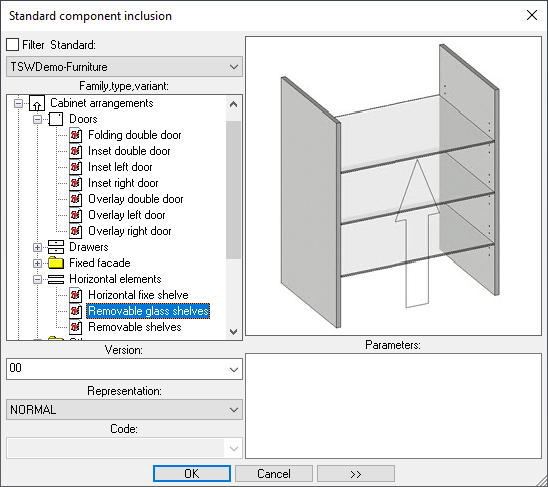
2) Scalable component libraries

Most CAD/CAM software offers “turnkey” component libraries designed to increase productivity. However, there are very few norms or standards for the design industry, as each company has its own specific needs, even for the most obvious components. How then, can you increase productivity by using component libraries that are certainly rich and easy to use, but that do not take into account the unique character of each designer when the point is to bring out the DNA of the designs?

The answer lies in the ability to create your own scalable component library capable of growing daily, by integrating, new methods or different means of production. It is important to understand that it is the company’s practices that enrich the software library, and make it possible to create, capitalize and then factorize know-how. This is not possible with turnkey solutions.

In short, customization and configuration power of a component library are essential criteria for choosing a CAD/CAM software. Think about it when the time comes!

Scalable component libraries 1
Scalable component libraries 2

Scalable component libraries

3) Real-time visualization of the changes made

In the vast CAD/CAM software market, keep in mind that most tools use a polyhedral engine to model designs. Can such a process provide an accurate and precise representation of 3D designs? Of course not.

Moreover, these same tools are not advanced enough to design in an associative way. This means that the design department has to anticipate and redesign a potentially large number of elements for each modification request. No need to mention the colossal loss of time and the countless possible sources of error!

In a context where project requirements are as demanding as they are complex, real-time feature is an unequivocal imperative.

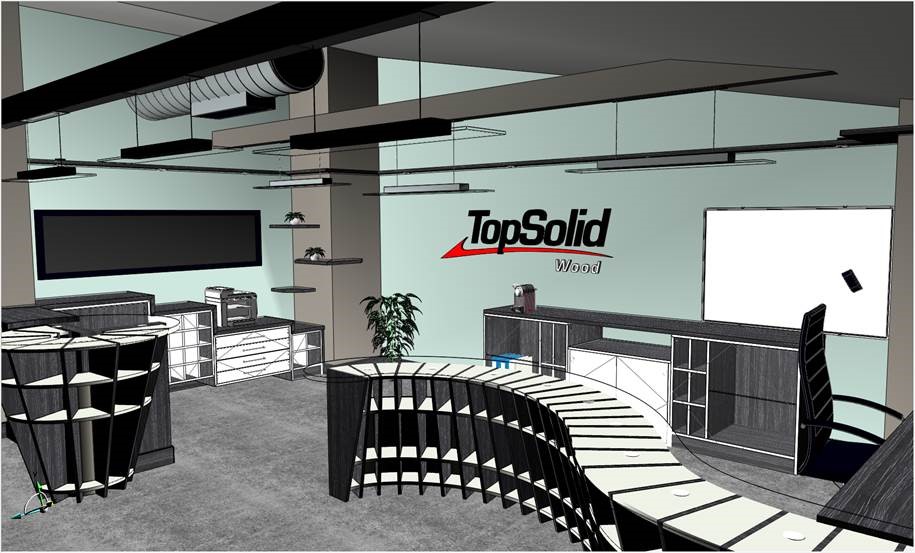
Thanks to its accurate 3D modeler, TopSolid’Wood allows you to visualize the modifications made in real time and to make changes to dimensions without having to check each element. Therefore, the operation of the chosen design rules, as well as the conformity of the rendering based on the customer’s wishes, are verified on the spot and with reliability. Not to mention that drawings, bills of materials, and machining programs are also updated automatically: invaluable comfort and time saving for the design department!

Real-time visualization of the changes made TopSolid’Wood 1
Real-time visualization of the changes made TopSolid’Wood 2
Real-time visualization of the changes made TopSolid’Wood 3

Real-time visualisation of modifications made with TopSolid’Wood

4) Perfect management of the modifications to be made to a project

Bigger, more storage, shallower and less expensive if a scalable component library allows the user to quickly decline a project while respecting the initial specifications of his customer which are likely to evolve often and quickly! In short, a “normal” design department life which can seriously call into question the very composition of a project.

To be able to make the various adjustments requested by the customer at a moment’s notice and with a smile, configuration tools are required. But be careful, not just any tools! Indeed, the solution used must allow you to modify various functional or aesthetic aspects of the project, either locally or globally.

Must I remind you that drawings, bills of materials, and machining programs are also updated automatically?

In this respect, the TopSolid’Wood software offers mechanisms for the interchangeability of components and sub-components, coupled with configurators, which allow this type of action.


5) Automation of the digital chain

TopSolid SAS’s approach is to ensure continuity between design and production, i.e., not to break the digital chain between the design department and the workshop. Not only is the risk of error considerably reduced as there is no need for post-processing, but also the time saved is invaluable! TopSolid’Wood is one of the few software packages on the market to offer this essential advantage. 

Automation of the digital chain

One software to meet CAD/CAM needs

Intuitive modeling, scalable component libraries, associative design, real time feature, and digital chain continuity: five necessary and non-negotiable essentials for your furnishing CAD/CAM software.

TOPSOLID SAS, one of the world leaders in CAD/CAM/ERP publishing software, offers one of the most advanced solutions on the market. Customizable and dynamic, it allows unlimited creativity without sacrificing the efficiency and fluidity of the processes. By integrating design, manufacturing, and ERP, the tool allows perfect management of your furnishing or design projects. From design to production, you save time, develop everyone’s skills, and factorize your know-how!

Why does CAD/CAM allow you to add new markets and also earn money?

Why does CAD/CAM allow you to add new markets and also earn money?

While many companies have not yet acquired their own CAD/CAM solution, the fact remains that a well-thought-out CAD/CAM solution can be a great ally in growing your business. How can CAD/CAM allow you to add new markets? What are the main criteria to take into account when choosing a CAD/CAM solution? Our answers.

A CAD/CAM to add new markets

Regardless of the type of business, part programming without a CAD/CAM solution, although possible, very quickly reaches a certain limit in terms of technicality and quality. While using a manual and conversational programming “genius” may seem like a viable option, it is nonetheless unrealistic and resolutely limited for large-scale production capacity.

For many companies, equipping themselves with a CAD/CAM solution not only allows them to develop additional technical programming skills, but also represents a significant lever to be able to respond to numerous requests for tenders, which were previously declined.

Better performance, lower costs: there are many advantages to using a CAD/CAM system:

  • Less tool wear
  • Less waste
  • Less machine downtime
  • Better rationalization
  • etc.

In a development logic, the acquisition of an efficient CAD/CAM is a key step for companies. Whatever the specialization of the company, CAD/CAM becomes an ally of machines and human resources, and leads the company towards markets that were previously inaccessible due to a lack of resources. With the ability to produce more, in less time, the company can therefore go further, expand its offer, enter new markets and increase its turnover.


Choosing a CAD/CAM software that supports your growth

Though the added value of a CAD/CAM software is already proven, it is still necessary to choose the solution best suited to your needs, which will help you to expand your business. What are the focal points to be taken into account?


Benefits of a fully integrated CAD/CAM solution

Not all CAD and CAM solutions are created equal. Some solutions only offer the Computer Aided Manufacturing option, i.e. only the part relating to the programming of CNC (Computer Numerical Control Machines). In this case, it will be difficult for users to design their own parts to be machined or define a machining setup. To address this situation, users tend to add a CAD solution to their CAM solution. We can therefore talk about a “partially” integrated solution. And for good reason, since the exchanges between the two solutions are not “native”, they are often more difficult to master, not always reliable and even sometimes hazardous.

While a CAD/CAM solution is intended to support the company in its development, choosing a fully integrated solution is preferable. The union between Design and Manufacturing is therefore natively made, and communication between the two entities is direct, optimal and without any ambiguity.


TopSolid CAD/CAM Product Range

Criteria to be taken into account

A CAD/CAM solution must be a complete, flexible, modern and easy to use tool. It must therefore:

  • Offer a range of possible simple features that can be quickly assimilated by an experienced professional, but also by a new employee discovering the company and its specificities in machining.
  • Be perfectly compatible with the company’s means of production, in particular the machines to be driven and their diversity –  language, technology (3x,4x,5x, turning, mill-turn), their size, their complexity (multi-spindle, multi-table, head attachments, etc.).
  • Be perfectly compatible with the expected manufacturing needs. The software tool must be able to meet the company’s machining needs and manufacture the customer’s parts.

If it responds to these various challenges, a CAD/CAM solution is a way for the company to be more efficient in its production:

  • Reducing programming times
  • Reducing machining times
  • Improving quality (less waste)
  • Reducing costs
  • Being more competitive in the face of the competition, either in terms of time or price
  • And therefore gaining more market share

Advantage of teaching CAD/CAM nationally

In addition to the performance of the CAD/CAM solution, favoring a solution that is taught at the national level represents added value and potential for companies looking for development. The fact that a CAD/CAM solution is taught at the national level is not only a guarantee of confidence, but it also represents a major advantage for companies in terms of human resources management: easier recruitment, faster integration, increased productivity, etc.


TopSolid, a growth partner for companies

For more than 30 years, TopSolid has been adapting its offer to the needs of the market in which it operates. A CAD/CAM solution acclaimed by teachers, TopSolid can be proud of offering a “fully” integrated digital channel. Responding to the growth and development challenges faced by many companies, regardless of their size, today we are proud to contribute to their acquisition of new markets and their prosperity. To find out to what extent CAD/CAM can be a lever for performance and growth, there is nothing like seeing it with your own eyes: our customers In Bo and VCN Industries (videos available in French).