
CAD Training: The Key to Mastering 3D Design and Modeling

CAD Training: The Key to Mastering 3D Design and Modeling

Computer-Aided Design (CAD) has become an indispensable tool in the fields of 3D design and modeling. In an environment where innovation and competitiveness are essential, proficiency in CAD tools is no longer just an option but a true necessity for professionals. These training programs offer much more than the development of technical skills; they help improve operational efficiency and achieve a high level of precision in every project.

The Importance of CAD Training for Professionals

-CAD is the use of software to create, modify, analyze, and optimize 2D or 3D digital models.

Why Take a CAD Course?

CAD is a constantly evolving field, where software is continually improving and incorporating new features to meet the industry’s growing needs. Industry standards are also evolving, requiring professionals to adapt quickly to changes. Regular training is therefore essential to stay at the cutting edge of technology, master CAD tools down to the finest details, and meet the market’s growing demands.

High-quality CAD training not only allows users to take full advantage of new software features but also helps prevent costly errors during the design phase. By ensuring accurate modeling from the outset, it guarantees that every project is optimized for manufacturing, thereby reducing the risk of errors and rework during production.

Benefits for Businesses

For companies, investing in CAD training for their teams is an essential driver of productivity. By mastering these tools, designers can significantly reduce time to market, improve the quality of prototypes, and streamline communication between different departments, such as engineering, production, and management.

In addition, CAD software—such as TopSolid—goes beyond simple design by offering full integration with other business modules, such as CAM and ERP. This digital continuity not only centralizes and secures technical data but also reduces the risk of errors during information transfers, thereby ensuring a more efficient and reliable production chain​​.

The Revolution in Integrated CAD

Modern CAD tools, such as TopSolid, have radically transformed the industrial landscape by going far beyond simple 3D modeling. Today, these software programs do more than just create models; they encompass the entire product lifecycle, from design to manufacturing, including simulation and technical data management.

This integration onto a single platform helps streamline workflows, ensure data consistency at every stage of the process, and significantly reduce development time.

TopSolid’s interconnected features, for example, enable seamless communication between different departments, eliminating errors associated with data transfers and ensuring a high-quality final product.


The TopSolid Suite of CAD, CAM, PDM, and ERP Solutions

Skills Developed Through CAD Training

Advanced 3D Modeling

One of the fundamental skills acquired during CAD training is the ability to create complex 3D models. Users learn to accurately design mechanical parts, architectural structures, and even complex assemblies.

Mastering advanced modeling capabilities not only enables the creation of designs optimized for manufacturing but also allows for the integration of material and technical constraints from the earliest stages of design. This proactive approach ensures a seamless transition from design to production, thereby reducing costly adjustments during the process​​.

Simulation and Concept Validation

Comprehensive CAD training is not limited to modeling; it also includes learning how to use integrated simulation tools. These tools make it possible to virtually test the behavior of parts or assemblies under various stress or operating conditions.

Thanks to these simulations, it is possible to identify and correct potential problems even before prototypes are manufactured, saving valuable time and reducing the costs associated with design errors. By incorporating simulation from the earliest stages, designers can ensure that their models meet performance requirements while optimizing production processes.

How do you choose the right CAD training program?

Choosing the CAD training program that best suits your needs requires a careful evaluation of several key criteria.

Selection Criteria

First, consider the complexity of the projects you are currently working on or plan to work on. The right training should enable you to master the specific features needed to create complex models and meet the requirements of your field.

The type of CAD software you use is also a key factor. Make sure the training is specifically designed for the software you use so you can take full advantage of its features and integrations, such as seamless integration with CAM and ERP modules.

Similarly, your professional goals play a central role in choosing a training program. Whether you want to hone your skills for a specific project, earn a recognized certification, or simply stay up to date with the latest technological advances, the training program you choose should align its content with your ambitions.

Finally, look for a course that offers a good balance between theory and practice. The best courses include realistic case studies and hands-on workshops that simulate real-world challenges. This approach ensures a thorough understanding of the concepts while allowing you to apply them immediately in your work​​.

CAD Training Courses Offered by TOPSOLID

TOPSOLID doesn’t just develop innovative CAD software; it also offers a comprehensive range of training courses to help professionals make the most of these tools. The TOPSOLID training catalog features modules tailored to all skill levels, from beginner to expert, and covers various aspects of CAD, CAM, and ERP.

A program tailored to each individual’s needs

Whether you are a design engineer, a design office manager, or a technician, TOPSOLID training courses are specifically designed to meet your needs. They cover areas such as 3D modeling, simulation, manufacturing process optimization, and technical data management. Each course is taught by experts with in-depth knowledge of TOPSOLID tools, ensuring rapid and effective skill development.

Training Guidelines

TOPSOLID offers several training options to meet the needs of professionals: in-person, online, or even on-site at the company for customized sessions. This flexibility allows the training to be tailored to each participant’s schedule, while providing an enriching and practical experience.

Recognized Certifications

Upon completion of the training courses, TOPSOLID issues industry-recognized certifications attesting to the level of proficiency achieved by participants. These certifications serve as a mark of quality and a valuable asset for professionals seeking to enhance their marketability in the job market.

CAD training is a strategic investment for any professional or business. Whether you want to hone your skills, stay competitive, or streamline your processes, CAD training offers immediate benefits. Whether you’re a beginner or an expert, we have the training program tailored to your needs. Contact us to learn more!


TopSolid’Predict: Unlocking the Power of AI-Enhanced CAD

TopSolid’Predict: Unlocking the Power of AI-Enhanced CAD

Renowned for its ability to optimize workflows, artificial intelligence (AI) has secured a strategic place at the heart of industrial processes. Applied to CAD, it dramatically accelerates design while minimizing the risk of error through powerful predictive capabilities. Introducing TopSolid’Predict — TopSolid’s AI solution, engineered to enhance both the efficiency and security of your design projects.

Why Traditional CAD is Reaching its Limits?

The golden era of traditional CAD is coming to a close. While it has long played a pivotal role in transforming design processes, today’s industrial demands for speed and productivity are exposing its limitations.

Searching for previously used commands from past projects slows down operations and forces teams to repeatedly reset their workflows. Add the repetitive, tedious nature of many design steps — a fertile ground for human error — and you risk compromising the integrity of your projects, with costly consequences.

Moreover, traditional CAD solutions are often used in isolation, without intelligent tools to streamline or learn from user habits. This limits systems’ capacity to improve over time — even though they could evolve automated behaviors and design intelligence based on historical data.

In the face of increasing project complexity, these constraints highlight the growing relevance — and necessity — of CAD systems enhanced by AI and automation.


How TopSolid’Predict is Transforming Design?

AI offers a powerful response to the limits of traditional CAD. TopSolid’Predict integrates an innovative predictive engine that analyzes designers’ habits in real time and proactively suggests next actions.

This cutting-edge technology fundamentally redefines design processes, dynamically adapting to the unique working style of each user.

Security is also at the core: TopSolid’Predict operates on a fully local architecture. All data used for learning and predictions is stored internally — guaranteeing absolute confidentiality, with no external data transmission.

These real-time, context-aware recommendations bring immediate value:

  • Considerable time savings through automation of repetitive tasks
  • A substantial reduction in human error, thanks to precise and relevant suggestions

All of this, with no Internet connection required, and no compromise on data security.


What Benefits Does it Offer Your Design Office?

Integrating predictive AI into your workflows offers a profound transformation of your engineering team’s working experience. By automating repetitive and time-consuming tasks, designers are freed to focus on innovation and creativity — the true engines of added values.

Read also – How collaborative design and digital engineering are revolutionizing the work of design offices?

By leveraging validated historical data, predictive AI also strengthens the reliability of your new designs.

Overall, with context-driven suggestions, TopSolid’Predict fosters a virtuous circle by reducing:

  • The risk of human error
  • Manual interventions
  • Corrective iterations and last-minute revisions
  • Non-conformities

TopSolid’Predict places personalization at the heart of your design environment. The interface gradually adapts to each user’s specific working methods, creating a natural synergy between human and machine. The result? A CAD experience that becomes less technical, more intuitive, and consistently delivers high-quality deliverables, whatever the project.


The range of CAD, CAM, ERP and PDM TopSolid solutions

Why Now Is the Time to Embrace AI in CAD?

As projects grow increasingly complex and deadlines tighter, adopting AI-driven CAD is no longer optional  — it’s a strategic imperative. Early adopters of this technological shift are positioning themselves as pioneers in a sector undergoing profound transformation, securing a strong competitive edge.

AI is not just another tool: it is reshaping the industry, setting new benchmarks for productivity, efficiency and design excellence.

Ready to experience these benefits for yourself? TopSolid invites you to test TopSolid’Predict. Contact us today and take the first step toward AI-powered CAD — turning today’s challenges into tomorrow’s opportunities for innovation.

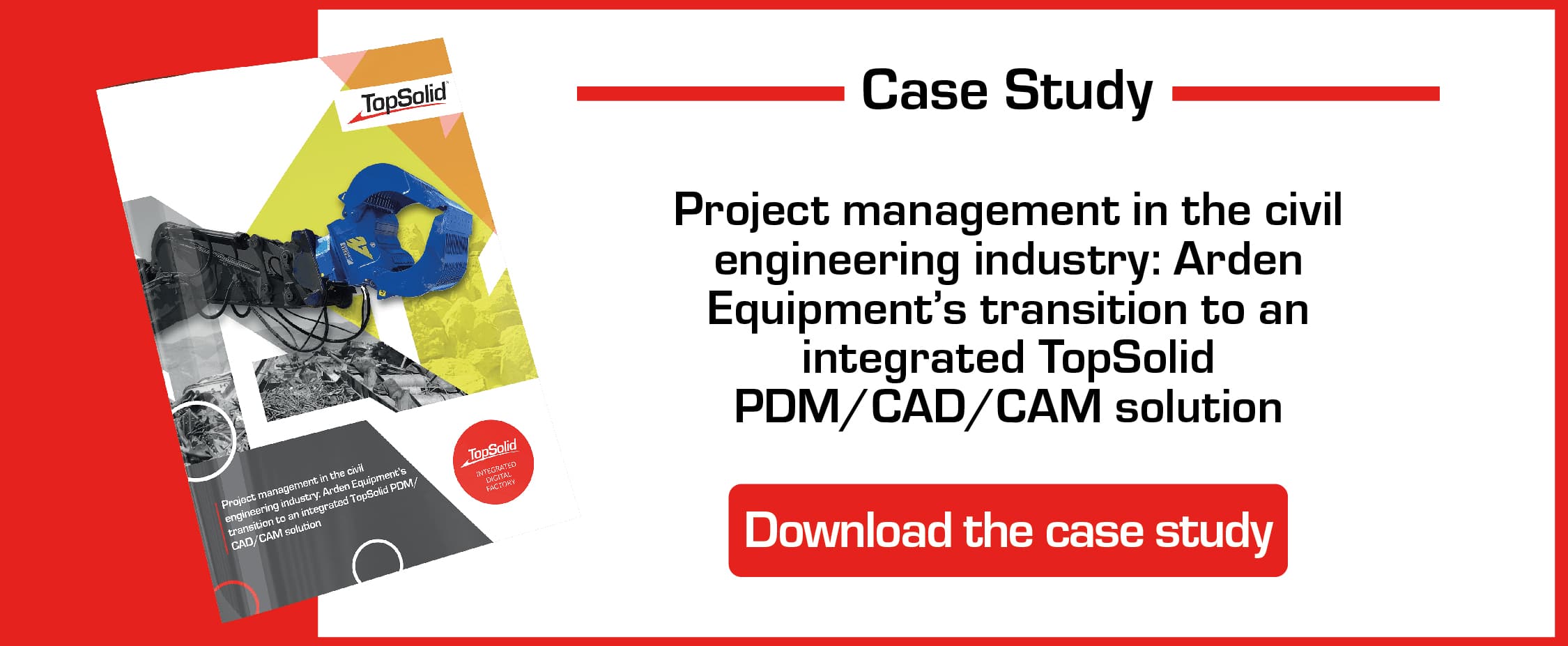
[CASE STUDY] Project management in the civil engineering industry: Arden Equipment’s transition to an integrated TopSolid PDM/CAD/CAM solution

[CASE STUDY] Project management in the civil engineering industry: Arden Equipment’s transition to an integrated TopSolid PDM/CAD/CAM solution

Specializing in the design, the manufacturing, and the distribution of tools for public works machinery, Arden Equipment leads the market with its full range of tools. Two essential factors drive the company’s activity: the constant monitoring of innovation in its sector by a very active Design Office and the desire to ensure continuous interaction between its teams and their customers.

In the 2010s, Arden Equipment — working at the time with the version 6 of TopSolid’Design — was approached by TOPSOLID SAS to act as a pilot company in the development of TopSolid 7. The previous version posed limitations to its activity, especially regarding the “old-fashioned” way of writing machining programs on machine tools and the lack of data centralization.

The transition to TopSolid 7 – whose PDM is fully integrated – has optimized project management by connecting the Design Office to the Methods and Machining Office. The ease-of-use of the solution and the relevance of its modules have resulted in a triple benefit:

  • Increased productivity;
  • Better control of product reliability;
  • Improved project management.


According to Stéphane Maiani, Head of Research & Development, TopSolid’Pdm is “the ideal tool for a designer” and “a partner solution for innovation”.

case study arden equipment
Collaborative design, data traceability, virtual reality… Learn how digital engineering is revolutionising the industry and stay one step ahead of your competitors! [WHITE PAPER]

Collaborative design, data traceability, virtual reality… Learn how digital engineering is revolutionising the industry and stay one step ahead of your competitors! [WHITE PAPER]

Do you want to improve flexibility, quality and operational efficiency while cutting costs? That’s what digital engineering for Industry 4.0 is promising.

Digital engineering is booming and appears to be the obvious answer for design offices and R&D departments keen to digitalise their practices and reduce their environmental impact. Collaborative design, 3D modelling, virtual and augmented reality, data traceability… A design and production method that uses digital tools to improve the efficiency and precision of industrial processes, digital engineering encompasses a wide range of technologies.

In this white paper, you’ll get to know all the facets of digital engineering and how it’s set to revolutionise the industrial world. What is Industry 4.0 all about? How is digital engineering changing the way design offices work? And how can you ride the wave and stay one step ahead of your competitors?

Find all the answers and much more in our white paper!


Banner - Ebook - digital engineering


How collaborative design and digital engineering are revolutionizing the work of design offices?

How collaborative design and digital engineering are revolutionizing the work of design offices?

Imagine a symphonic orchestra made up of engineers, CAD technicians, architects and industrial draftsmen. In recent years, collaborative Computer-Aided Design (CAD) and software engineering have evolved significantly and new, more modern instruments have been developed that offer new possibilities and a new collective dynamic. Just like an orchestra that tunes up to play beautiful music together, design offices are harnessing these different digital technologies to achieve excellence in their projects.

What is collaborative CAD?

Collaborative CAD uses CAD software in a shared and synchronized working environment. These tools enable several experts to work simultaneously on the same project, both on-site and remotely. This type of collaboration is essential for the efficient management of CAD projects, especially in complex industries, such as automotive, aerospace and civil engineering, for example.

In a collaborative CAD environment, the experts working on the project can coordinate their work, share information in real time and make changes that are immediately visible to all the other participants in the project. This possibility facilitates communication and coordination between the players in the project, as well as conflict and interference management.

Functionalities such as the management of customizable access rights and the extraction of electronic data using a Product Data Management (PDM) tool are important aspects of collaborative CAD. This functionality minimizes handling errors and improves document management in order to improve the execution of the CAD project.

In addition, collaborative CAD boosts creativity and innovation by simplifying exchanges between the different expertises and speeding up the innovation process. Thanks to the integrated management of data and versions, the members of the project can easily access the information from different devices, which helps to quickly bring innovative and differentiating products to the market.


What are the challenges of collaborative CAD?

Collaborative CAD faces numerous and various challenges. Here are just some of the main ones.

The interoperability of multi-CAD parts

Interoperability is a major issue in collaborative CAD. Interoperability consists of the ability of different CAD systems to transparently exchange and share data. Interoperability enables teams to work together efficiently, even if they use different CAD software.

A strict demand to meet delivery deadlines

Against a backdrop of ever more stringent delivery deadlines, collaborative CAD can speed up the design process by facilitating collaboration and communication between teams. This enables companies to respond more quickly to the demands of the market.

Optimization of stock management

Collaborative CAD can help to optimize stock management by improving the coordination between the different stakeholders, including the design, production and logistics teams. This can cut the costs incurred by excessive or insufficient stocks.

Development of collaborative practices

Collaborative CAD contributes to the development of collaborative practices in enterprises. It harnesses collective intelligence, by encouraging exchanges and the sharing of knowledge between the members of the teams. This can result in greater innovation, as well as faster problem-solving and better informed decision-making processes.

Transformation of work and the organization

Collaborative CAD brings about changes in working practices and the organization of enterprises. It favors cross-functional collaboration, open communications and flexibility in the execution of tasks. This can improve the efficiency and agility of the teams, while striking a better work-life balance.


How does collaborative CAD revolutionize the work of design offices?

Before the advent of digital engineering and collaborative CAD, design offices were faced with insurmountable challenges and numerous limitations. The arrival of revolutionary technologies has significantly improved their work in numerous ways.

1. Real-time collaboration

Before: most of the time, the engineering teams had to work sequentially, relying on exchanges of hard copy documents or files sent by email. This resulted in serious delays in collaboration and the teams were unable to work on the same model simultaneously.

After: thanks to digital engineering and collaborative CAD, team members can work on a common design model in real time. Any changes are immediately visible to all the team members, a fact that produces fluid, reactive and efficient collaboration, no matter where they are.

The range of CAD, CAM and PDM TopSolid solutions

2. Integration of disciplines

Before: the different disciplines of a design office often worked in isolation, and did not communicate much with one another. This isolation could produce errors, incoherences and the loss of opportunities to innovate.

After: digital engineering facilitates the integration of disciplines by using collaborative CAD platforms. The various teams can share their knowledge and collaborate, right from the design phase. Designers, engineers, materials specialists, etc., can work together on a shared model, inputting their respective expert knowledge and favoring a holistic approach to the project.

3. Advanced visualization and simulation

Before: visualizing design models was limited to 2D drawings or physical prototypes. Test and simulations were costly and frequently required the construction of physical prototypes.

After: thanks to collaborative CAD, design models can be visualized in 3D, providing a better understanding of the characteristics of the product. In addition, virtual simulations can be used to test the performances of the product under different conditions, before it is physically manufactured. This cuts costs and shortens the deadlines of physical prototypes, while also improving the quality and the performances of the end product.

4. Optimization of the design processes

Before: the design processes were manual and repetitive, allowing room for human error and limiting the productivity of the teams.

After: digital engineering provides advanced collaborative CAD tools that automate certain repetitive tasks. Libraries of standardized components, parametric design and automated analyses all help to produce more precise models more quickly. This frees up time for the engineers, who can focus more closely on creativity and innovation, while reducing human errors.

5. Management of data and traceability

Before: the management of design data was often complex and subject to version management problems. The files were stored locally and sharing data was laborious.

After: collaborative CAD centralizes the management of design data, providing secure storage and easier access. The teams can share and access the files in real time, with end-to-end traceability of all the changes made to the design models. This makes it easier to find and retrieve data, and to improve version management, thereby contributing to smoother collaboration and informed decision-making.


The technologies of the future: the revolution goes on

In the future, the already impressive range of tools available to design offices will be supplemented by new technologies. Some of these advances are already well underway, while others still have to achieve their potential.

In particular, virtual and enhanced reality deserve a mention. They are already used, in particular by TopSolid, and they will be used more and more.

Then, we can expect to see the arrival or artificial intelligence and automatic learning, which will propose design improvements, based on previous successful models.

With the Internet of Things (IoT), it will be possible to connect physical objects to digital systems, thereby creating cyber-physical systems.

3D printing will continue to evolve and improve, producing more complex parts from more diverse materials and with improved properties.

Finally, there are the integrated collaboration platforms. They will enable the collaborative CAD systems of the future to integrate advanced and real-time chat, task management, deadline tracking and data visualization functionality.

The modular, open and flexible TopSolid’Design CAD solution addresses these issues in order to facilitate collaborative working in design offices, at every stage of the design process. Want to find out more? Then get in touch!

CAD: all you need to know about computer-aided design

CAD: all you need to know about computer-aided design

CAD software, which is used to digitally model parts or machines, is indispensable in numerous sectors of activity. As well as making technical improvements, it also forms a link between different fields of expertise and helps to improve the complete design process. We take a look at this tool, its applications and its benefits for enterprises.

CAD: definition, principles and applications

What is the role of CAD?

CAD (Computer-Aided Design) is used to digitally model parts or machines in 2D or 3D. This technical drawing software provides the opportunity to reach very high levels of detail, by perfectly representing the dimensions, structure, texture or strength of the product. This modeling stage, which takes place just before the launch of production, simulates the operation of the part and can correct any errors. Therefore, CAD is an essential tool for any company seeking to industrialize its design process.

What is the difference between Computer-Aided Design and Computer-Aided Drafting?

Both capitalized as CAD, they are often mistaken for one another, but do not offer the same possibilities.

  • Computer-Aided Drafting is a “simple” 2D or 3D drawing software application, that is only used to draft and produce designs on a computer.
  • Computer-Aided Design is more complete, since it brings together software applications with their own specific physical, chemical and technical parameters. Computer-Aided Design offers functionality that extends beyond Computer-Aided Drafting software.

What are the possible uses of CAD?

Unlike DAO software, CAD can be used for a multitude of purposes. In particular, this software was be used to:

  • handle objects in 2D or 3D,
  • make digital calculations,
  • produce graphic representations,
  • perform digital modeling,
  • produce plans drawings,
  • manage assemblies.

This complete and versatile software is used in many sectors, such as automotive, mechanics, construction and civil engineering, aeronautics and retail. CAD can be used in projects that are very different.

  • In architecture, CAD software allows the draftsmen to refine buildings by taking the architect’s expertise into account, plus the aesthetics of the construction and the environmental standards of the project.
  • In electronics, CAD helps the technician to define the dimensions of an installation, scope the construction of a PCB and perform simulations.


What are the benefits of CAD?

The technical functions and multiple applications of CAD software offer a multitude of benefits to enterprises.

Higher productivity

From shorter lead times, to reduced production costs and optimized production processes, CAD plays an important role in boosting the company’s productivity. On the one hand, it significantly increases the efficiency of draftsmen, while, on the other, the technical functionality of the software avoids product errors, before they are even manufactured. As a consequence, the production of every part is optimized.


The range of CAD, CAM and PDM TopSolid solutions

A higher quality of design

CAD software offers access to a range of high-performance tools to draftsmen to complete their design. This level of precision enables high-quality parts with few or no defects to be produced.

Simplified creation of the database

When designing a product, it is necessary to use detailed documentation that contains:

  • A list of the materials and components,
  • The dimensions and geometry of the product,
  • The specifics of the materials used,
  • Drawings of the components and the products.

CAD software facilitates this process, because it can easily produce and compile all this data.

Optimized storage

Along the same lines, design software makes saving and storing the data more fluid. Consequently, the product design and the standardized components of the drawing can easily be saved and reused in other projects.

An aid for collaboration

In addition to improving the work done by the draftsman, CAD software facilitates collaboration between the different players in the production process. It can centralize the project on a platform, where all the trades involved can interact. Consequently, when one department makes a change, the impacts of the change on the entire project are immediately visible to all the parties involved. The players progress hand in hand, from the design office to the workshop. In particular, this facilitates:

  • Constructive exchanges,
  • An understanding of the reciprocal issues,
  • The possibility to test different innovative scenarios.

Software that is compatible with the company’s ERP

Today, many CAD software applications are compatible with ERP software. This agility produces numerous benefits for the enterprise:

  • Increased productivity, because the integration of the ERP and the CAD software provides optimal control of the various flows and processes, from the design to the manufacturing of the product,
  • Better reliability of the technical data, because the link between production and the design office improves the reliability and security of the data,
  • Time-savings for employees, because the persons tasked with the product configuration can save valuable time, since all the project data is centralized.

So, you can see that CAD software is an essential tool in certain sectors. This technical and organizational solution improves the productivity of the draftsmen, but it also impacts the entire enterprise.

TopSolid offers a broad range of CAD solutions that are designed according to the specifics and the needs of different sectors of activity. Check out all our offers and choose the solution that is best adapted to your activity, or contact us for more information.