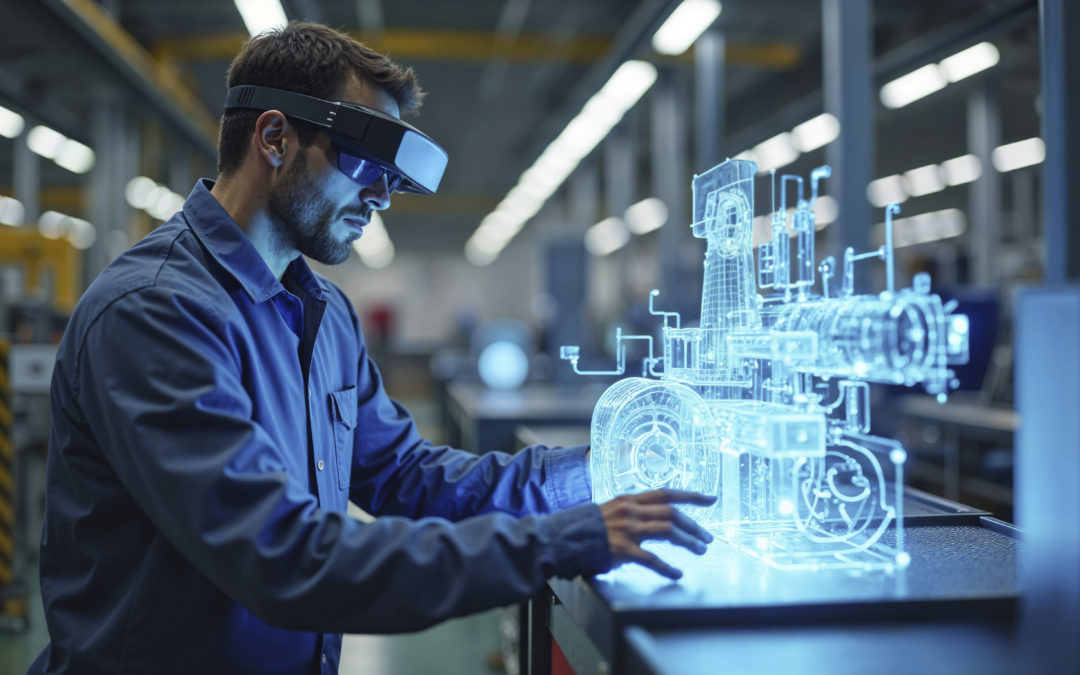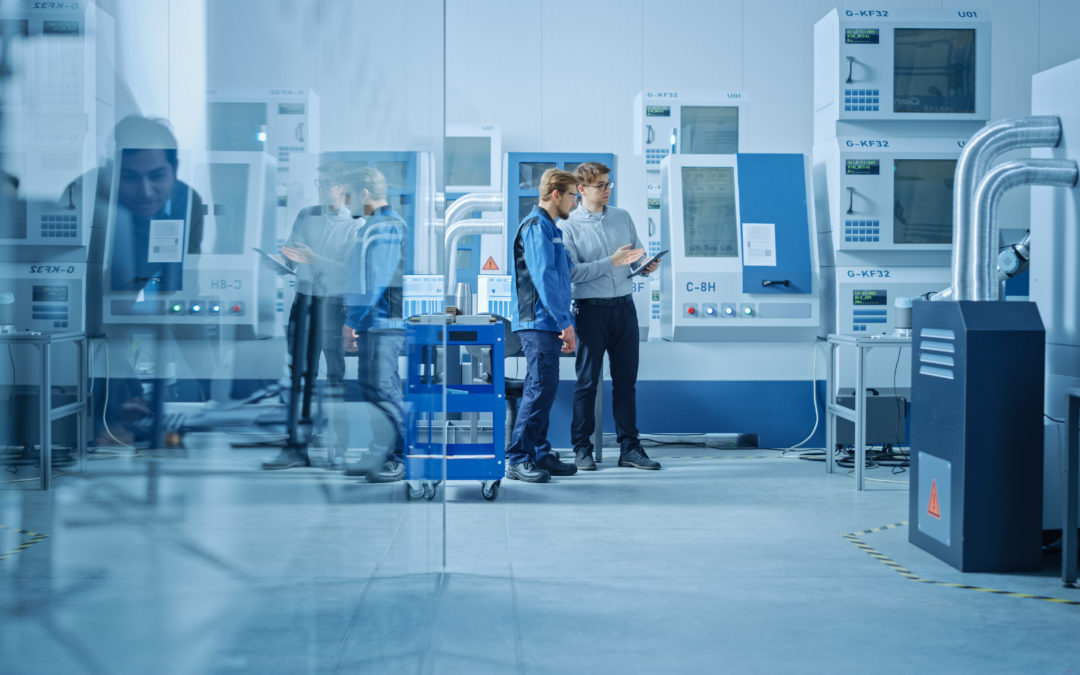

From the Design Office to the Workshop: How Can We Break Down Silos to Improve Production?

From the Design Office to the Workshop: How Can We Break Down Silos to Improve Production?

In the manufacturing industry, the separation between the design department and the production floor remains a persistent reality. This organizational structure, in which each department operates in isolation, leads to inefficiencies that can be costly for both sides. Production delays, nonconformities, multiple reworks… The consequences of this compartmentalization directly impact companies’ competitiveness.

Given today’s demands for responsiveness, efficiency, and quality, rethinking the collaboration between design and manufacturing has become a strategic imperative. How can we identify the bottlenecks? What measures can we take to streamline communication? This organizational transformation presents a major challenge for technical managers, while also offering an opportunity for substantial gains. Details.

When Organizational Silos Affect Industrial Performance

The compartmentalization characteristic of many industrial companies offers undeniable advantages, such as specialized skills and a clear division of responsibilities. However, this structure can sometimes hinder the flow of information between teams—despite their best intentions—and lead to friction:

  • technical misunderstandings,
  • delays in submitting requests for significant changes,
  • longer production lead times,
  • an increase in correspondence (albeit necessary) to clarify certain technical points,
  • Extension of the deadlines for all stakeholders to incorporate and validate the adjustments.

Quality can also be affected—not due to a lack of professionalism, but because of legitimate differences in interpretation. A theoretically optimal tolerance may prove difficult to maintain with the available equipment, without anyone being truly responsible for it. However, while the necessary adjustments are part of the improvement process, they would benefit from being anticipated. And for good reason: their economic impact is real, and for any industrial company, regardless of its size, they represent an opportunity for significant improvement in overall productivity.

These costly communication breakdowns

Let’s take the classic example of a modification quickly implemented by the engineering department to address an urgent request. The design team, focused on customer satisfaction, approves the technical change (after carrying out the necessary checks, of course). Meanwhile, the production department strictly follows the procedures already in place, starting production based on the latest available information.

Since the two parties did not have the same level of information, each acted according to its own business logic. To avoid this situation, the solution would be to implement an automatic notification system.

Another common scenario: The design office sets ambitious technical specifications to meet the requirements of the project specifications. The production department, which learns of these specifications at the time of production, identifies practical constraints that were not anticipated. This is a simple illustration of the breadth and complementarity of expertise, highlighting the need for dialogue between departments to enhance the design with insights from the field.

Document management also presents a common challenge. While technical information naturally grows over time (through operator annotations, optimizations discovered during production, adjustments validated through use, etc.), the process of capitalizing on this know-how needs to be structured so that it benefits everyone at all levels. A centralized document management system could transform this individual knowledge into a collective asset.

These situations, which most industrial SMEs experience, should not be viewed as failures but as opportunities for optimization. Each identified case becomes a catalyst for improvement, helping to strengthen collaboration and overall performance.

Building Digital Continuity Between Design and Manufacturing

Digital continuity is transforming collaboration across departments. The concept: a shared work environment where information flows naturally, without interruptions or the need to re-enter data.

At the heart of this approach, the single 3D model serves as a common reference for all departments. No more uncertainty about which version is correct, and no more error-prone manual updates. Every change is automatically propagated throughout the entire documentation chain: drawings, bills of materials, work instructions, and more. This synchronization ensures that everyone is working with the same up-to-date data.

Traceability becomes complete and transparent. Who changed what, when, and why? The complete history remains accessible to everyone, making it easier to understand technical decisions and holding each stakeholder accountable. If a problem arises, the source can be identified immediately.

Furthermore, incorporating field constraints right from the design phase is a game-changer.

  • Designers review actual machine capabilities and available tooling.
  • Operators access the 3D models and understand the design intent.
  • Simulations confirm feasibility even before prototyping begins.

This collaborative approach intelligently combines conceptual creativity with on-the-ground realities.

Of course, this digital transformation comes with an essential human element. Training design office teams on shop floor constraints, teaching operators how to read 3D models, organizing cross-functional sessions… These investments gradually foster a shared culture in which each department understands and respects the constraints of the others.

>>> See also – How Are Collaborative Design and Digital Engineering Revolutionizing the Work of Engineering Firms?

Best Practices for Successful Collaboration Between the Design Office and the Workshop

Involving operators early in the project process changes the dynamic: rather than discovering manufacturing constraints at the launch stage, their hands-on expertise enriches the design from the very first drafts. In practical terms, during a project review for a complex part, an operator might suggest a minor modification that could cut machining time in half while maintaining the quality of the finished product. This prevents last-minute adjustments, and often underutilized expertise is brought to the forefront.

However, this collaboration requires structured points of contact:

  • weekly technical meetings,
  • process classification,
  • clear assignment of responsibilities (approval of minor changes, sharing of information, etc.),
  • documenting the expertise and best practices resulting from each project (lessons-learned reports, installation tips, technical solutions, etc.).

>>> See also – Configuration Management: Design Firms, Discover How TopSolid Improves Your Efficiency and Accuracy

Optimized collaboration between the engineering department and the shop floor represents a tremendous opportunity for progress for industrial companies. Far from calling into question anyone’s skills, this evolution enhances and amplifies expertise by facilitating synergy between them.

To support this smooth transition, solutions such as TopSolid are available. With its integrated approach (CAD, CAM, PDM) on a single platform, the tool offers a naturally collaborative environment and establishes digital continuity that facilitates communication without disrupting existing work methods. As a result, each department retains its unique characteristics while benefiting from a shared vision and common tools.

What if this gradual evolution paved the way for sustainable performance for your design office and workshop network? Contact our team to request a demo.

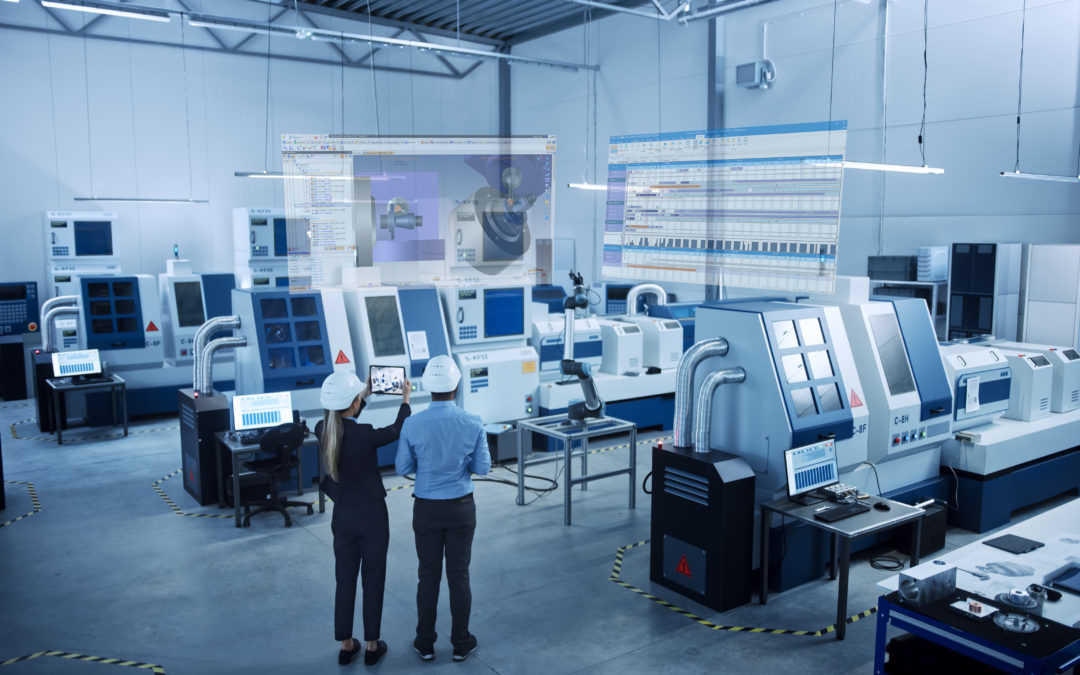
Multi-client outsourcing: the thorny issue of traceability

Multi-client outsourcing: the thorny issue of traceability

Regardless of the industry, multi-client subcontracting often involves a large number of clients, each with their own requirements and specifications. Paradoxically, the subcontractor must ensure flawless traceability for each client… without increasing the number of processes.

This challenge raises a strategic issue: traceability is becoming a prerequisite for access to regulated markets, while also serving as a driver of competitiveness for state-of-the-art production lines.

Is it possible to scale up traceability without making your processes more complex? If so, how? That’s what we’ll explore.

Multi-Client Traceability: Balancing Regulatory Requirements and Real-World Challenges

In modern industry, each sector has its own traceability standards.

  • The automotive industry requires comprehensive tracking of batches and manufacturing processes.
  • The aerospace industry requires comprehensive documentation of raw materials and inspection procedures.
  • The medical industry requires a detailed history of every component used in the manufacture of a device.

All of these requirements—which are legitimate from a safety and quality standpoint—result in documentation formats that are specific to each client. This is a daily challenge for subcontractors. Which version of the CAD drawing was used for this part delivered six months ago? Where can the material certificate for this batch be found? How can we prove that the modification requested by Client A does not affect Client B’s production? These questions, seemingly trivial, require hours of searching across disparate systems…

However, the business risk is very real. A lack of traceability during an audit can lead to the suspension of a certification, halt an urgent shipment, or—worse yet—result in the loss of a contract!

Thus, as buyers reduce their supplier pools, the ability to demonstrate flawless traceability is becoming a selection criterion just as important as price or lead times.

>>> See also – Industrial Traceability: How Can You Improve the Quality of Your Products and Processes?

The Pitfalls of Artisanal Traceability in a Multi-Project Environment

Many companies believe they have their traceability under control using Excel spreadsheets and shared folders. While this approach may seem reassuring due to its apparent simplicity, it quickly reveals its limitations when faced with the complexity of managing multiple clients, since:

  • Each project generates its own files,
  • Each customer has its own set of terms,
  • Every change creates a new version, and it is important to keep track of these versions.

The proliferation of reference systems thus becomes a major source of errors. An operator uses an old version of a drawing stored locally. A quality manager spends two hours piecing together the history of a nonconformity from scattered emails. A process engineer maintains his own change tracking spreadsheet, which is disconnected from the official quality system…

The most profound and serious impact remains invisible in traditional metrics: the time technical teams spend on administrative tasks such as searching for, organizing, and updating documentation. Rare and costly skills are thus tied up in activities that add no value, to the detriment of continuous improvement and process innovation. This ad hoc approach reaches its limits as soon as the company exceeds about ten active clients, triggering a snowball effect:

  • an increase in traceability errors,
  • stressful audits,
  • a decline in the confidence placed in the company by its clients.

Industrialization Without Adding Complexity: The Keys to Effective Traceability

For example, an optimized process makes it possible to automatically track a customer change request step by step. In other words, from the receipt of the email to the delivery of the modified parts, including the adaptation of drawings, technical approval, updating of work instructions, and notification of the production teams.

Overall, effective traceability is based on simple but rigorous principles.

1. Centralize all technical data in a single repository

CAD drawings, manufacturing specifications, inspection reports, material certificates… Everything must be accessible from a single point of entry, with access rights tailored to each user.

2. Automate links between documents

When a drawing is updated, the associated product line must be automatically identified as requiring a revision. When an inspection is performed, it must be automatically linked to the corresponding production order. These automatic links eliminate gaps in traceability and prevent updates from being overlooked.

3. Manage versions and access natively

Every change must be time-stamped, digitally signed, and archived. Best practices require the ability to instantly determine who approved what, when, and why. This version control must be transparent to users without adding to their daily workload.

>>> See also – Industrial Production Monitoring: At the Heart of Process Automation

Technical Data Management as the Foundation of Modern Traceability

An integrated product data management (PDM) solution transforms the “challenge” of traceability into a competitive advantage. And for good reason: in this type of environment, native integration between CAD, CAM, and production management ensures complete digital continuity, from the initial sketch to the shipment of the finished product.

This unified approach makes it possible to automatically generate compliance files tailored to each client’s requirements. Specifically, the system extracts the relevant information and presents it in the expected format—all through automation. In addition, material certificates, inspection reports, and change histories are consolidated in real time.

The return on investment for such a solution can be measured in concrete terms: companies equipped with integrated PDM systems generally see a significant reduction in the time spent on quality-related administrative tasks. Audits, once dreaded, become mere formalities since all the information is available, structured, and verifiable with just a few clicks.

>>> See also – PDM: What Is It?

In this ecosystem, solutions such as TopSolid deliver unique value by natively integrating document management into the very heart of the CAD/CAM environment. Traceability becomes a natural part of the design and manufacturing process. This enables subcontractors, regardless of their size, to meet the most stringent requirements without sacrificing their operational agility.

Need a demo? Our teams would be happy to show you our solutions. Contact us!

Production Management Software: Optimize Your Production Management

Production Management Software: Optimize Your Production Management

Optimizing production management means, above all, rethinking industrial organization to improve efficiency day after day. To achieve this, companies are well advised to rely on an ERP system or software solution capable of precisely managing material flows, data, and human resources.

The goal? To automate as many tasks as possible to prevent errors, reduce machine downtime, and control production costs.

To increase agility, manufacturers are turning to digital solutions such as CAPM software, which is often integrated into ERP environments. By providing real-time visibility into the shop floor, these tools help teams identify bottlenecks, adjust priorities, and automate repetitive tasks as soon as possible.

As a result, the workload is better distributed because peaks in activity are better anticipated, and resources are managed more intelligently. Here’s why.

What is CAPM software?

Computer-Aided Production Management (CAPM) software is a strategic software package for managing industrial operations. It is used to plan and control production flows and to coordinate all activities related to the production floor (machines, raw materials, human resources, and deadlines).

It is designed for both manufacturers and subcontractors, and is often integrated into a comprehensive ERP system to create a seamless digital supply chain. It can also use forecasting data (MRP, PIC) to adjust production based on demand and inventory levels.

What are the benefits of an ERP/MPS system?

An ERP/MPS system offers numerous benefits: improved organization, centralized data, reduced costs, and faster decision-making. By consolidating all business processes (sales, purchasing, logistics, quality, and production) into a single interface, this integrated software solution provides you with comprehensive control over industrial operations. Among the most frequently cited benefits are:

  • Real-time visibility into production load, which makes it easier to make adjustments on the fly;
  • Identifying bottlenecks;
  • Quality control throughout the manufacturing process;
  • More reliable execution thanks to the direct link between sales, production, and planning data.


How does project management software work?

The operation of a CAPM software system is based on the management of production activities, in close conjunction with the management of inventory, orders, and production orders. It acts as the central hub of the information system, integrating data flows from various modules: purchasing, sales, planning, production, and maintenance.

Using an MRP (Material Requirements Planning) system, teams can anticipate material and capacity needs; this enables them to organize workloads on the shop floor and simulate production scenarios, for example. The operator or production manager can thus monitor every step of the manufacturing process.

What features should CAPM software have?

Good production planning and control software includes several key features:

  • workload planning,
  • scheduling,
  • workshop follow-up,
  • material requirements planning (MRP),
  • inventory management,
  • management of manufacturing operations.

It can also handle the creation of items, the management of bills of materials and work orders, as well as sales-related invoicing.

The software must enable precise control over technical and sales data. In project mode, it can incorporate MRP or make-to-order logic. Some solutions, such as TopSolid’Erp, go even further by integrating production planning and control with CAD/CAM for comprehensive manufacturing management.


The TopSolid Suite of CAD, CAM, and ERP Solutions

How to Choose CAPM Software?

Choosing the best production management software for your company requires an assessment of your needs in terms of functionality, industry, type of production, and desired level of integration. Criteria such as compatibility with your existing IT system, MRP capabilities, workload management, and configuration flexibility must also be taken into account.

A comparison of the solutions available on the market allows you to evaluate the offerings based on their modules, associated services, and overall cost (license, support, maintenance). Good software should integrate seamlessly with your existing systems.

How do you implement CAPM software?

Implementing a production management system is a strategic step for any manufacturing company. It’s not enough to simply install the software: you must structure the project, define business requirements, train teams, and ensure seamless system integration with other tools (ERP, CAD, SAGE, Microsoft, etc.).

The implementation of the production management system involves production planning that takes into account operational constraints and business objectives. Flow analysis, configuration setup, testing phases, and process adjustments are essential to ensuring a seamless transition. Targeted user training will enable optimal use of the system from the very first weeks.

What results can you expect after implementing a CAPM system?

Once the software is up and running, the benefits quickly become apparent at every level of the company. Production flows more smoothly, orders are tracked more closely, and resources are allocated more intelligently. At the management level, data is reported in real time, enabling quick decision-making and allowing for much clearer steering of the industrial strategy.

Effective planning and cost control help ensure that deadlines are met, optimize customer relationships, and reduce losses. Integrating CAPM into a solution like TopSolid’Erp provides a comprehensive view of all workflows, from sales to shipping, and strengthens long-term competitiveness.

Production management software helps structure and optimize the entire production process, but it truly reaches its full potential when integrated into a broader environment such as an ERP system. This is precisely the strength of TopSolid’Erp, which combines production management with all of the company’s essential functions: purchasing, sales, inventory, quality, finance, and more.

With TopSolid’Erp, production naturally aligns with business and logistics requirements. You can plan, manage, and adjust while keeping costs and deadlines on track. Want to learn more about TopSolid’Erp? Contact us!

3D Modeling: Everything You Need to Know!

3D Modeling: Everything You Need to Know!

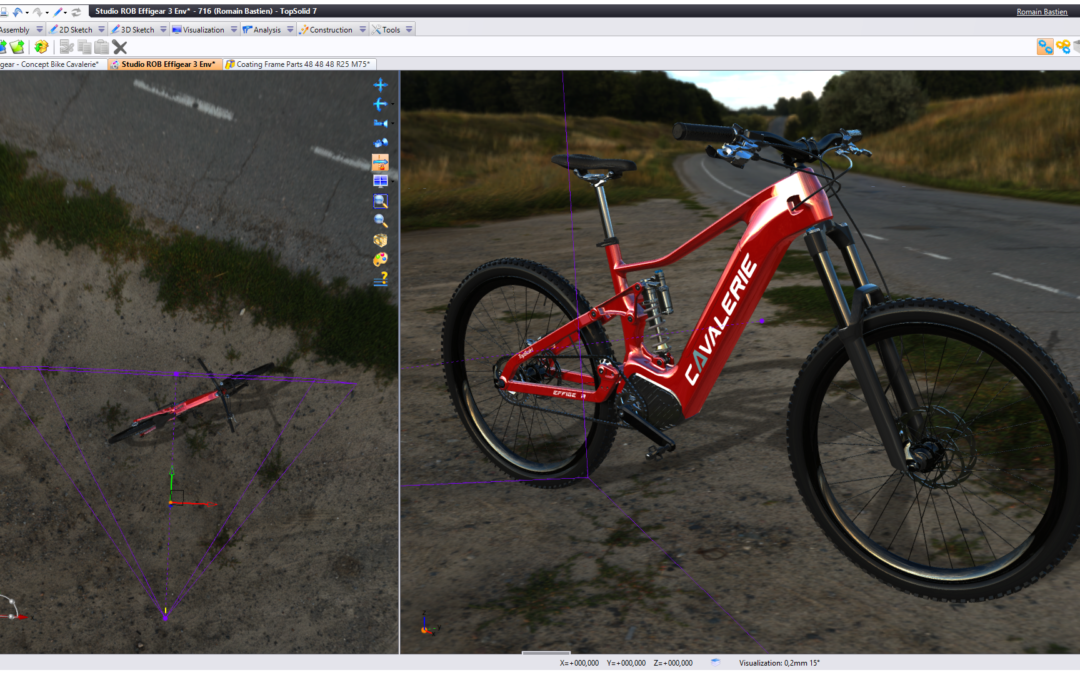
© Effigear

Think of a cube. Great! You’ve just done some 3D modeling. This technique, which became popular in the 1990s, allows you to create three-dimensional virtual representations of objects, buildings, characters, and much more. It plays a vital role in many fields, such as architecture, industrial design, animation, video games, and even fashion. According to Fortune Business Insights, the 3D mapping and modeling market was estimated at $6.77 billion in 2024 and is projected to reach $7.60 billion in 2025, with a compound annual growth rate of 16.5%.

What is 3D modeling?

To provide a somewhat precise definition, 3D modeling is “the process of creating virtual three-dimensional objects using specialized software.” It allows objects to be represented realistically by adding details, textures, colors, and physical properties.

3D models can be created from scratch or by using 3D scanning techniques to capture real-world objects. These models can be viewed from different angles and at different scales, which facilitates analysis, design, and the communication of ideas.

3D modeling could be described as the creation of a three-dimensional virtual world in which objects come to life through realistic shapes and textures. It’s as if you were building an imaginary universe out of digital building blocks, where each element can be manipulated and viewed from every angle.

3D modeling is a way to give shape to the imagination, to bring abstract ideas to life, and to make them tangible in a virtual space. You create a mental landscape by using digital tools to sculpt and shape forms that exist only in your mind, and you can share them with others, who can in turn explore them.

3D modeling is a window to endless possibilities, where creativity can flourish and digital worlds come to life.

In what fields is 3D modeling useful, and what is it used for?

3D modeling is used in many fields. The best-known ones include architecture, industrial design, animation and special effects, video games, and engineering:

  • Architecture: Architects use 3D modeling to create realistic virtual representations of buildings and structures, enabling better visualization and communication of architectural concepts.
  • Industrial Design: An essential part of the product design process, 3D modeling allows designers to create virtual prototypes and conduct tests and simulations before actual production begins.
  • Animation and Special Effects: In the film and animation industry, 3D modeling is used to create breathtaking characters, sets, and special effects. And they’re getting more and more breathtaking!
  • Video Games: Video game developers use 3D modeling to create immersive virtual worlds, characters, and interactive objects.
  • Engineering: 3D modeling is also used in engineering to design parts, machines, and complex systems, making it possible to detect design errors and optimize performance before manufacturing.
  • Marketing and Advertising: 3D imagery is used in advertising campaigns to present products in an appealing and realistic way. 3D renderings allow for a more immersive and compelling demonstration of a product’s features and functionality.
  • 3D Printing: 3D modeling is closely related to 3D printing. 3D models are used as the basis for creating physical objects using 3D printers. 3D modeling software allows users to design and prepare the files needed to print the desired objects.


The TopSolid Suite of CAD, CAM, and ERP Solutions

What are the benefits of 3D modeling?

Being able to visualize an object, a shape, a character, or a landscape in three dimensions immediately seems like a lot of fun. Just ask your kids! But it’s much more than that. There are many very practical benefits to 3D modeling:

  • Simplification of the design process: Thanks to the use of advanced software (particularly 3D CAD), 3D modeling helps simplify the design process.
  • Visualization and Simulation: 3D modeling is used in fields such as film, television, video games, architecture, construction, product development, science, and medicine to visualize, simulate, and render designs. It allows for the creation of realistic three-dimensional models and facilitates the communication of ideas.
  • Accuracy and Quality: 3D renderings offer higher quality and greater accuracy than 2D renderings. 3D modeling allows for the creation of realistic perspectives and makes it easier for both professionals and novices to understand projects.
  • Cost Reduction: 3D modeling can help reduce costs in the design process. By providing better visualization and simulation of projects, it helps identify errors or potential problems earlier, thereby avoiding subsequent correction costs.
  • Accelerating Product Development: 3D printing, which is an application of 3D modeling, makes it possible to create prototypes more quickly and efficiently. This technology facilitates the transition from design to physical production, which is particularly beneficial for product development.
  • Facilitating Communication: 3D modeling in virtual reality (VR) offers new ways to communicate ideas and present projects. It provides a more realistic and interactive experience, leading to a better understanding and a more engaging experience.
  • Improved Collaboration: 3D modeling facilitates collaboration among the various stakeholders in a project. Three-dimensional models enable better understanding and coordination among teams, which fosters collaboration and reduces communication errors.

What tools can be used for 3D modeling?

Would you like to try 3D modeling, but aren’t sure which software to choose? Here are the most popular ones:

  1. TopSolid: 3D modeling is at the heart of TopSolid CAD software. It includes solid and surface modeling tools that enable users to create complex parts and express their creativity. Its wide range of features, designed to meet the needs of all industries, makes it the ideal partner for engineering design firms.
  2. AutoCAD: Used in the fields of architecture, engineering, and construction, this 3D modeling and drafting software offers advanced features for creating accurate and detailed 3D models.
  3. SolidWorks: Primarily intended for designers and engineers, SolidWorks is a widely used 3D CAD software program for creating 3D models, assemblies, and technical drawings.
  4. Blender: A versatile 3D modeling, animation, and rendering software. It is used in many fields, including film, video games, animation, and artistic creation.
  5. SketchUp: For architecture, interior design, and object modeling. SketchUp lets you quickly create 3D models and explore different design options.

Once 3D models have been created, visualization becomes essential for effectively testing and presenting projects. Tools such as Weviz, which specializes in immersive industrial visualization, and TopSolid’Virtual, which offers interactive virtual reality experiences, allow models to be projected into a realistic environment, facilitating decision-making and communication.

The TopSolid’Predict module goes even further by anticipating modeling commands using local AI, which significantly speeds up the design process.

3D modeling is constantly evolving. Software is becoming smarter and more intuitive, and is now integrated into end-to-end production processes, from design to the shop floor. Thanks to virtual reality and artificial intelligence, professionals are becoming more efficient, responsive, and able to deliver higher quality work.

And to get the most out of these tools, training remains essential. Find out how to build your skills or help your teams grow with our CAD training courses.

Industrial Virtual Reality: How to Transform Your Production Line

Industrial Virtual Reality: How to Transform Your Production Line

Often associated with video games or immersive entertainment, virtual reality today goes far beyond these consumer applications. In the context of Industry 4.0, industrial virtual reality is becoming a strategic tool for simulation, training, production, and collaboration.

The concept is based on immersing a user in a fully digital environment. Using virtual reality headsets, the operator views a 3D world with which they can interact in real time. This environment can simulate a workstation, a machine, a production line, or a maintenance scenario.

What is industrial virtual reality?

Industrial virtual reality (or Industrial VR) allows companies to place their employees in simulated operational environments. It is clearly distinct from augmented reality, which superimposes digital elements onto the real world. Here, the immersion is total: the entire environment is modeled.

This type of solution relies on a combination of hardware (headsets, controllers, sensors) and 3D modeling software. It is part of a digital workflow and can directly utilize data from CAD, CAM, or ERP systems.

The sectors that are the first to adopt this technology are those that need to anticipate, validate, and secure complex operations: aerospace, automotive, healthcare, and architecture. But more and more industrial SMEs are seeing it as an accessible tool for optimization.

What is industrial virtual reality used for?

Use Simulation to Produce Faster and Better

Thanks to immersive simulation, operators can rehearse production sequences without halting the actual production line. They validate technical procedures, identify risk areas, and adjust processes. This proactive approach reduces errors, shortens cycle times, and improves coordination between workstations.

Repetitive or high-value-added tasks are performed with greater precision. Industrial virtual reality is becoming a tool for operational excellence that drives productivity.

Train without tying up resources

Technical training is one of the most immediate applications of industrial virtual reality. Training takes place in a virtual environment that is identical to the real world, using interactive scenarios. Operators can practice before equipment is installed or before working on critical systems.

The instructions are integrated into the module and presented in a clear and engaging way. The result: faster learning, better retention, and quicker skill development.

Reduce errors and improve quality

One of the major benefits of industrial virtual reality is the ability to identify inconsistencies or risks in processes early on. By visualizing assembly or manufacturing steps, operators can correct potential errors before they actually occur.

This results in a reduction in scrap, product recalls, and associated costs. It also serves as a quality control tool, particularly in certified or highly regulated environments.

Facilitate maintenance and technical support

Virtual reality makes it possible to simulate maintenance scenarios (part replacement, adjustments, cleaning, etc.). Technicians can use it for training or as a reference during service calls. Machine downtime is reduced, and service errors are minimized.

It also facilitates remote support. Experts can guide a field team by sharing the same virtual environment, providing precise instructions without having to travel. This reduces diagnostic and response times.

Design and Validate Using Simulation

Even before moving into production, industrial virtual reality is a powerful tool for prototyping and collaborative design. Teams can manipulate 3D models, test layouts, simulate workflows, detect collisions, and anticipate constraints.

This approach eliminates the need to build physical prototypes, which are costly and time-consuming to produce. It allows for rapid adjustments early in the process, thereby reducing time to market.


TopSolid’Virtual: Industrial Virtual Reality Integrated into Your Tools

The use of industrial virtual reality becomes even more powerful when it is directly integrated with design and production tools. This is what TopSolid’Virtual offers—a virtual reality module that is interoperable with TopSolid’s CAD, CAM, and ERP solutions.

Thanks to this integration:

  • The design data can be used directly in VR.
  • The simulations are based on reliable and up-to-date information.
  • Digital continuity is guaranteed, with no need to re-enter data.

TopSolid’Virtual transforms virtual reality into an industrial management tool accessible to companies of all sizes. The technology serves as a catalyst for transformation, aligning with goals related to digitalization, security, and performance.

The TopSolid Suite of CAD, CAM, and ERP Solutions

A solution tailored to the challenges faced by manufacturers

Industrial virtual reality, far from being just a gimmick, addresses the real-world challenges faced by technical directors, production managers, and SME owners:

  • How can we produce faster, with fewer errors?
  • How Can We Provide Effective Training Despite the Labor Shortage?
  • How can we justify investments in industrial infrastructure?
  • How can we remain competitive while reducing the costs of nonconformity?

By leveraging a solution like TopSolid’Virtual, the company integrates VR into its existing environment seamlessly, without excessive technical complexity, and with a measurable return on investment.

Want to learn more about industrial virtual reality as it applies to your business? Our experts will work with you to identify the relevant use cases and implement a practical solution tailored to your challenges.

Predictive Maintenance: Revolutionizing Industrial Asset Management

Predictive Maintenance: Revolutionizing Industrial Asset Management

Maximizing the value and service life of equipment and infrastructure, improving operational performance, reducing costs and risks… These are just some of the many challenges involved in industrial asset management. To ensure an effective and optimized strategy, predictive maintenance relies on advanced technologies. The goal: to anticipate equipment failures. Let’s take a closer look.

Predictive Maintenance: An Intuitive Practice in Industry

What are the 5 types of maintenance in industry?

There are various types of industrial maintenance, which are carried out at different stages within industrial operations.

  • Corrective maintenance involves taking action after a breakdown to repair or replace the defective part or parts.
  • Preventive maintenance involves regular maintenance tasks performed according to a schedule or production cycles in order to prevent breakdowns.
  • Condition-based maintenance is based on monitoring the actual condition of equipment and is performed when certain thresholds are exceeded.
  • Predictive maintenance relies on advanced data analysis to anticipate breakdowns and take proactive measures to prevent them from occurring.
  • Proactive maintenance aims to identify and eliminate the root causes of failures. It also helps improve the long-term reliability of your equipment.

What is the difference between predictive and preventive maintenance?

Although often confused, predictive maintenance and preventive maintenance are two distinct aspects of industrial maintenance. The former relies on real-time data and advanced analytics to prevent breakdowns by anticipating the necessary actions. The latter, meanwhile, follows a fixed schedule to verify that assets are functioning properly and to take action as needed.

However, these two types of maintenance have one thing in common: they require a minimum of human and technical intervention—only when it is truly necessary.


The Benefits of Predictive Maintenance in Industry

Beyond its differences from preventive maintenance, predictive maintenance offers numerous advantages from a practical, technical, organizational, and even financial standpoint.

On the one hand, it allows for the precise targeting of maintenance interventions to maximize their effectiveness and thereby extend the service life of equipment. These operations are therefore performed only when absolutely necessary, based on the condition, performance, and degree of wear of the components. The result is a reduction in maintenance costs and downtime, as well as the optimization of production and the availability of human and material resources.

Furthermore, predictive maintenance enhances operational safety by preventing serious breakdowns. Such breakdowns can pose a real danger to workers, in addition to damaging infrastructure.


How Can Predictive Maintenance Be Implemented in Industry?

Predictive Maintenance in Principle

Predictive maintenance makes continuous data collection essential. To this end, equipment performance metrics (vibrations, temperature, pressure, etc.) are monitored and analyzed in real time. This continuous monitoring relies in particular on machine learning and artificial intelligence algorithms.

Once collected, this data must also be analyzed with a high degree of precision. In this context, it is crucial to incorporate the use of computer-aided maintenance management software (CMMS) into your processes.


The TopSolid Suite of CAD, CAM, PDM, and ERP Solutions

What are the main tools used in predictive maintenance?

Predictive maintenance relies on a number of tools and technologies for data collection. These include:

  • connected devices (IoT), such as sensors, which collect information from equipment in real time,
  • predictive algorithms (machine learning), which analyze data to detect anomalies and predict failures,
  • big data collection and analysis platforms, which manage and process large volumes of data to provide you with relevant and actionable insights for your maintenance strategy and operations,
  • CMMS software, such as the solutions offered by TOPSOLID, which facilitate the collection, management, and analysis of maintenance data.

With so many solutions available, ease of use and user experience are two key criteria for choosing the best solution. The goal is to have an advanced interface at your fingertips that provides your maintenance teams with clear visibility and the ability to make effective use of the data.

Key Steps for Successfully Implementing Predictive Maintenance

Once the tools for implementing predictive maintenance have been deployed, four steps are essential:

  1. Identifying anomalies (either internally or through algorithms) and implementing corrective actions;
  2. The development of predictive models (creation and training) based on historical data;
  3. Adjusting your maintenance processes by incorporating these predictive models;
  4. Performance monitoring and continuous adaptation.

This pattern repeats itself endlessly. It’s a virtuous cycle that ensures your predictive maintenance process is always up-to-date, efficient, and tailored to the realities of your environment at any given moment.

TopSolid’Erp for Effective Implementation of Predictive Maintenance

Recognized as the most advanced ERP solution for production management, quality control, and traceability, TopSolid’Erp includes a CMMS module. It was designed to make it easier to monitor the condition of your equipment, ensuring the optimal use of all your assets.

Among its key features are the scheduling of preventive maintenance and the reporting of corrective maintenance. This enhanced ability to plan ahead, combined with close monitoring, allows you to optimize the productivity of your production lines under all circumstances.

When properly implemented, predictive maintenance represents a major step forward for companies. Adopting this practice is tantamount to entering Industry 4.0—a data-driven industry that relies heavily on the capabilities of artificial intelligence.

By leveraging advanced technologies and integrated software—just like TOPSOLID does—you’ll be able to anticipate breakdowns and plan effective maintenance. This will help ensure an increasingly smooth and secure production process. Ready to get started? Contact us!