Optimizing production management means, above all, rethinking industrial organization to improve efficiency day after day. To achieve this, companies are well advised to rely on an ERP system or software solution capable of precisely managing material flows, data, and human resources.
The goal? To automate as many tasks as possible to prevent errors, reduce machine downtime, and control production costs.
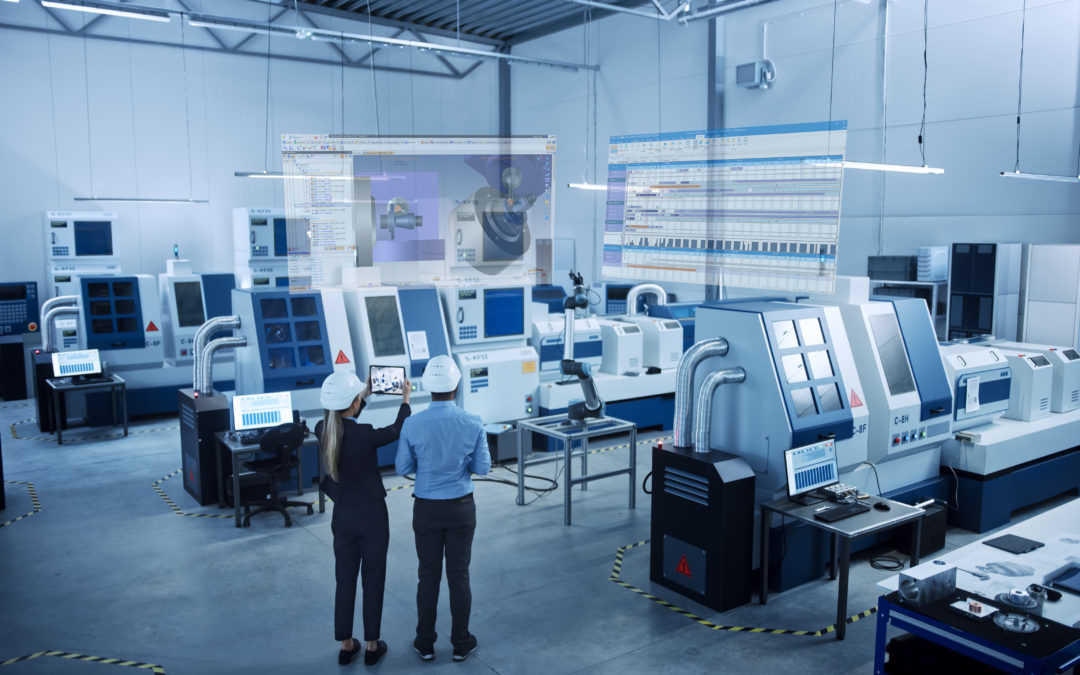
To increase agility, manufacturers are turning to digital solutions such as CAPM software, which is often integrated into ERP environments. By providing real-time visibility into the shop floor, these tools help teams identify bottlenecks, adjust priorities, and automate repetitive tasks as soon as possible.
As a result, the workload is better distributed because peaks in activity are better anticipated, and resources are managed more intelligently. Here’s why.
What is CAPM software?
Computer-Aided Production Management (CAPM) software is a strategic software package for managing industrial operations. It is used to plan and control production flows and to coordinate all activities related to the production floor (machines, raw materials, human resources, and deadlines).
It is designed for both manufacturers and subcontractors, and is often integrated into a comprehensive ERP system to create a seamless digital supply chain. It can also use forecasting data (MRP, PIC) to adjust production based on demand and inventory levels.
What are the benefits of an ERP/MPS system?
An ERP/MPS system offers numerous benefits: improved organization, centralized data, reduced costs, and faster decision-making. By consolidating all business processes (sales, purchasing, logistics, quality, and production) into a single interface, this integrated software solution provides you with comprehensive control over industrial operations. Among the most frequently cited benefits are:
- Real-time visibility into production load, which makes it easier to make adjustments on the fly;
- Identifying bottlenecks;
- Quality control throughout the manufacturing process;
- More reliable execution thanks to the direct link between sales, production, and planning data.
How does project management software work?
The operation of a CAPM software system is based on the management of production activities, in close conjunction with the management of inventory, orders, and production orders. It acts as the central hub of the information system, integrating data flows from various modules: purchasing, sales, planning, production, and maintenance.
Using an MRP (Material Requirements Planning) system, teams can anticipate material and capacity needs; this enables them to organize workloads on the shop floor and simulate production scenarios, for example. The operator or production manager can thus monitor every step of the manufacturing process.
What features should CAPM software have?
Good production planning and control software includes several key features:
- workload planning,
- scheduling,
- workshop follow-up,
- material requirements planning (MRP),
- inventory management,
- management of manufacturing operations.
It can also handle the creation of items, the management of bills of materials and work orders, as well as sales-related invoicing.
The software must enable precise control over technical and sales data. In project mode, it can incorporate MRP or make-to-order logic. Some solutions, such as TopSolid’Erp, go even further by integrating production planning and control with CAD/CAM for comprehensive manufacturing management.
The TopSolid Suite of CAD, CAM, and ERP Solutions




How to Choose CAPM Software?
Choosing the best production management software for your company requires an assessment of your needs in terms of functionality, industry, type of production, and desired level of integration. Criteria such as compatibility with your existing IT system, MRP capabilities, workload management, and configuration flexibility must also be taken into account.
A comparison of the solutions available on the market allows you to evaluate the offerings based on their modules, associated services, and overall cost (license, support, maintenance). Good software should integrate seamlessly with your existing systems.
How do you implement CAPM software?
Implementing a production management system is a strategic step for any manufacturing company. It’s not enough to simply install the software: you must structure the project, define business requirements, train teams, and ensure seamless system integration with other tools (ERP, CAD, SAGE, Microsoft, etc.).
The implementation of the production management system involves production planning that takes into account operational constraints and business objectives. Flow analysis, configuration setup, testing phases, and process adjustments are essential to ensuring a seamless transition. Targeted user training will enable optimal use of the system from the very first weeks.
What results can you expect after implementing a CAPM system?
Once the software is up and running, the benefits quickly become apparent at every level of the company. Production flows more smoothly, orders are tracked more closely, and resources are allocated more intelligently. At the management level, data is reported in real time, enabling quick decision-making and allowing for much clearer steering of the industrial strategy.
Effective planning and cost control help ensure that deadlines are met, optimize customer relationships, and reduce losses. Integrating CAPM into a solution like TopSolid’Erp provides a comprehensive view of all workflows, from sales to shipping, and strengthens long-term competitiveness.
Production management software helps structure and optimize the entire production process, but it truly reaches its full potential when integrated into a broader environment such as an ERP system. This is precisely the strength of TopSolid’Erp, which combines production management with all of the company’s essential functions: purchasing, sales, inventory, quality, finance, and more.
With TopSolid’Erp, production naturally aligns with business and logistics requirements. You can plan, manage, and adjust while keeping costs and deadlines on track. Want to learn more about TopSolid’Erp? Contact us!