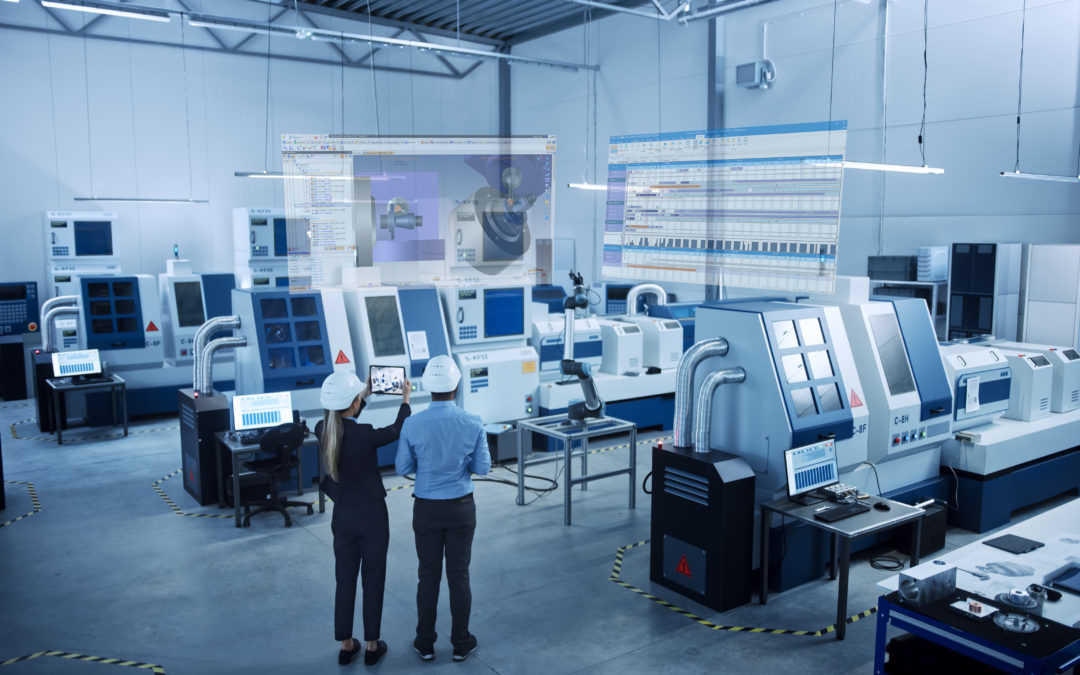

Machine Monitoring: How to Move from Passive Monitoring to a Culture of Performance

Machine Monitoring: How to Move from Passive Monitoring to a Culture of Performance

Beyond simply installing sensors and collecting data for industrial maintenance, monitoring must evolve into a comprehensive approach—one that involves teams, analyzes root causes, and integrates into the production ecosystem. TopSolid guides you in transforming your monitoring process into a strategic lever for continuous improvement.

Why Monitoring Machinery Alone Is No Longer Enough

Installing sensors and setting up real-time dashboards represent the first step in digital transformation for many manufacturing facilities. Although necessary, this approach quickly reveals its limitations. Production managers find themselves facing a frustrating paradox: they still struggle to significantly improve their industrial performance despite the wealth of data at their disposal. This illusion of control effectively masks the lack of in-depth analysis and structured, prioritized corrective actions.

Another issue: monitoring remains siloed within each department. Production monitors output rates, maintenance tracks its service calls, and quality control logs nonconformities… But no one actually cross-references this data to identify correlations and root causes. As a result, optimizations are limited and concentrated, to the detriment of the shop floor’s overall performance.

In this context, it is becoming necessary to evolve monitoring into a proactive and collaborative analytical function. Today, the challenge is not simply to identify deviations, but to understand their causes, anticipate when they will occur, and rally teams around concrete and achievable improvement goals.

Beyond the Numbers: The Importance of Context and the Real Reasons for Dropping Out

Regardless of its duration, a machine downtime event can have radically different impacts depending on the context and cause. However, this fundamental distinction is often overlooked by many monitoring systems, which simply tally durations without identifying the nature of the events. This is why modern monitoring—with its intelligent categorization of downtime events—has become the primary tool for transforming raw data into actionable insights.

Correlations between different parameters often reveal unexpected insights. For example, a consistent drop in production rate during shift changes can point to a problem in the communication of instructions. Similarly, more frequent downtime for certain product models can highlight difficulties in sourcing specific components or improper machine settings. All of these issues become apparent only when machine data is cross-referenced with production schedules, work orders, and quality control records.

The influence of external factors on machine performance is also often underestimated. Delays in tooling delivery, temporary shortages of consumables, unavailability of a forklift… These are all external factors that impact productivity, without being directly attributable to the machine or the team working on the shop floor. An effective monitoring system must therefore capture these interdependencies to provide a truly systemic view of production.

This set of observations forms the contextualized approach that is gradually transforming the way shutdowns are perceived. They are no longer viewed as inevitable, but rather as opportunities for learning, analysis, and optimization. Thus, each documented event not only enriches the company’s knowledge base, but also enables:

  • to refine preventive maintenance plans,
  • to adapt production lines,
  • and to continuously improve production processes.

>>> See also – TopSolid’Inspection: Automated and Reliable Quality Checks

Turn monitoring into a collaborative tool by placing operators at the heart of the system

All too often, operators view monitoring systems as surveillance tools rather than decision-making aids. This negative perception hinders adoption and deprives the company of a valuable source of information: on-the-ground expertise! Yet operators, who deal with the ups and downs of production on a daily basis, are best positioned to understand and correctly interpret the data collected.

To turn monitoring into a collaborative tool, the challenge is therefore to provide teams with a streamlined interface that allows them to quickly classify events. Say goodbye to complex forms and hello to real-time data entry, which captures information before it might be lost due to delayed reporting.

This involvement is part of a virtuous cycle that gradually transforms monitoring into a constructive dialogue between the shop floor and management. However, it highlights the obvious need for training to raise teams’ awareness of the Overall Equipment Effectiveness (OEE), the interpretation of trends, and the identification of warning signs. These are all skills that strengthen their autonomy and their ability to propose relevant improvements, thereby fundamentally transforming tedious meetings into opportunities for constructive dialogue.

Tangible returns through measurable gains

Companies that go beyond simple monitoring to adopt a truly integrated approach see significant improvements:

  • better anticipation of deviations,
  • greater responsiveness to early warning signs,
  • reduction of micro-stops,
  • reduction in changeover times through standardization of procedures,
  • improved production speed as a result of optimized machine settings.

All of these optimizations have a direct impact on OEE, which generally follows a gradual upward trend over the medium and long term.

But beyond the direct metrics, the organizational benefits prove to be just as valuable:

  • closer communication between production and maintenance,
  • planning for interventions,
  • reduction in emergency room visits,
  • standardization and ongoing documentation of best practices,
  • better management of employee turnover and facilitating the onboarding of new hires.

Integrating Monitoring into an Ecosystem: A Strategic Lever

While the shift toward a more inclusive, interactive, and dynamic monitoring model makes perfect sense, its true power is revealed when it is integrated into a cohesive digital ecosystem. For example, performance data feeds directly into CAD/CAM to adjust machining programs based on actual observed capabilities. In turn, the MPS system uses this same information to refine its planning and propose realistic lead times based on production history.

This integration finds its most successful expression in solutions such as TopSolid, which makes monitoring an essential component. From design to production, including processes and quality, all data converges into a unified view of performance. It is, therefore, a systemic approach that makes it possible to identify opportunities for optimization that would be impossible to detect using siloed tools.

>>> See also – Production Management Software: Optimize Your Production Management

More than just a tracking tool, machine monitoring serves as the catalyst for a profound cultural transformation toward operational excellence. Its success rests on three inseparable pillars: contextualizing data, engaging teams, and integrating it into the production ecosystem. By adopting this holistic approach, you’ll transform your shop floor data into informed decisions while engaging your teams in this change. Could this be the future for your production lines?
How can you convince your executives to invest in software?

How can you convince your executives to invest in software?

Presenting a proposal for an industrial software acquisition to decision-makers can sometimes feel like an obstacle course. Between technical arguments that are hard to come by to convince financial decision-makers and vague promises of automation, many technical managers find their requests postponed or even rejected.

However, industrial competitiveness today hinges on the ability to optimize every link in the chain, which gives the choice of digital tools a strategic dimension. Investing therefore becomes a no-brainer… provided that its value and profitability can be demonstrated.

Beyond the technical features, discover the strategies you can use to convince your management team of the overall performance and long-term value of automation tools.

Understanding Management’s True Expectations

While ROI is a key metric for any investment, modern management teams no longer limit themselves to it. They now seek to understand the systemic impact and indirect benefits of deploying a new tool. Reduced stress on teams, an improved brand image, the ability to respond more quickly to requests for proposals… These are all factors that now weigh heavily in the decision-making process.

Among the current concerns of decision-makers, risk management is also—and above all—worth mentioning. With digitalization, cybersecurity is no longer an option. As such, digital sovereignty is particularly reassuring to sensitive industries (such as those in the defense, aerospace, and energy sectors, for example). It is even becoming a competitive advantage in public procurement bids.

Finally, human capital remains a quiet but deeply rooted—and, above all, decisive—concern. How can we attract young talent if our tools are obsolete? How can we retain experts without offering them stimulating technologies? This is precisely why acquiring modern software is so important: the tool itself becomes a key factor in recruitment and retention—which is essential as technical talent becomes increasingly scarce.

>>> See also – TopSolid’Erp – Production Planning and Control Software for Industry 4.0

Overall Profitability Beyond “Miraculous” Automation

The promise of full automation has long been on the minds of executives and decision-makers. As a result, the argument for automation alone no longer has the desired effect, as it requires a comprehensive strategy. Without one, it creates more rigidity than agility, even as executives today seek a more nuanced and realistic view of the benefits.

Overall profitability is also fundamentally different from one-time gains. For example, an engineering firm can save time on technical drawings by automating this task.

But with an integrated solution such as TopSolid, the entire process is optimized:

  • design,
  • simulation,
  • manufacturing,
  • documentation.

His client can then shorten its lead times not only through the speed of technical drafting but also by eliminating back-and-forth communication between different departments.

This virtuous domino effect thus transforms the initial investment into a catalyst for growth. But a change in perspective means adapting the way you present your project. It is no longer simply a matter of automating tasks, but of accelerating workflows. Obviously, the goal is not to replace people, but to unlock their creative potential and channel their skills toward high-value-added tasks.

In short, the challenge is to show how every euro invested generates value simultaneously across several areas.

>>> See also – Integrate TopSolid 7 into your process chain with TopSolid’Automation

Building a Rigorous Comparative Analysis

The status quo comes at a cost. It is often invisible but very real. The best approach is to start by quantifying it methodically, because errors discovered late in the process cost, on average, 10 times more to correct than they would in the initial phase.

  • How many projects were affected this year?
  • How much time does that amount to over the course of a year?
  • How many bids were lost due to a lack of responsiveness?
  • How many customers have you lost because your competitors are more agile?

Given these hidden costs, it’s in your best interest to clearly demonstrate the benefits of a modern solution:

  • Reduced turnaround times.
  • Improving quality prior to machining.
  • Expanding into and capturing new markets through rapid quote generation and streamlined processing of rush orders.

Finally, before investing in any software, it’s worth paying special attention to the comparison between on-premises and SaaS solutions. And for good reason: while SaaS pricing may seem attractive at first, it hides some pitfalls—regular price increases, bandwidth costs for large CAD files, and total reliance on an internet connection…

On-premises solutions, on the other hand, require a larger initial investment but offer complete control: a payback period of 3 to 5 years, predictable costs, operational independence, and absolute protection of intellectual property…

Tailor your message to the size of the company

For SMEs: Versatility and Affordability

Small organizations cannot afford to accumulate specialized tools or assign experts to each piece of software. The key challenge, therefore, is to address this constraint with a single solution that covers the entire cycle.

Scalability also gives them peace of mind. The idea is to start with the essential modules and then expand as the business grows, without any technological disruption.

In other words, the key message is this: you’ve thought through an investment that scales with the business.

For Mid-Sized Companies: Structure and Standardization

Mid-sized companies have moved beyond the artisanal stage but are often faced with inconsistent processes. These organizations need to standardize practices, harmonize methods across sites, and centralize expertise. In this context, the argument that production can be doubled without doubling the engineering department’s staff is particularly compelling. Hence the importance of highlighting the ability to industrialize without sacrificing flexibility.

For scale-ups: a solution tailored to their specific needs

Fast-growing companies have specific needs. As a result, they must plan for their growth without overinvesting too quickly, using an agile solution that allows them to:

  • to gradually acquire modules,
  • to promote the gradual development of the teams’ skills,
  • to ensure their technical scalability.

These structures also place particular emphasis on the solution provider’s long-term viability and its capacity for continuous innovation. Your key selling points, therefore, revolve around training, the support provided, and the potential existence of a user community.

Convincing management to invest in industrial software is no longer a technical or purely financial issue, but a strategic one. By aligning your pitch with the decision-makers’ real concerns, you’ll transform a request for a tool into a company-wide project.

And since TopSolid does more than just automate, by choosing this solution, you’ll be taking steps to structure, secure, and accelerate your industrial growth.

Ready to put together your application? Our experts can help you develop a compelling case.

TopSolid’Inspection: automated quality inspections you can trust

TopSolid’Inspection: automated quality inspections you can trust

With production lines under serious pressure, in a context marked by increasingly strict regulatory traceability requirements, quality inspection has a key role to play. Not least because every part has to satisfy ever more stringent standards, and the slightest non-conformity can lead to significant costs at all levels: scrapped parts, late delivery, unhappy customers, and so on.

Yet, despite the context, many companies still rely on manual inspection practices. Printouts of drawings with handwritten notes, paper versions of measurement records, time-consuming data processing in Excel… In short, a set of methods that are not interlinked, take up a lot of time and multiply the risk of human error.

That’s where TopSolid’Inspection comes in. Now a benchmark solution, this digital tool centralises all your dimensional inspection operations securely, ushering in a radically new approach to workshop quality inspections.

Why dimensional inspection is still a critical (and time-consuming) operation

The complexity of modern quality inspections poses a real challenge: increasingly complicated technical drawings go hand in hand with sophisticated parts that require tolerances in micrometers. On top of that, in sectors such as aviation and the automotive industry, customer requirements impose extremely high standards in terms of rigour and traceability.

In this context, relying on human interpretation of drawings is a real bottleneck for everyone involved in production chains. Quality inspectors have the hardest time, because they have to identify each dimension to be measured, make a note of nominal values and tolerances, then organise their measuring sequences.

Without a digital tool, this phase is time-consuming as well as being a source of errors. Yet the stakes are high: reading the wrong dimension or applying the wrong tolerance can undermine the entire quality inspection process!

At the same time, being able to trace your measurements is another major advantage. Who inspected the part? When? And which instrument did they use? This is all essential information for customer audits, or if non-conformities come to light. And yet, you often won’t find all that information in one place. A confusing mix of Excel files and logbooks (sometimes physical) makes it unreliable and difficult to use.

Lastly, having lots of different files, and no link to ERP or CAPM systems, makes overall production management more complicated, because your quality data remains separate — a real shame for management teams who don’t then have access to valuable information about manufacturing trends, equipment performance, and so on.

Related topic – How to save time in the inspection process for mechanical parts

TopSolid’Inspection: an inspection solution geared to production

Automatic ballooning and dimension recognition

TopSolid’Inspection revolutionises the inspection preparation process by allowing you to integrate the part drawing into the planned inspection directly, whatever its format (PDF, DXF, DWG, image scan, TIFF file, etc.). That flexibility guarantees perfect compatibility with your current practices.

The system is essentially based on manual or automatic dimension ballooning using recognition algorithms. That feature saves you a huge amount of time, especially when it comes to complex drawings with lots of different dimensions.

How does it work? Put simply, automation is the key. On the one hand, built-in OCR (optical character recognition) reads the values of dimensions. On the other hand, the system generates the inspection frequency and tolerances based on defined standards, and precisely locates every point to be measured on the drawing.

Customisable generations and straightforward use

After ballooning, TopSolid’Inspection uses automation again to generate your work documents (balloon drawing for the workshop and inspection sheet for entering the measurements). Those documents can be exported in all standard formats (Excel, Word, PDF) so they fit seamlessly into current processes.

As a side note, all visual settings can be configured to match the specific needs of each organisation. Companies can even adapt generation models to their own corporate style guide and in-house standards (inspection reports, self-inspection sheets, FAI folders, and so on).

A Factory 4.0 workshop interface, making sure TopSolid’Inspection fits seamlessly into your workshop

The major innovation of TopSolid’Inspection lies in its simplified version, specially designed for workshops. Deployed on Windows devices (in a 100% digital environment), the interface can be used directly by quality inspectors at their workstation.

They can enter measurements manually using a touch keyboard, or automatically via measuring instruments connected to the tool. The system applies a smart management approach, also integrating management of production phases, resulting in a sequence-based inspection suited to manufacturing process sheets.

As well as noticeably speeding up the inspection process, that direct connectivity makes transcription errors a thing of the past. Lastly, dynamic inspection charts give you the option of observing trends in real time, so you immediately notice the first signs of drift.

In short, the interface is designed to be compact, without cutting any corners when it comes to the precision and reliability of quality inspections!

Centralised, fully traceable data

To make sure all your quality information is consistent and in one place, TopSolid’Inspection centralises it in a single database which is easy to integrate into your legacy ERP or CAPM. It’s also worth noting that the system accepts a variety of data sources, which makes it easier for companies to navigate the digital transition, whatever stage they’re at.

Each measurement is automatically associated with its inspector, the instrument used and the date and time of the operation. The multi-criteria search function also lets you retrieve the information you need in a click: specific project, customer, inspection device, etc.

Quality and capability analysis

TopSolid’Inspection doesn’t just collect data, it provides you with powerful statistical process control tools.

  • Inspection charts containing measurements or attributes give you an overview of trends and let you detect any signs of drift (they alert you automatically).
  • Capability calculations (Cp, Cpk, etc.) quantify process performance and help you determine improvement actions.

You may have cause to analyse a particular project or set of projects to make comparative studies and identify best practice. Those features are particularly helpful for conducting customer audits and for continuous improvement.

Related topic – What are the advantages of digitising the part inspection process?

What are the benefits for your quality department?

Adopting TopSolid’Inspection generates some instant, measurable benefits for your workshop. You can say goodbye to tedious ballooning operations, and you won’t have to spend time transcribing and formatting reports. That means quality inspectors can focus on their core business — measuring and analysing — with fewer human errors (due to transcription, interpretation, etc.) as an added bonus.

Don’t forget that full traceability is also one of the requirements of ISO-certified environments, as well as making customer audits so much easier. All of those improvements boost companies’ credibility along with customer confidence.

Finally, the fact that the tool fits seamlessly into the TopSolid ecosystem creates a powerful synergy. Manufacturing process sheets are produced directly from design data, while quality findings make for more sophisticated production control.

TopSolid’Inspection radically transforms your approach to quality inspection, by simplifying tasks everyone knows are tedious and error-prone. This smart use of digitisation gives your teams the chance to focus on their true added value — a strategic asset that secures your production and promotes your quality approach, impressing even the most demanding customers.

Find out how TopSolid’Inspection can transform the way you manage dimensional inspections. Contact us for a personalised demo!

Mecachrome Streamlines Its Shop Floor Workflows with TopSolid’ShopFloor

Mecachrome Streamlines Its Shop Floor Workflows with TopSolid’ShopFloor

©Mecachrome

With over 80 years’ experience in high-precision manufacturing, the Mecachrome group has taken its digital transformation to the next level. At its Montauban site in southwest France, integrating TopSolid’ShopFloor has secured NC transfers and significantly improved the traceability of operations. We take a look back at a high added-value project.

A challenging industrial context

The Mecachrome site in Montauban, which specialises in complex turning, is a key player for customers including Airbus, Safran and Thales. Working in build-to-print mode, it combines technical expertise and extremely demanding quality requirements. However, despite the site’s top-level functional expertise, the NC program transfer methods had some weak spots.

Before the project, files were sent via a wifi network, and signal losses, incomplete transfers and doubts about which version was being used were commonplace. Those contingencies had become unacceptable in such a critical environment.

A targeted solution with TopSolid’ShopFloor

As part of its policy of structuring workshop flows, Mecachrome opted for the TopSolid’ShopFloor solution, and more specifically, the Program Manager module. The aim was to secure NC transfers, improve traceability and centralise file management.

“We were looking for a simple, secure solution that would fit seamlessly into our TopSolid environment.”
— Thibaud Luvisutto, Industrialisation Manager

The group selected a tool native to the TopSolid’Cam environment, capable of managing machine-specific access rights, time-stamping every action and tracking all users.

A speedy roll-out, a cultural shift

From a technical standpoint, the project was rolled out in record time: software installation, wiring of the machines, entering of the profile settings, training and so on. It only took a few days to get the system up and running.

However, in terms of use and practices, the change was more significant. For operators, it meant switching from an informal software program to a structured process involving validations and checks. They needed time to get used to the new framework. However, the benefits quickly became apparent.

“It’s a more rigid process, but it’s easy to see the benefits in terms of traceability.”
— Sébastien, NC programmer

Concrete results day after day

NC programs are now centralised and secured, and every transfer is clearly identified. As a result, there are fewer errors, teams are reassured, and it is much easier to analyse incidents and learn from them.

“We now have a real overview of the files sent. We can identify the origin of any anomaly.” — Sébastien, NC programmer

This first step paves the way for more far-reaching digitisation. Mecachrome already plans to explore other modules, such as tool supervision and workshop management.

The range of CAD, CAM, ERP and PDM TopSolid solutions

Making the shift to a smart workshop

The Montauban site has achieved a strategic milestone by adopting TopSolid’ShopFloor. This project embodies a modern vision of the workshop: smarter, more structured, yet fully geared to operational performance.

“We can clearly see the potential to go further, without creating any extra work for our teams.” — Thibaud Luvisutto, Industrialisation Manager

You may also enjoy: Discover the new features in the 2025 version of TopSolid’ShopFloor

Want to know more about TopSolid’ShopFloor and its workshop applications?
Try out the free version and/or request a demo now.

Why Choose an ERP System Designed for the Mechanical Engineering Industry? The Unique Benefits of TopSolid’Erp

Why Choose an ERP System Designed for the Mechanical Engineering Industry? The Unique Benefits of TopSolid’Erp

In the mechanical engineering industry, the demands are particularly high: traceability, quality, material consumption, responsiveness… And yet, too many companies still rely on general-purpose ERP systems that are ill-suited to their day-to-day realities.

TopSolid’Erp, a game-changing solution designed by and for manufacturers in the mechanical engineering industry.

In this article, the 4 (real) strengths that make all the difference—and that make it so much more than just an ERP system.

1. An ERP system designed to be 100% mechanical, ready to use, and requiring no custom development

At TOPSOLID, we don’t start with a general-purpose ERP system that we then adapt. From the very beginning, we’ve built an ERP system designed specifically for industrial sectors: machining, bar turning, mechanical welding, sheet metal fabrication, and more.

The benefits:

  • Appropriate terminology (scrap, product lines, subcontracting, etc.)
  • Methodology Designed for Production Workshops
  • No custom development required: the solution is ready to use right away, with no hidden costs

The result: you benefit from rapid deployment and seamless adoption by your teams, with no unpleasant surprises during implementation.

2. Inventory management that takes both the big picture and the details into account

This is an issue that is rarely addressed by traditional ERP systems. At TOPSOLID, we have incorporated two levels of material inventory tracking:

  • Overview: Total available quantity (e.g., 20 meters of bars in stock)
  • Micro view: breakdown by cutting unit (e.g., 1 bar of 10 m + 2 bars of 5 m)

This dual-reading process provides greater accuracy when dealing with high-quality, expensive materials and helps prevent losses or booking errors.

Add to that:

  • Comprehensive management of material and product traceability
  • Compliance with material standards (AFNOR, etc.)
  • Smart Management of Cuts, Pieces, Bars, and Scraps
  • Optimizing consumption, reducing losses

And you get realistic inventory management that’s connected to operations on the ground.

3. A natively integrated trio of Scheduling, Production, and Quality

That’s what sets us apart: we’re the only ones to offer seamless, native integration between the scheduling, production, and quality modules.

This direct link eliminates the need for duplicate data entry, complicated interfaces, or synchronization errors:

  • Scheduling: real-time planning, capacity management (finite, infinite, forced)
  • Production: Taking into account resources, downtime, subcontractors, and supplies
  • Quality: Integration of measures and controls directly into production orders

All quality and real-time data from the shop floor is fed back into the schedule. You have a clear, up-to-date, and actionable overview.

4. An ERP system connected to the TOPSOLID ecosystem

TopSolid’Erp is part of a cohesive system. It integrates natively with:

The result: a seamless digital workflow, from design to delivery.


The TopSolid Suite of CAD, CAM, and ERP Solutions

In summary

TopSolid’Erp is not just an adaptation—it is an industry-specific ERP system, designed to speak the language of the mechanical engineering industry, to integrate seamlessly into their environment, and to meet their actual needs.

  • Specialized
  • Ready to use
  • Logged In
  • Concrete

Want to see what TopSolid’Erp can do for your shop? Contact us for a personalized demo.

Production Management Software: Optimize Your Production Management
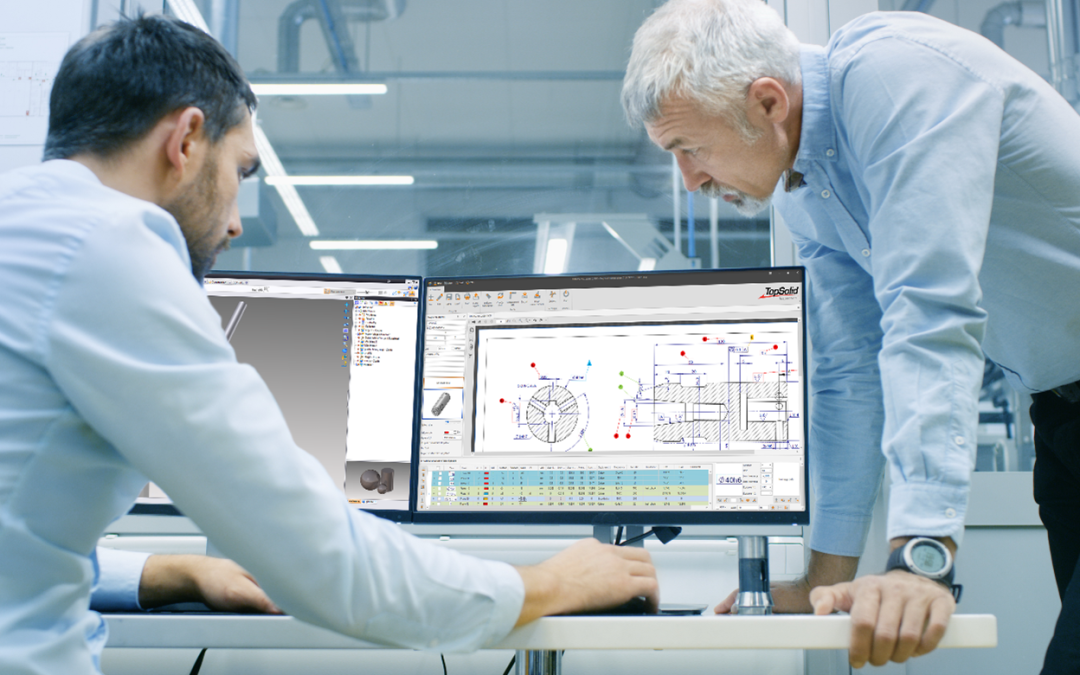
Production Management Software: Optimize Your Production Management
Optimizing production management means, above all, rethinking industrial organization to improve efficiency day after day. To achieve this, companies are well advised to rely on an ERP system or software solution capable of precisely managing material flows, data, and human resources.

The goal? To automate as many tasks as possible to prevent errors, reduce machine downtime, and control production costs.

To increase agility, manufacturers are turning to digital solutions such as CAPM software, which is often integrated into ERP environments. By providing real-time visibility into the shop floor, these tools help teams identify bottlenecks, adjust priorities, and automate repetitive tasks as soon as possible.

As a result, the workload is better distributed because peaks in activity are better anticipated, and resources are managed more intelligently. Here’s why.

What is CAPM software?

Computer-Aided Production Management (CAPM) software is a strategic software package for managing industrial operations. It is used to plan and control production flows and to coordinate all activities related to the production floor (machines, raw materials, human resources, and deadlines).

It is designed for both manufacturers and subcontractors, and is often integrated into a comprehensive ERP system to create a seamless digital supply chain. It can also use forecasting data (MRP, PIC) to adjust production based on demand and inventory levels.

What are the benefits of an ERP/MPS system?

An ERP/MPS system offers numerous benefits: improved organization, centralized data, reduced costs, and faster decision-making. By consolidating all business processes (sales, purchasing, logistics, quality, and production) into a single interface, this integrated software solution provides you with comprehensive control over industrial operations. Among the most frequently cited benefits are:

  • Real-time visibility into production load, which makes it easier to make adjustments on the fly;
  • Identifying bottlenecks;
  • Quality control throughout the manufacturing process;
  • More reliable execution thanks to the direct link between sales, production, and planning data.


How does project management software work?

The operation of a CAPM software system is based on the management of production activities, in close conjunction with the management of inventory, orders, and production orders. It acts as the central hub of the information system, integrating data flows from various modules: purchasing, sales, planning, production, and maintenance.

Using an MRP (Material Requirements Planning) system, teams can anticipate material and capacity needs; this enables them to organize workloads on the shop floor and simulate production scenarios, for example. The operator or production manager can thus monitor every step of the manufacturing process.

What features should CAPM software have?

Good production planning and control software includes several key features:

  • workload planning,
  • scheduling,
  • workshop follow-up,
  • material requirements planning (MRP),
  • inventory management,
  • management of manufacturing operations.

It can also handle the creation of items, the management of bills of materials and work orders, as well as sales-related invoicing.

The software must enable precise control over technical and sales data. In project mode, it can incorporate MRP or make-to-order logic. Some solutions, such as TopSolid’Erp, go even further by integrating production planning and control with CAD/CAM for comprehensive manufacturing management.


The TopSolid Suite of CAD, CAM, and ERP Solutions

How to Choose CAPM Software?

Choosing the best production management software for your company requires an assessment of your needs in terms of functionality, industry, type of production, and desired level of integration. Criteria such as compatibility with your existing IT system, MRP capabilities, workload management, and configuration flexibility must also be taken into account.

A comparison of the solutions available on the market allows you to evaluate the offerings based on their modules, associated services, and overall cost (license, support, maintenance). Good software should integrate seamlessly with your existing systems.

How do you implement CAPM software?

Implementing a production management system is a strategic step for any manufacturing company. It’s not enough to simply install the software: you must structure the project, define business requirements, train teams, and ensure seamless system integration with other tools (ERP, CAD, SAGE, Microsoft, etc.).

The implementation of the production management system involves production planning that takes into account operational constraints and business objectives. Flow analysis, configuration setup, testing phases, and process adjustments are essential to ensuring a seamless transition. Targeted user training will enable optimal use of the system from the very first weeks.

What results can you expect after implementing a CAPM system?

Once the software is up and running, the benefits quickly become apparent at every level of the company. Production flows more smoothly, orders are tracked more closely, and resources are allocated more intelligently. At the management level, data is reported in real time, enabling quick decision-making and allowing for much clearer steering of the industrial strategy.

Effective planning and cost control help ensure that deadlines are met, optimize customer relationships, and reduce losses. Integrating CAPM into a solution like TopSolid’Erp provides a comprehensive view of all workflows, from sales to shipping, and strengthens long-term competitiveness.

Production management software helps structure and optimize the entire production process, but it truly reaches its full potential when integrated into a broader environment such as an ERP system. This is precisely the strength of TopSolid’Erp, which combines production management with all of the company’s essential functions: purchasing, sales, inventory, quality, finance, and more.

With TopSolid’Erp, production naturally aligns with business and logistics requirements. You can plan, manage, and adjust while keeping costs and deadlines on track. Want to learn more about TopSolid’Erp? Contact us!